

2026-10-09 APP 2.0.0-beta48 has been released !
This is mainly a bug fix release for the reported bugs in beta47. In addition it has a significant User Interface performance improvement noticable when you need to process 1000s of images in APP.
2026-10-03 APP 2.0.0-beta47 has been released !
This is a very big release... many code optimizations/rewrites, many parts of APP are much faster and more precise, especially star analysis and registration are much faster ! Big mosaics will go much faster 🙂
And we introduce a new preview filter, which includes the new Adaptive Deep Sky Stretch and a General Levels Stretch, this has been long over due. The old preview filter (the panel on the right side to stretch and preview your data) has not been updated for a couple of years and it is a critical part of any APP session.
Adaptive Deep Sky Stretch or ADSS is a much more intuitive stretch algorithm. It is also color preserving (which is a great new addition in itself ! ) which means that the highlights are no longer bleached, color is maintained from the linear data while stretching. You can simply stretch your data using the sky background level and signal width sliders which work much easier and more intuitive. You no longer need to fiddle with the old complicated sliders with zoom buttons. All the zoom buttons for the sliders are made redundant. And you can enter slider values in the slider value fields yourself. I will make a youtube video in the coming days to explain and fully introduce ADSS. Once the video is ready, it will be highlighted on the forum.
RGB Combine upgrade !. The RGB Combine Tool has been rewritten mostly. The tool is faster and easier to use and most importantly, the Luminance slider to inject a luminance channel or channels into the RGB composite is now working correctly. It no longer bleaches the RGB colors. Combined with the new ADSS preview, you will get much better and easier great composites with great color! I will also explain this in a new youtube video.
Hi everyone,
I'm trying to understand and solve a persistent color gradient issue in my mosaics created with AstroPixelProcessor. I have performed quite a few tests with different APP settings, but the problem remains. I would appreciate any suggestions or explanations.
Equipment and acquisition details
-
Camera: ZWO ASI2600MC-P25 (OSC)
-
Lens: Samyang 135mm f/2@f2/4
-
Acquisition software: ASIAIR Plus
-
Exposure per panel: 10 × 60 seconds (10 minutes total)
-
Gain: 100
All panels were captured during the same night. My main acquisition strategy is to capture each panel as close as possible to its local meridian, when the target is at its highest altitude and atmospheric extinction is minimized. I photograph the panels column by column, starting with the column currently crossing the local meridian. I capture all three rows of that column and then move to the next column, which has meanwhile reached approximately the same position in the sky.
This also helps keep the acquisition conditions and light pollution gradients relatively consistent across panels
The actual problem
After integrating the mosaic, I get visible green/cyan-colored regions exactly where the individual panels overlap.
Interestingly:
-
The central regions of individual panels tend to have a slightly reddish/purple background.
-
The overlap regions have a slightly green/cyan appearance.
-
The color differences are not particularly obvious when looking at individual panels.
-
The issue becomes visible mainly after combining the panels into a mosaic.
-
The problem is most apparent in areas with very weak astronomical signal, such as relatively empty background sky.
-
In regions containing the Milky Way or brighter nebulae, the green/cyan transitions are much less noticeable or practically invisible.
I have to apply a very aggressive stretch and saturation boost to make the problem clearly visible. With normal image stretching, these differences are much less obvious.
Here is an example
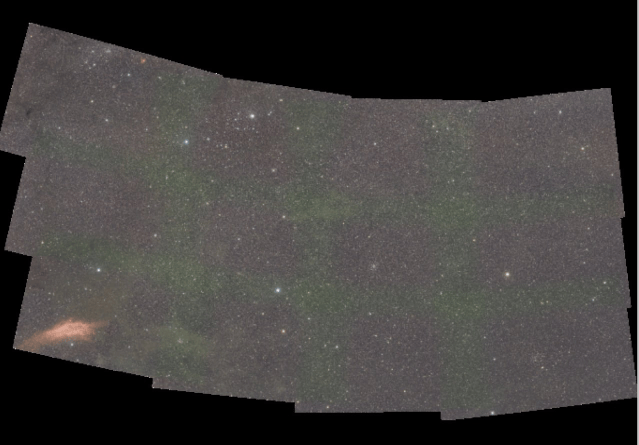
this is just a part of bigger mosaic from multiple nights
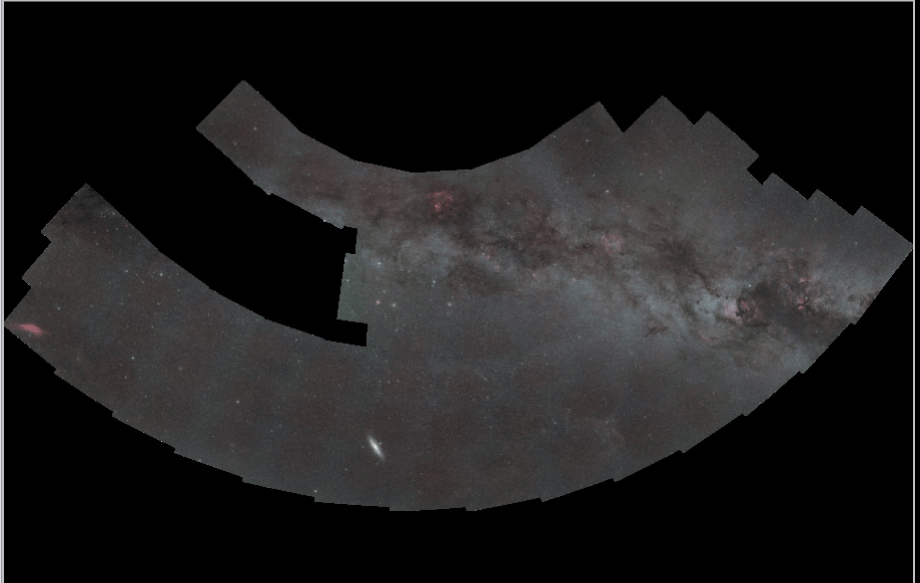
What I have already tried
I have experimented with different combinations of:
-
MBB enabled/disabled/0-50%
-
LNC enabled/disabled/1-4 order...
-
Different normalization modes.
-
Background calibration enabled/disabled.
The size and intensity of the green/cyan regions change depending on the settings, but they never disappear completely.
I also tried removing light pollution gradients from each individual panel BEFORE creating the mosaic. Unfortunately, the same green/cyan overlap regions were still present.
One particularly interesting test: I disabled both MBB and LNC. The green/cyan regions were still there, and their positions matched the overlap regions almost perfectly.
This makes me wonder whether the issue originates in the input panels themselves rather than in the blending algorithms.
Possible connection with different integration depths
Another aspect I am considering is the difference in effective integration time across the mosaic.
Each individual panel has only 10 minutes of integration.
However, an overlap region can(?) contain data from two, three or even four different panels.
Therefore, depending on the overlap geometry, the effective integration time could be:
-
Panel center: 10 minutes.
-
Two-panel overlap: 20 minutes.
-
Three-panel overlap: 30 minutes.
-
Four-panel overlap: 40 minutes.
Could the significantly different SNR between panel centers and overlap regions contribute to the appearance of these color transitions?
I understand that higher integration time alone should not change the expected RGB color ratios. However, I wonder whether small residual color differences between panels become more apparent when multiple panels are combined and random noise is reduced.
data:
https://drive.google.com/drive/folders/1DM-TKzqwNNFvSqLeQL7HPAHouXgDLJAB
Unfortunately, I am currently unable to log in to https://upload.astropixelprocessor.com/
Thank you!
Robert (@robo)
Interesting problem. I have a suggestion, but I am unsure how helpful it will be.
This recent post:
is at least superficially similar to your problem, except that his overlap areas are darker rather than lighter. Its probably worth reading the whole thing, but he was able to significantly reduce the problem by retaking his flats. I made the point that in my experience air gapped multi element optics, such as those used in dslr lenses, can be very fussy about the quality of the flats.
It may also be worth checking that both the individual panels and the mosaic integration are using the median calculation method (as the panels each have 10 frames). This should resolve any concerns about different integration depths.
JC
Thank you!
Flats were also my first suspect. I shot flats immediately after capturing the lights, on the same night and with exactly the same settings(gain, focus,fstop,...). I tried new set, no improvement...
My flat panel:
https://www.gerdneumann.net/en/Aurora-Flatfield-Panel-100mm-with-inverter-for-2x-AA-batteries/10302100
I tried Median for both panel and mosaic integration. I tried stacking without calibration and using GraXpert for background extraction (which also corrected the vignetting) as well. So it doesnt look like calibration issue to me
Unfortunately, I still have exactly the same seams...
Robert (@robo)
Can I ask what the exposure time and number of exposures was for your flats ? Also, did you use bias or darkflats ?
By the way - that is a neat little flatfield panel. I might try and pick one up for my portable rig.
JC
60x flat 3.9s auto calculated exposure by asiair plus,
60x bias 1ms,
60x dark flat 3,9s
you can find them here
https://drive.google.com/drive/folders/1DM-TKzqwNNFvSqLeQL7HPAHouXgDLJAB\
I have also some older dark frames same exposure, temperature, ... I used them for stacking one run but result was the same
My bias,dark flats, darks look very weird, so I tried stacking the panels without calibration and then running GraXpert for background extraction (which also corrected the vignetting) before integrating the mosaic. Unfortunately, there was no improvement.
I also tried using only flat calibration, without bias or master dark flats. APP showed a warning but still stacked the frames. However, the flats caused overcorrection.
here is master bias, same left to right color pattern is on darks/ dark flats/ bias
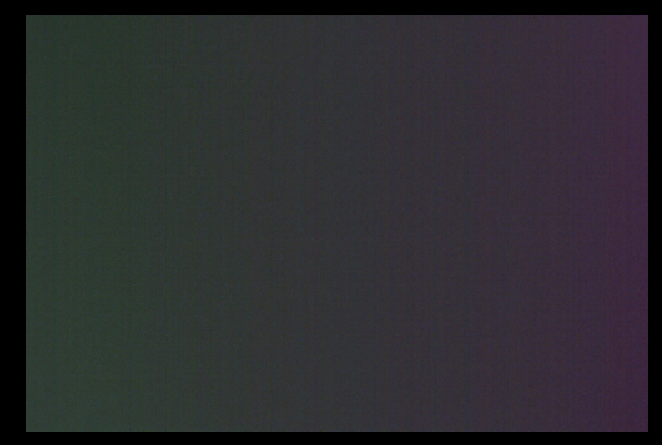
here is explanation
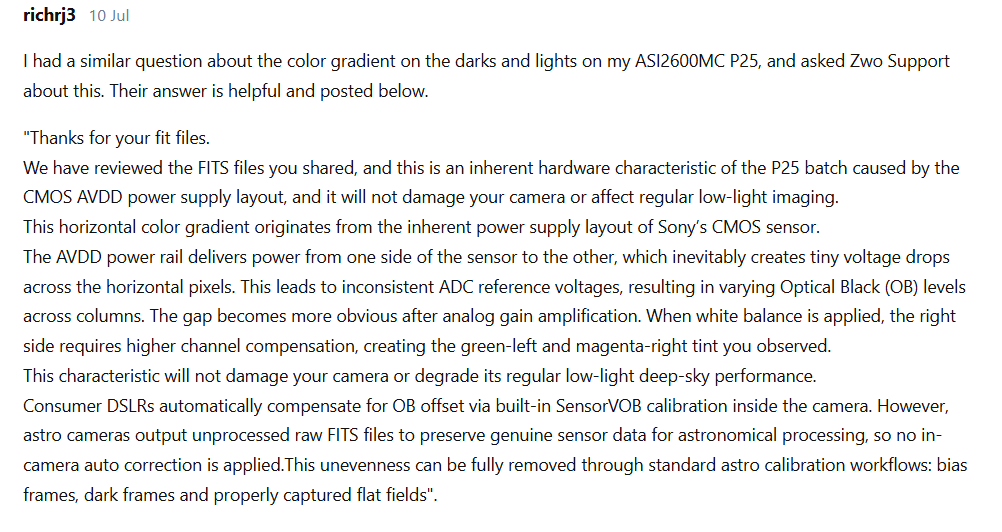
https://bbs.zwoastro.com/d/25815-colour-banding-in-asi2600mc-p25-dark-and-bias-frames
