

Mar 28 2026 APP 2.0.0-beta40 will be released in 7 days.
It did take a long time to have the work finished on this and it will have a major performance boost of 30-50% over 2.0.0-beta39 from calibration to integration. We extensively optimized many critical parts of APP. All has been tested to guarantee correct optimizations. Drizzle and image resampling is much faster for instance, those modules have been completely rewritten. Much less memory usage. LNC 2.0 will be released which works much better and faster than LNC in it's current state. And more, all will be added to the release notes in the coming weeks...
Update on the 2.0.0 release & the full manual
We are getting close to the 2.0.0 stable release and the full manual. The manual will soon become available on the website and also in PDF format. Both versions will be identical and once released, will start to follow the APP release cycle and thus will stay up-to-date to the latest APP version.
Once 2.0.0 is released, the price for APP will increase. Owner's license holders will not need to pay an upgrade fee to use 2.0.0, neither do Renter's license holders.
I am seeing sets of nearly parallel, but not horizontal, bands in images that have been integrated and processed by APP. I do not see this in the raw light images.
In the example image, zooming into the left-of-central region of the image reveals aprroximately horizontal bands, but these bands are "wiggly," as opposed to perfect mathematical parallel lines. On the other hand, zooming into the central right portion of the image reveals similar bands, but in this case the lines run roughly from upper left to lower right.
This image was processed after integration using the "remove light pollution" and "calibrate star colors" tools in APP.
Any ideas what is causing these artifacts and how I can avoid them?
Jean
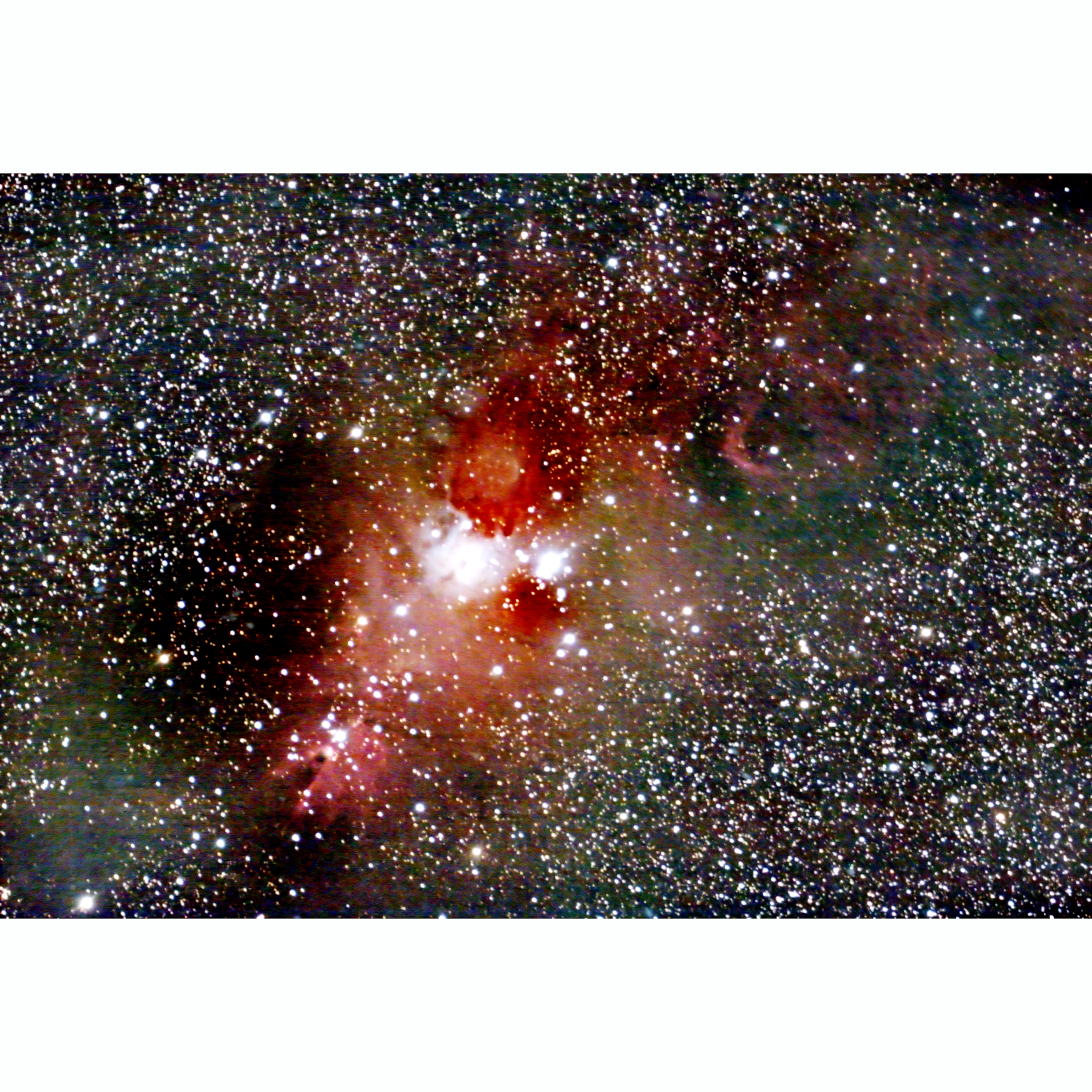
Making a followup post because I see this string is marked as being "solved." But it isn.t
To me this looks more like a lot of noise and possible issues with data calibration. The saturation is also very high it seems, so that amplifies any noise/issues. How is your data processing workflow, can you describe that?
I pretty much just work through the steps in APP using the defaults. Once the image is integrated, I repeatedly use the "remove light pollution" tool until the image becomes as clear as possible. I then do one application of the "calibrate star colors" tool. I then save the image in TIFF format for processing in Paint Shop Pro. In that software I primarily use Levels and Curves to improve the image, although I will also use some of the noise reduction tools.
I should mention that the banding seen in the example image appears usually for relatively faint onjects. I do not see banding in brighter images.
That you see it in fainter objects points to it being in the brighter images as well, but there you don't stretch as much so the background stays below a limit for you to see. Do you also see these when you just look at what APP produces, so before any other post processing? Do you dither when shooting and are you using all calibration files?
@vincent-mod
When I use only the "Remove Light Pollution" tool, the same kinds of banding appears as in the final fully processed image that I posted here. The banding does not seem to be present in the integrated image prior to using that particular tool.
I do use all the calibration files.
I have not done any dithering up to now. I use PHD2 for guiding and SharpCap for image acquisition. PHD2 does have dithering capability, but it seems it is manually applied, which I would not want to do. SharpCap also appears to have dithering capability, and it appears to be automated, but I am not sure if it is available in the free version, which is what I have been using up till now.
Do you have any suggestions regarding automated dithering software?
Dear Jean @jpiquette,
I have read the whole topic and I see the banding in your image. To me, this really looks like a data calibration issue somehow, or perhaps a problem with your camera electronics (like electromagnetic interference).
What kind of camera do you use and how do individual darks look like? Is the pattern visisble in single darks? Is the pattern the same in different darks? If you do not see it in your darks, please make some darks with really long exposure time, like 10 or 15 minutes and check if the problem shows then 😉
If it is a question of data calibration, then big dither steps would help countering the problem, but is it not the solution, the solution would be to get a better handle on the actual data calibration process.
If it is a question of a problem with the camera electronics, the banding patterns will show in the darks and they will be different in separate dark frames, then you have a clear indication of a hardware problem with the camera or the camera connector cable.
Mabula
