UPDATE FROM MABULA
I have had a very rough 2 months unfortunately health wise. I was struck 3x in a row with bacterial infections. The second infection occurred after a routine hospital checkup and I became very sick. I had to rest and take a lot of antibiotics. Once I was recovering and restarting work 1 month ago, I again became sick. The infection was not yet gone, so even more antibiotics and rest was needed. Needless to say, it took a lot of my energy and I needed a lot of rest.
Finally, the infection is really gone and my energy is coming back step-by-step now and I have started work again. I am terribly sorry to have kept you waiting for support. I will address all outstanding questions and e-mails step-by step and will be on the forum daily from today.
APP 2.0.0-beta47 will come soon as well, a lot of work was already completed before I became very ill, so the release is also nearly ready for you. Beta47 will be much faster actually. Many workflows will be more than 2x faster, mosaics can even be 10x faster than before because registration really received a major boost... all compared to beta46. Before I release it, I will make sure that everything is working properly and then I will release it.
I seem to be having this dialog box throw up when trying to perform flats calibration with Master Dark Flats loaded. The same issue does not occur if I specify a Master BIAS though, so I am wondering if it is taking into account the Master Dark Flats. I create two sets of master flats, one that has been MDF corrected and the other that has been BIAS corrected.
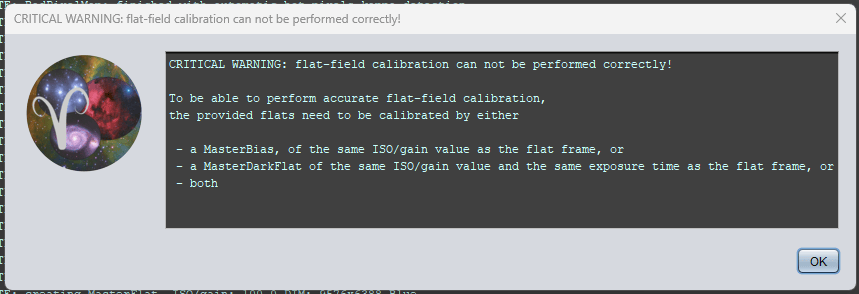
As you can see my Flat frames have the same exposure, gain etc as my MDF:

Just not sure why it is complaining and wanting to know if the MDF is being applied to the flats
Regards
Simon
Found the issue, when I loaded the original Dark Flats, for some reason they were loaded in as Darks, so it made them MD's as opposed to MDF's, might have been user error or a glitch in the Matrix
I do have a follow on issue though
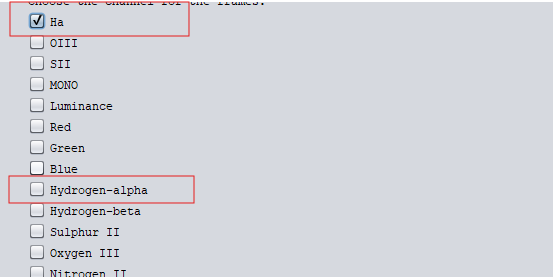
When adding the Dark Flats with their appropriate filter, if you choose Hydrogen-alpha, Oxygen-III it might not map the MDF to your flat frams if you camera saves them as Ha and OIII, it throws the same message. This is because the Filter Tag in the FITS Header do not match.
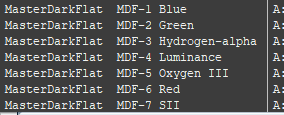

You have to make sure you choose the right one