

UPDATE FROM MABULA
I have had a very rough 2 months unfortunately health wise. I was struck 3x in a row with bacterial infections. The second infection occurred after a routine hospital checkup and I became very sick. I had to rest and take a lot of antibiotics. Once I was recovering and restarting work 1 month ago, I again became sick. The infection was not yet gone, so even more antibiotics and rest was needed. Needless to say, it took a lot of my energy and I needed a lot of rest.
Finally, the infection is really gone and my energy is coming back step-by-step now and I have started work again. I am terribly sorry to have kept you waiting for support. I will address all outstanding questions and e-mails step-by step and will be on the forum daily from today.
APP 2.0.0-beta47 will come soon as well, a lot of work was already completed before I became very ill, so the release is also nearly ready for you. Beta47 will be much faster actually. Many workflows will be more than 2x faster, mosaics can even be 10x faster than before because registration really received a major boost... all compared to beta46. Before I release it, I will make sure that everything is working properly and then I will release it.
Hi,
First, thanx for your work!
This is my first picture processed with APP, after several tries during the evaluating period.
270x30 sec, ISO 3200, modified Sony A7s, Nikon 300 mm at f4, STC duo narrowband clip filter.
As my camera is a Sony, I had first to convert the files (light, bias, dark and flat) into .fit with PixInsight (thx Mabula and Vincent for the solution).
Before preprocessing, I had to check force bayer CFA, if not, the resulting picture is in black and white.
Then I made a masterbias to calibrate the flats, and created a masterflat and a masterdark.
I have calibrated the lights with the masterflat and masterdark (I haven't tried the BPM for now).
I'm very satisfied with the resulting integrated picture.
The gradient tool is very nice, especially the iterative way to work with.
But I'm not convinced for now with calibrated background and calibrate stars color tools : there is some green cast in the background that I can't deal with, and neutralize-BG have to stay checked, the background doesn't seem to be neutralize with color calibration if unchecked. I think I have to learn more with those tools 😉
I'm a little lost too with the stretching parameters, I more used to histogram and curve tools, so the result is not well balanced.
This is the picture.
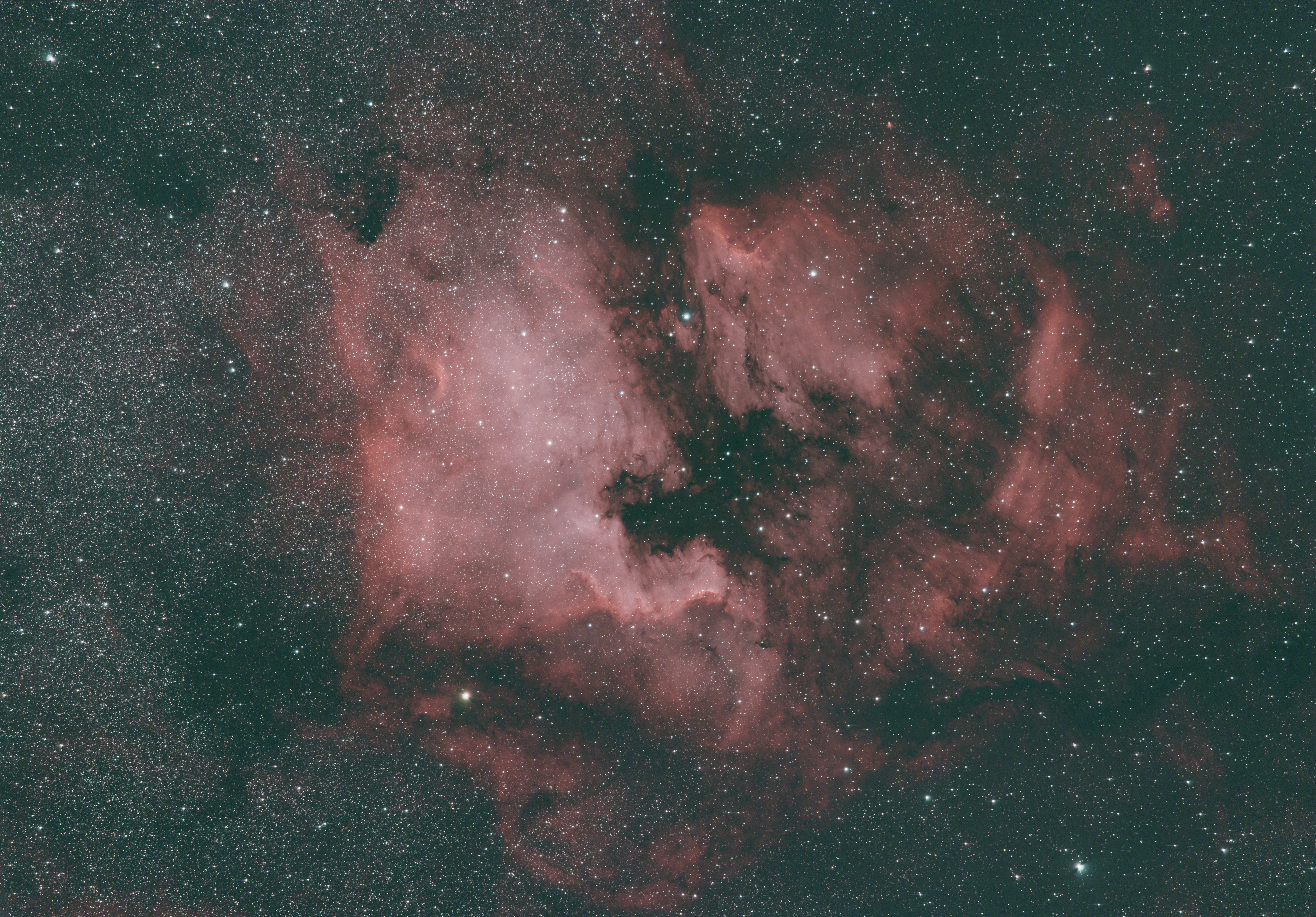
Some questions :
When exporting the picture in jpeg, the exported image is a bit different from the one in APP (color saturation, stretching), I don't know why. And when I try to open the jpeg in APP, it simply doesn't work.
When I save the normalized lights to integrate them later, when I click on integrate, the processing begin from analyzing stars. The datas from step 3 to 5 are not included in the fit files saved ?
Is there a tutorial to process the pictures taken with STC duo narrowband filter ?
Some suggestions :
It would be nice to have the possibility to manually choose boxes and remove them in the gradient tool.
A tool like SCNR in PI would be also nice to remove green cast.
CS, David.
