

June 24 2026 APP 2.0.0-beta46 has been released !
Improved internal memory configuration (lower ! memory usage), fixed beta45 startup issue, fixed Set Save Directory & 2-panel mosaics.
May 27 2026 APP 2.0.0-beta45 has been released !
Fully Multi-Threaded LNC, many improvements for the registration engine, platform upgrade, and further tuning of internal memory consumption and memory release back to OS.
Apr 14 2026: Google Pay, Apple Pay & WeChat Pay added as payment options
Update on the 2.0.0 release & the full manual
We are getting close to the 2.0.0 stable release and the full manual. The manual will soon become available on the website and also in PDF format. Both versions will be identical and once released, will start to follow the APP release cycle and thus will stay up-to-date to the latest APP version.
Once 2.0.0 is released, the price for APP will increase. Owner's license holders will not need to pay an upgrade fee to use 2.0.0, neither do Renter's license holders.
I pre-processed a 4 panel mosaic of the Veil (Ha and OIII) in APP - all good.
I then repeated this with 4 panels of new RGB star data with the intention of swapping the RGB stars into the Ha/OIII image.
The RGB mosaic again looked ok.
I then Re-registered the RGB and HA/OIII data together using "4.Register".
However, when I blinked the RGB with the HA/OIII data it was apparent that there is significant distortion between the two, the stars generally align ok but in the RGB data certain areas distort and the stars don't align.
Should the process I have outlined above work - or am I doing something wrong?
It is possible I used Distortion Correction off for one set of data and on for another but I cant remember - is there a log somewhere that would tell me?
Thanks
The first thing I would try to see if that improves things is by disabling same camera and optics when you try to register the RGB mosaic to the Ha and O3 mosaic. Have you tried that in combination with enabling distortion correction?
But... the best solution will always be to make both RGB and Ha+O3 at the same time by loading all mosaic panels for both mosaics in the multi-channel mode. Then you should end up with 2 mosaics perfectly registered.
Chances are the RGB and/or the Ha/O3 mosaic are not perfectly corrected for optical distortion, which means that the mosaic panels in both mosaics still have residual minor distortions which is probably what you are facing now. Best solved by re-creating both mosaics at the same time 😉
Mabula
Hi Mabula, thanks for the prompt response.
I tried rerunning without camera distortion, and tried various things without success.
I will try rerunning as you suggest, I suspect that will fix it.
It will be an interesting test for my PC, 260 x 120mb lights plus calibration 😳😂
btw - is the project to utilise the GPU still alive, I see it’s still on the road map as a priority but it doesn’t seem to have moved in quite a while?
cheers
Jon
The new Integration looks better but there is still distortion between the NB and RGB data sets as seen when blinking the images. In some areas of the image, particularly the centers the stars are reasonably aligned, although with some fringing, but in other areas their is significant misalignment. I am going to try and run it without Distortion Correction in the hope that any optical distortion is at least consistent between datasets and that stars will then align.
It took me over an hour to load and check the 700 x 120MB subs that went into this integration and over 5 hours to run on a high end PC. Since I am unable to Save and Restore the Loaded data I will have to spend another hour reloading data, and then again each time I want to try some different settings.
Please, Please, Please can we have a way to Save and Restore load data? Surely this cant be difficult. On the face of it the File list contains all the information needed, couldn't this be saved and then an option added into the Load Tab to "Reload data using the saved details"?
If you create the mosaic panels, normally you want the distortion corrrection disabled 😉 only enable it when you create the mosaic. Did you do this?
From your last reaction, I get no info on your workflow, so it is hard to give more suggestions at the moment. Perhaps you can indicate exactly what you did to create the mosaic panels and then the mosaic?
APP 1.084 is set to be the version where you can save/load all settings and whole projects 😉
Mabula
Hi @mabula-admin,
Apologies for the slow response, each time I started a reply I thought of something else to try.
Problem solved and very pleased with the results 😀
I had been trying to run the whole integration in one run - which caused distorted stars. When I created the Panels one at a time and then ran a final Registration to bring them together as you indicated it all worked fine. Thanks for the advice.
I have since been trying different Integration parameters (Average, Median, with/without rejection, Local Normalisation on/off etc). Very little differnece between setting except that Average in every case was better and less noisy than Median - something I have found before and generally with >=10 subs I find Average gives best results.
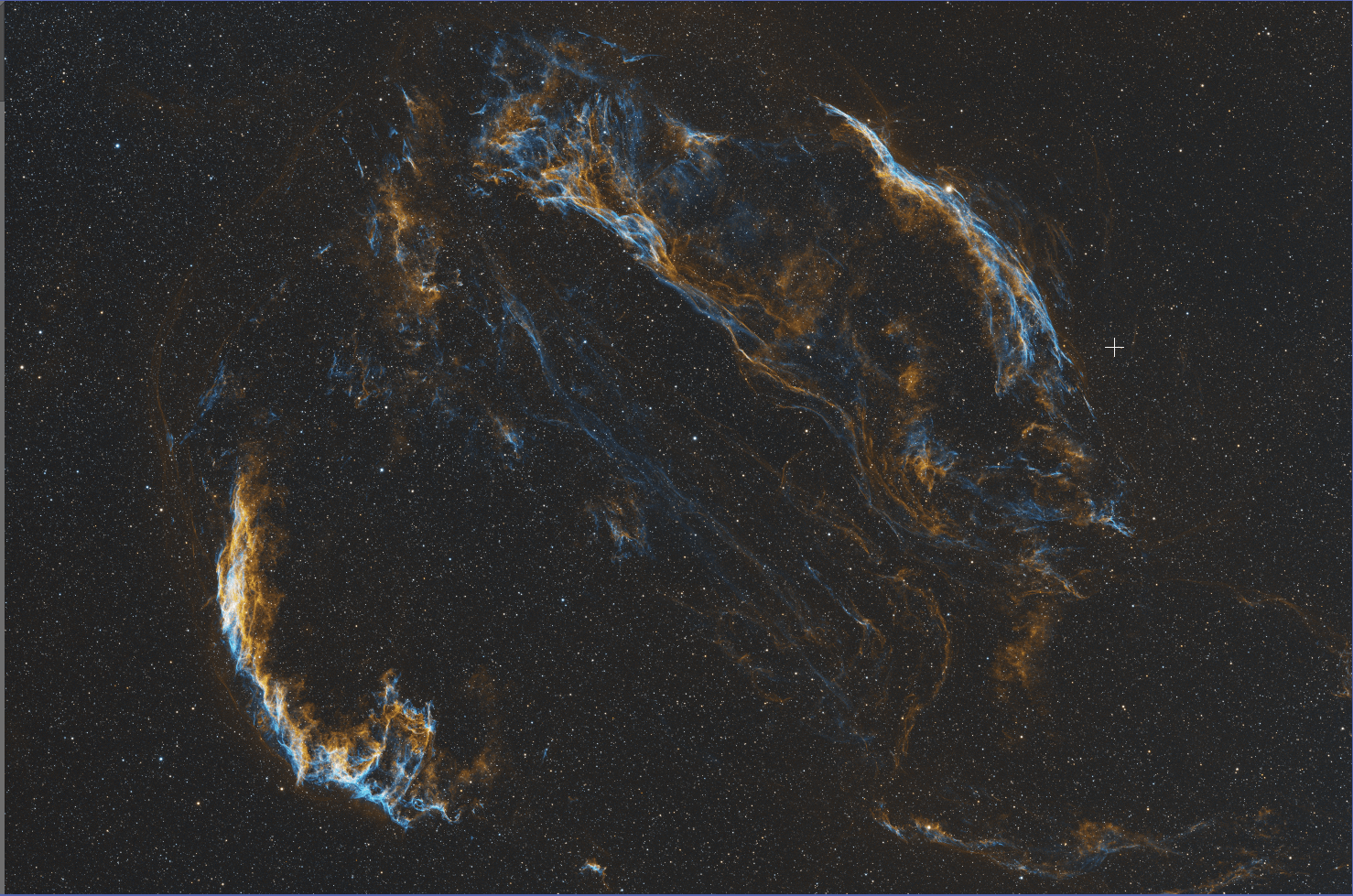
This is the result - no post processing yet other than a quick stretch so should look great after processing and adding RGB stars 🙂
Excellent news about saving projects, I really cant wait, I have lost count of how many times I have re-loaded hundreds of frames for many sessions. 🤣
