

UPDATE FROM MABULA
I have had a very rough 2 months unfortunately health wise. I was struck 3x in a row with bacterial infections. The second infection occurred after a routine hospital checkup and I became very sick. I had to rest and take a lot of antibiotics. Once I was recovering and restarting work 1 month ago, I again became sick. The infection was not yet gone, so even more antibiotics and rest was needed. Needless to say, it took a lot of my energy and I needed a lot of rest.
Finally, the infection is really gone and my energy is coming back step-by-step now and I have started work again. I am terribly sorry to have kept you waiting for support. I will address all outstanding questions and e-mails step-by step and will be on the forum daily from today.
APP 2.0.0-beta47 will come soon as well, a lot of work was already completed before I became very ill, so the release is also nearly ready for you. Beta47 will be much faster actually. Many workflows will be more than 2x faster, mosaics can even be 10x faster than before because registration really received a major boost... all compared to beta46. Before I release it, I will make sure that everything is working properly and then I will release it.
Hi,
I'm working on a very large mosaic (94 frames) and have already integrated each panel/frame and can successfully form the mosaic, though it takes a few days of compute to do so. The problem I am having is that it keeps getting down sampled by a factor of 0.66. I know that's a technical limitation, sadly, so I want to try to minimize the amount of black space around the mosaic and hence reduce the amount it's getting down sampled.
I know I can crop individual frames, but what I want to do is, after registration, define the crop box and have the mosaic be created in that. As an illustration, I've attached a previous iteration of this mosaic along with a red crop box. You'll see how it overlaps with multiple frames in a way that would make it extremely difficult to crop the individual mosaic panels.
Any ideas how I could do this?

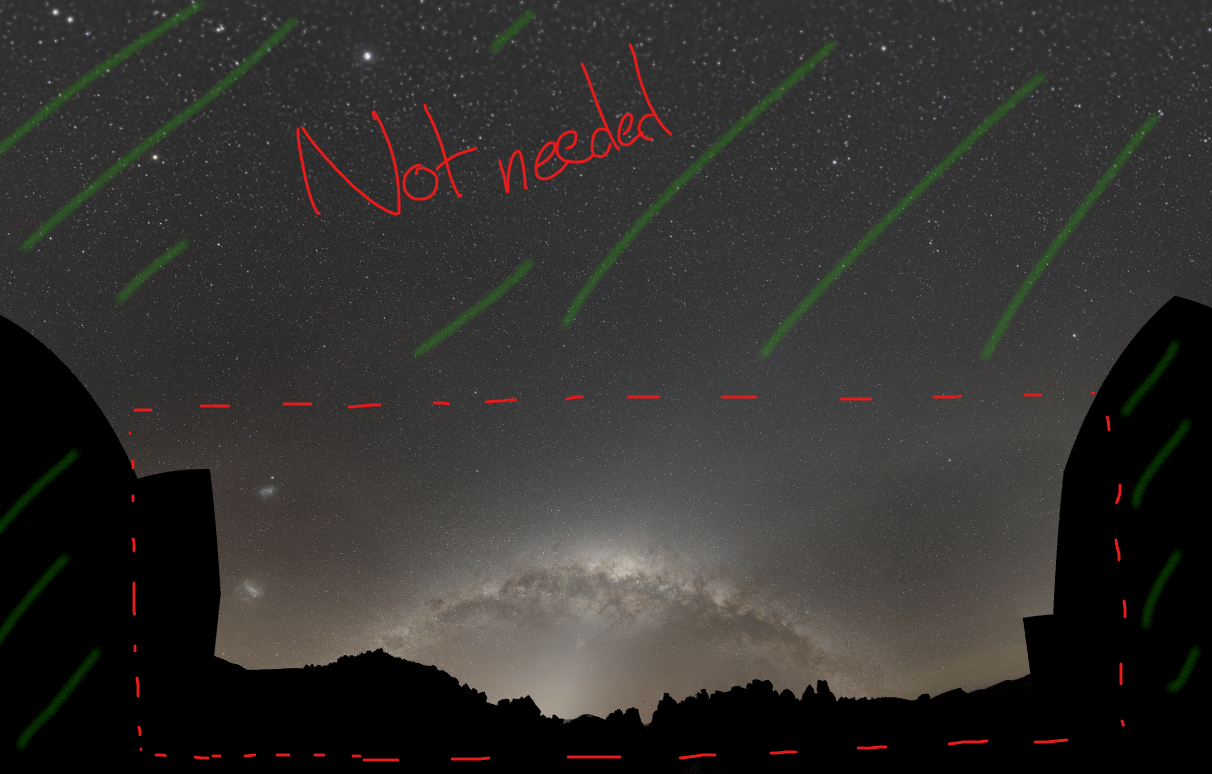
I am also encountering a similar 'issue' when it comes to landscape mosaics. Would be extremely nice to be able to crop the registered images before the integration
Hi David @dkoslicki and Chester @cheche,
Thank you very much for sharing this issue. At the moment, this is not possible yet I am afraid, but I can see the use case clearly !
You can use the composition mode of crop in 6) integrate, to have a limited field of view of only the reference frame and that is not what is happening here.
So I will add to our todo list to make it possible to crop the whole field of view of the full composition mode 😉
Thank you very much for this.
Mabula
@mabula-admin Awesome! Thank you for the reply.
APP has been by far the easiest to use stitching tool for landscape astrophotography because of its excellent registration and local normalisation(compared to ICE and PTGUI), so this feature would be an absolute game changer for this usecase!
Hi @madula-admin, that's great to hear it's on the todo list! I must say I really appreciate how the APP dev folks continue such a pace of improvements, new features added, etc.
