

June 24 2026 APP 2.0.0-beta46 has been released !
Improved internal memory configuration (lower ! memory usage), fixed beta45 startup issue, fixed Set Save Directory & 2-panel mosaics.
May 27 2026 APP 2.0.0-beta45 has been released !
Fully Multi-Threaded LNC, many improvements for the registration engine, platform upgrade, and further tuning of internal memory consumption and memory release back to OS.
Apr 14 2026: Google Pay, Apple Pay & WeChat Pay added as payment options
Update on the 2.0.0 release & the full manual
We are getting close to the 2.0.0 stable release and the full manual. The manual will soon become available on the website and also in PDF format. Both versions will be identical and once released, will start to follow the APP release cycle and thus will stay up-to-date to the latest APP version.
Once 2.0.0 is released, the price for APP will increase. Owner's license holders will not need to pay an upgrade fee to use 2.0.0, neither do Renter's license holders.
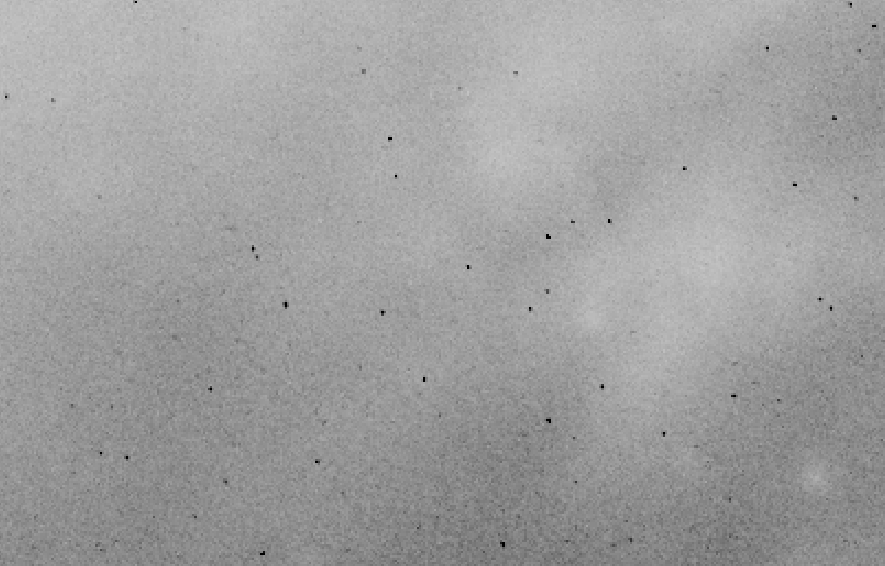
Hi I have been slowly getting my system more and more stable as far as tracking and alignment and i have had some great images last night but on stacking the HA frames i am now see very dark pixels this is a stack of 30 120sec subs. Could it be i now need to dither ? would have think before this my not to good guiding was most lightly naturally dithering.
I processed the files with the same masters as before only change was different nights subs
Images below straight out of stacking no other processing

Close up
Mike
Could it be i now need to dither ?
In general it is a very good practise to dither while imaging. Note that APP works best with at least 15 or even 20 pixels of dithering in the imaging train while dither settings in image acquisition software refer to pixels in the guide train. So you'll need to compute the plate scales of both and compare them to know how much you need to dither.
I processed the files with the same masters as before only change was different nights subs
How old are the masters or rather the raw frames that the masters are based on? Were they taken with the same software and same software version as the lights?
Wouter
Hi Wouter
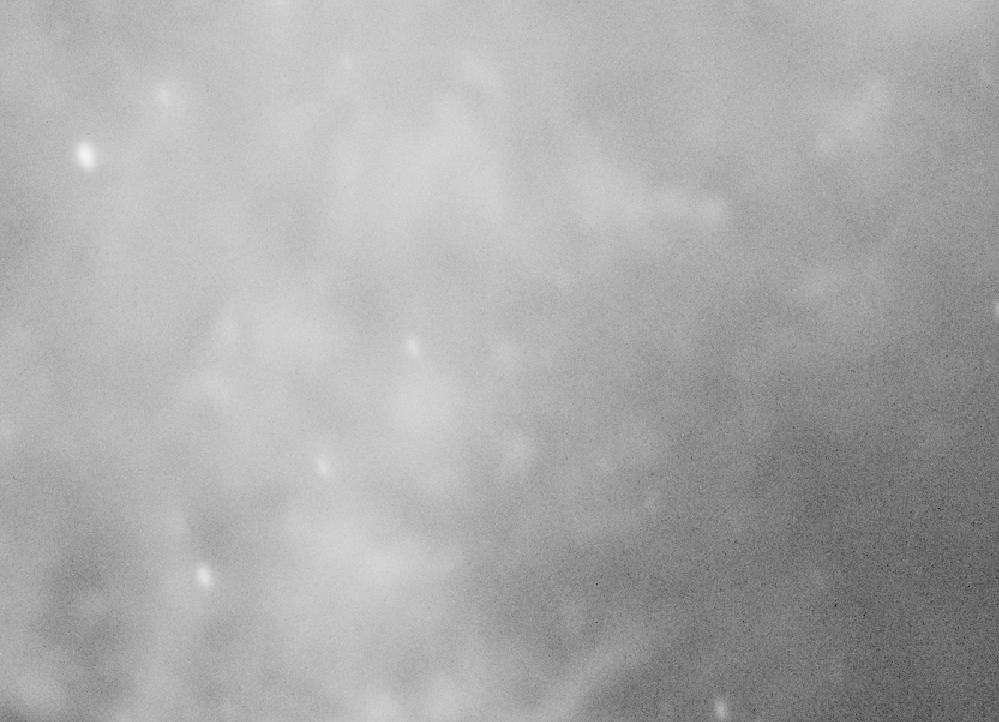
The masters are from subs take about 4 weeks ago same from the same version of astropixel. As i put i can take the lights i have of the same target from 3 nights ago and process them same masters and they are fine see below.
Only change i make is to clear the lights and replace them with the new ones and process again.
Here a picture of 3 nights ago

Mike
@moviecells Yeah those masters then should still be ok. Dark pixels should be identified using the flats. Do you see any dark pixels at the same location in the MF as in the integrated image?
masterflats look fine, i will do some more imaging tomorrow and try some dithering
@moviecells What does "fine" mean? If there are no dark pixels in the master flat then that's why they show up in the integration result. If there are then we need to try and find out why they aren't removed.
I processed the files with the same masters as before only change was different nights subs
Wait. Does this mean you are using the same MF as before? Was that flat meant for the same Ha filter? If not then you NEED to take new flats with the filter because the light path changes and that ALWAYS requires new flats.
Hi Yes same flat as before its was for HA, these are HA lights so processed with HA/Flats, Darkflats same exposure time as flats and Darks same exposure as lights. I have masters for all filters but here i am talking about HA, but these black pixels i can see in HA,S and O images.
I had lights from 3 nights ago 20/Ha, 20/S, 20/O i process them with matching master flats/darkflat and dark and there are no black pixel. Then i just repeat the process with last nights lights all other files are the same and i get black pixels.
Mike
