

Mar 28 2026 APP 2.0.0-beta40 will be released in 7 days.
It did take a long time to have the work finished on this and it will have a major performance boost of 30-50% over 2.0.0-beta39 from calibration to integration. We extensively optimized many critical parts of APP. All has been tested to guarantee correct optimizations. Drizzle and image resampling is much faster for instance, those modules have been completely rewritten. Much less memory usage. LNC 2.0 will be released which works much better and faster than LNC in it's current state. And more, all will be added to the release notes in the coming weeks...
Update on the 2.0.0 release & the full manual
We are getting close to the 2.0.0 stable release and the full manual. The manual will soon become available on the website and also in PDF format. Both versions will be identical and once released, will start to follow the APP release cycle and thus will stay up-to-date to the latest APP version.
Once 2.0.0 is released, the price for APP will increase. Owner's license holders will not need to pay an upgrade fee to use 2.0.0, neither do Renter's license holders.
Hi,
I have used APP for many years now. Recently I noticed lots of small black dots scattered in my integrated images. Looking into this it seems that the black dots are first introduced after calibration and that some bad pixels are not handeled correctly. The series of images attached shows one of the dots zoomed to pixel level in various types of frames, integrated, individual sub, BPM and master dark. I use default settings for Bad Pixelmap creation, freshly made calibration images and the latest version of APP beta 36, on Windows. The camera is a QHY268M.
I would redo my darks, but the master dark clearly has the hot pixels, but the BPM does not.


Does anyone have any idea of what is going on and what to do about it?
Thank you,
Anders
My guess would be that you don't have a high enough offset in your camera settings. Depending on your gain, you need to have enough offset to make sure you are not blocking - cutting off the bottom of the histogram - your image or calibration frames - i.e. your offset must be high enough to keep all camera output data, including noise above 0 ADUs.
Hi @andersstange,
That looks very weird indeed and should not happy normally. Maybe @astrogee has a point, the sensor offset could be slightlhy too low, so you clip pixels to zero in the calibration process.
To be sure, I think it will be best if I have a look at your data as well.
Can you upload it here:
https://upload.astropixelprocessor.com/
username: uploadData
password: uploadTestData
Please make a folder with your name and issue like Anders-black-pixel-holes
and upload your data there and let me know once done. Thanks!
Mabula
Great input! I agree, it is not unlikely that my offsets could have changed for some reason and are now too low. I will look in to that. I have also uploaded the integrated LUM and a subset of the subs together with the calibration masters.
Thanks.
Anders
I have not been able to solve my problem in APP. The problem does not seem to be offset related. The histogram is not clipped as far as I can see and the offset has not changed since I last used this camera setup, one half year ago. My camera in this setup is binned 2x2. To me it seems that there is something wrong with the bad pixelmap generation. I have tried to play around with the hot pixel calibration settings for the BPM and in some cases the black dots has been corrected but far from everywhere.
Also I ran the same set of files through PixInsights Fast Batch Preprocessing and this proiblem did not show up there. No black dots in the integrated images.
Hi Anders @andersstange,
Okay, thank you very much for testing more and checking the offset.
I just checked your uploaded data, but I think that only already calibrated lights (-cal) are uploaded? Can you double check? I would need the original lights and also the individual calibration subs to properly solve this I think.
Thanks,
Mabula
Hi Mabula,
Sorry for the late response, but there was some problem logging in to the forum. To reply I had to login and then I was prompeted to verify my email with a 4 digit code that was going to be mailed to me but I never received anything. I tried several times. Eventually I discoverd that by reloading the APP forum site I could access the reply function without this verification.
Anyway, I have created a new directory "/AstroPixelProcessorUpload/Anders-NEW-black-pixel-holes" with a set of red channel subs together with the master dark and master bias files. I also uploaded the generated BPM and the resulting Red image I get when integrating these calibrated subs. In the integrated image(created using the default APP settings), black dots are clearly visible at high zoom eg 225x.
Let me know if you also need the individual Darks and Bias subs(25 of each).
Thanks,
Anders
Hi @andersstange,
Okay, thank you very much.
I have checked the email verification issue, I think that is solved now. It should not happen again.
I will test your data and will get back to you 😉
Mabula
Thanks Mabula
AnderS
Hi Anders @andersstange,
I have solved your issue. It is caused by 2 factors actually.
- The main issue is that your sensor has clusters of hot pixel groups. The current implementation of the Bad Pixel Map creation is allowing for hot pixels to be together vertically, but not horizontally because of an old issue with CCD sensors. So in the areas where you see the black holes in your integration, several horizontal pixels seems to be hot but the hottest one is not corrected at the moment.
- Another reason for the black holes in your result is that you did not really dither between your exposures. The dither steps are really small. If you would dither a couple of pixels, the integration would have still looked good allthough the calibration per frame was not correct.
Obviously 1) needs to be corrected to fundamentally solve this issue. I can already create an integration that has no black holes and good calibration per frame:


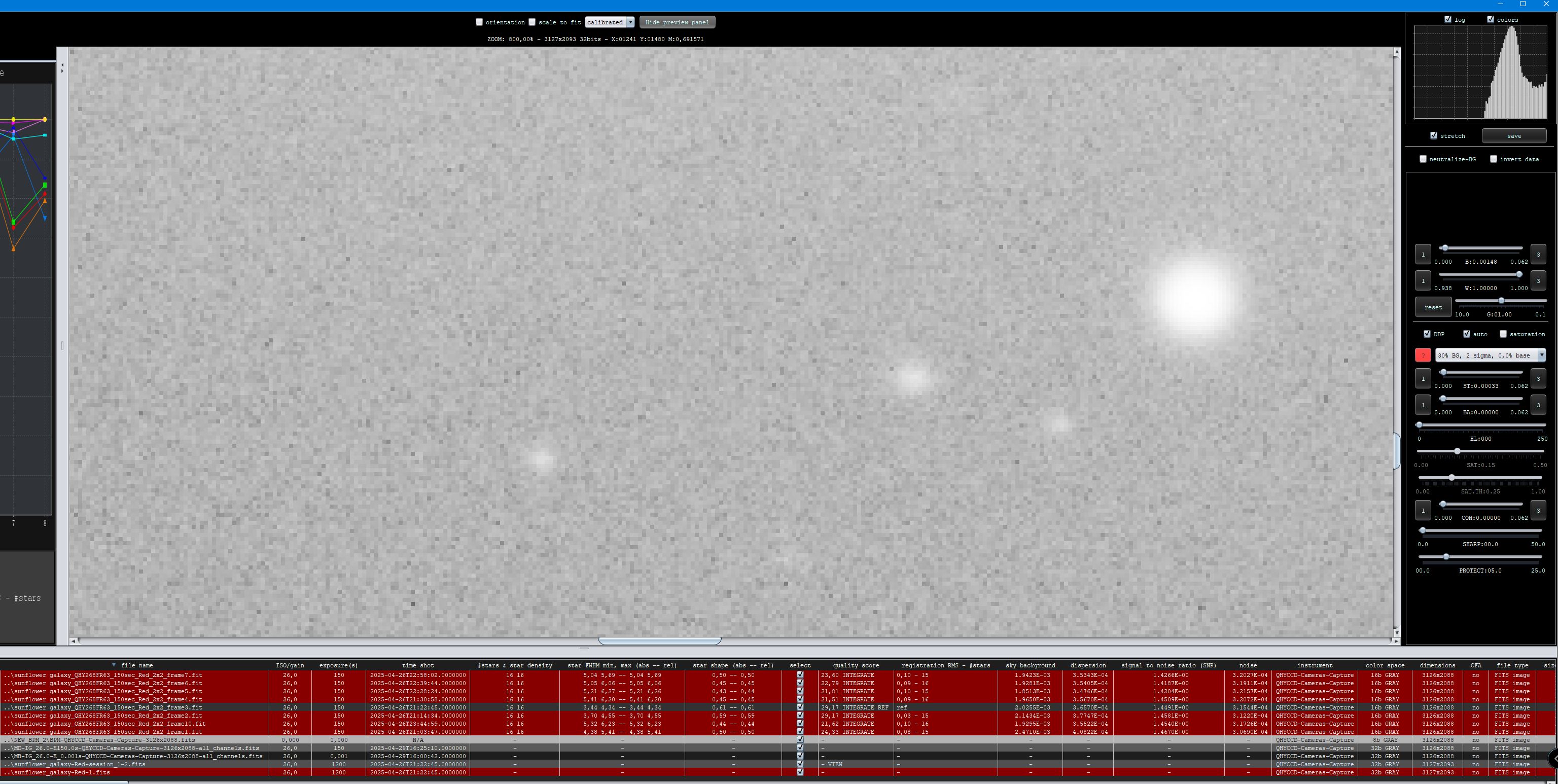
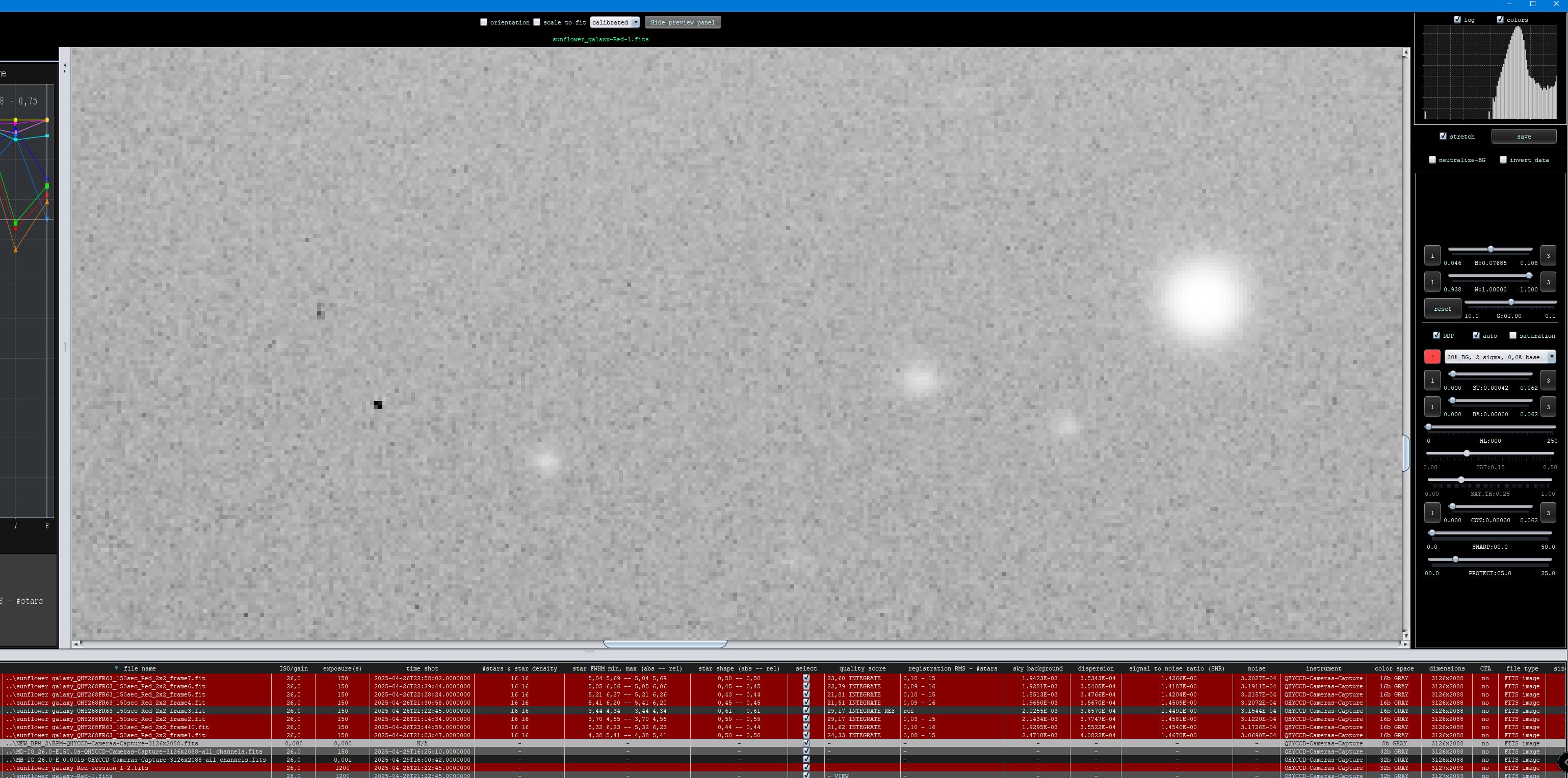
I will have this fixed in 2.0.0-beta38 😉 Thank you very much for mentioning this problem !
Mabula
Hi Mabula,
Great that you were able to identify the problem. I’m looking forward to the fix😀. Thanks also for your dither input. I will increase my dither size setting right away.
Anders
@andersstange, you are most welcome! Will try to release beta38 in the coming week with the fix.
Hi Mabula,
I just verified the fix in beta 38 with my full data and it works beautifully again.
Thanks,
Anders
Hi Anders @andersstange,
Great, thank you very much for the feedback, that is highly appreciated.
I am glad all is okay now 😉 with the BPM
Mabula
