

Apr 9 2026 APP 2.0.0-beta40 has been released !
It has a major performance boost of 30-50% over 2.0.0-beta39 from calibration to integration, for mosaics even faster! We extensively optimized many critical parts of APP. All has been tested to guarantee correct optimizations. Drizzle and image resampling is much faster for instance, those modules have been completely rewritten. Much less memory usage. LNC 2.0 will be released which works much better and faster than LNC in it's current state. Improved Outlier Rejection with LN 2.0 rejection. macOS CMD+A works now in file chooser ! And more, all will be added to the release notes in the coming hours...
Update on the 2.0.0 release & the full manual
We are getting close to the 2.0.0 stable release and the full manual. The manual will soon become available on the website and also in PDF format. Both versions will be identical and once released, will start to follow the APP release cycle and thus will stay up-to-date to the latest APP version.
Once 2.0.0 is released, the price for APP will increase. Owner's license holders will not need to pay an upgrade fee to use 2.0.0, neither do Renter's license holders.
I've never ran into this issue with any previous version (tested on APP 1.083-beta2)
, but i keep having issues with app doing this no matter what boxes or areas i select.. anyone else ran into this one?
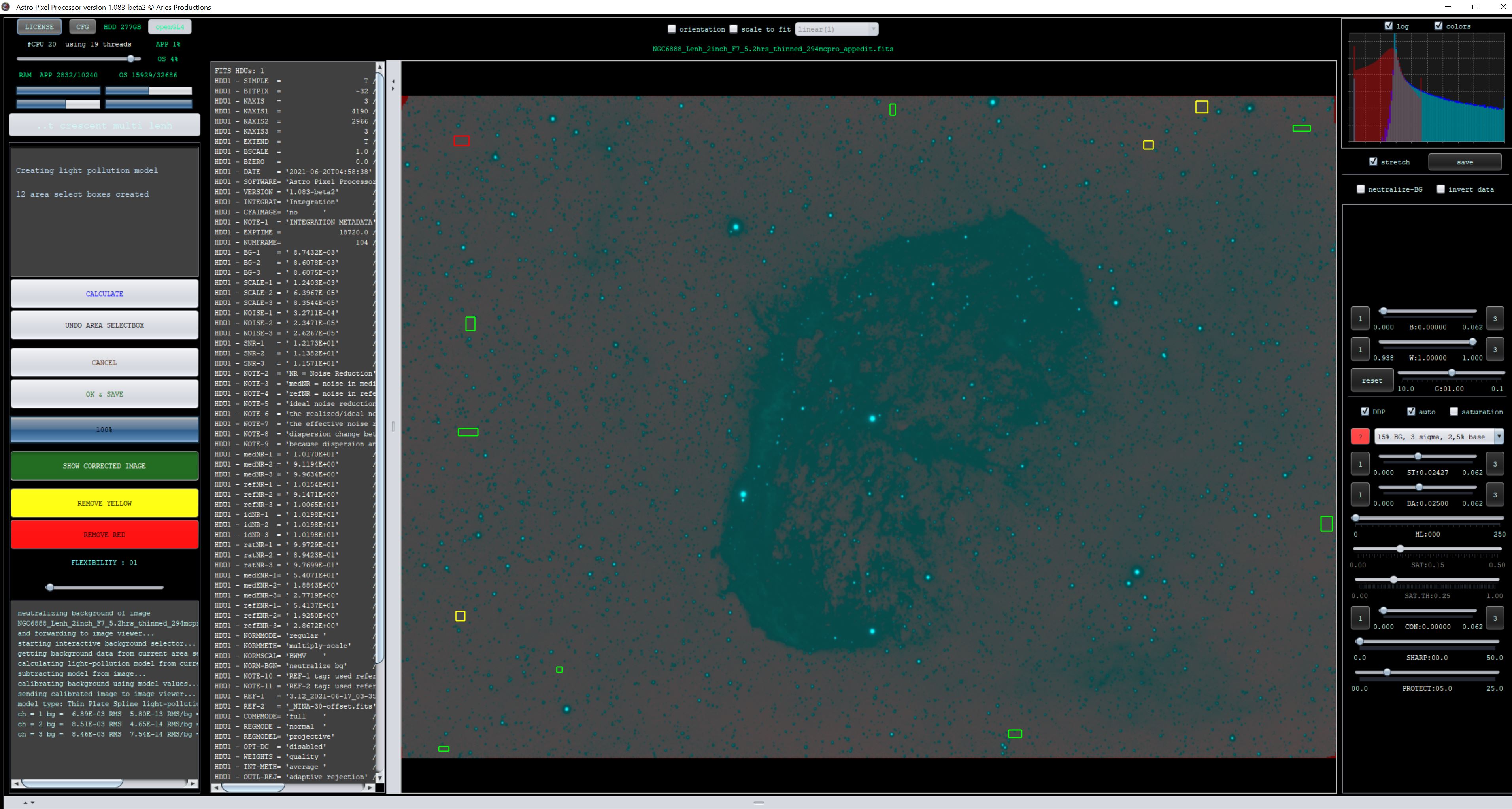
Thanks in advance
edit: ok, i dont think this is beta related, i dropped back a version, same issue. The image is originally an Lenhance image with the asi294mc pro. Calibrate background has the same effect
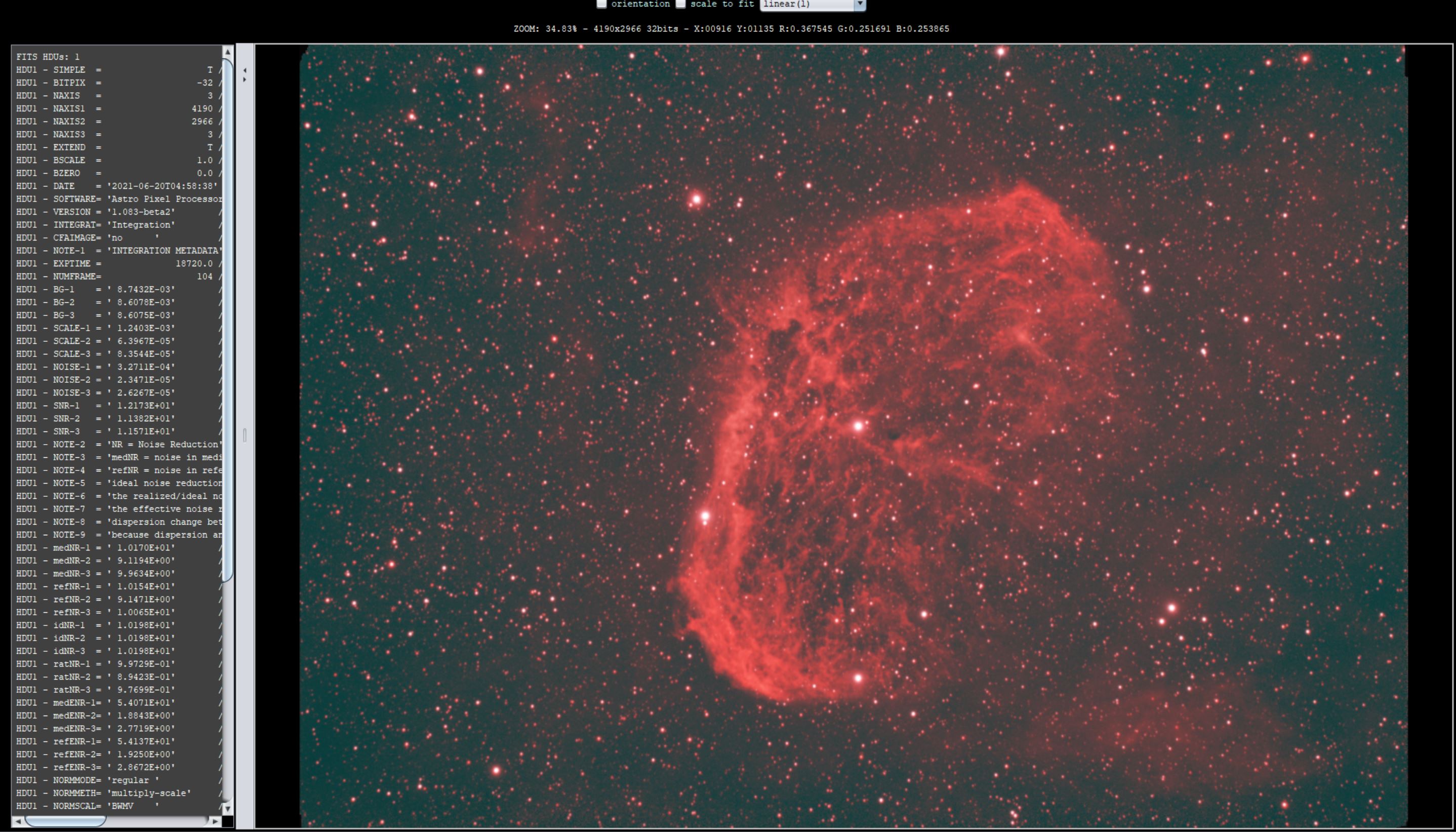
Here is the Lenhance original image that was integrated:
That's a weird one indeed. So when exactly do you get the result on top?
That's a weird one indeed. So when exactly do you get the result on top?
Its with the light pollution removal tool and also with the background tool
Mmm, what happens if you do this on an integration where you didn't use calibration data?
Mmm, what happens if you do this on an integration where you didn't use calibration data?
Really strange, so if i take out the masters, it is a reddish image, but if i enter the light pollution tool, it neutralizes things and aside from the need for a dark, its strangely normal looking already without a flat (maybe some biproduct of the lenhance, unsure, though i know there are spots that should show up).
At any rate, if i make squares and hit calculate, nothing much happens that i can see visually, though it doesnt break and get inverted in this scenario.
Ok, that does point to an issue with the calibration data I think. If you want I can have a look at your masters.
