

2026-10-09 APP 2.0.0-beta48 has been released !
This is mainly a bug fix release for the reported bugs in beta47. In addition it has a significant User Interface performance improvement noticable when you need to process 1000s of images in APP.
2026-10-03 APP 2.0.0-beta47 has been released !
This is a very big release... many code optimizations/rewrites, many parts of APP are much faster and more precise, especially star analysis and registration are much faster ! Big mosaics will go much faster 🙂
And we introduce a new preview filter, which includes the new Adaptive Deep Sky Stretch and a General Levels Stretch, this has been long over due. The old preview filter (the panel on the right side to stretch and preview your data) has not been updated for a couple of years and it is a critical part of any APP session.
Adaptive Deep Sky Stretch or ADSS is a much more intuitive stretch algorithm. It is also color preserving (which is a great new addition in itself ! ) which means that the highlights are no longer bleached, color is maintained from the linear data while stretching. You can simply stretch your data using the sky background level and signal width sliders which work much easier and more intuitive. You no longer need to fiddle with the old complicated sliders with zoom buttons. All the zoom buttons for the sliders are made redundant. And you can enter slider values in the slider value fields yourself. I will make a youtube video in the coming days to explain and fully introduce ADSS. Once the video is ready, it will be highlighted on the forum.
RGB Combine upgrade !. The RGB Combine Tool has been rewritten mostly. The tool is faster and easier to use and most importantly, the Luminance slider to inject a luminance channel or channels into the RGB composite is now working correctly. It no longer bleaches the RGB colors. Combined with the new ADSS preview, you will get much better and easier great composites with great color! I will also explain this in a new youtube video.
When I tried to place an order for the renters licence I filled in all the details where's an asterix filled in my card details then clicked the checkout button at the bottom. I then get the following message :- please virify yourself before submitting the form. Can you explain what I can do to stop this message.
Mm, never heard anyone having this issue before. I'll forward this one to Mabula @mabula-admin
Dear @diesel & @vincent-mod,
You need to see this at checkout:
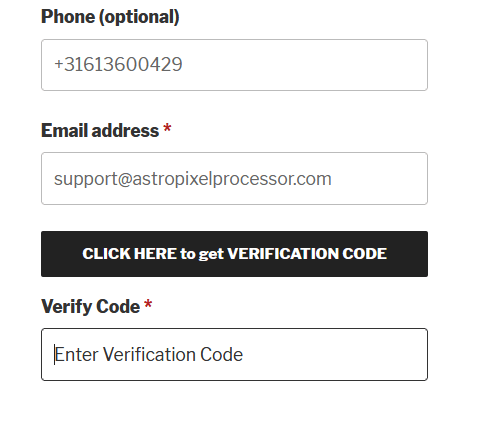
Fill in a valid email address and click on CLICK HERE to get VERIFICATION CODE, then you should wait for an email to arrive with an email verification code of 6 digits.
Enter this code in the Verify Code field and then you will be verified.
If you don't see the CLICK HERE to get VERIFICATION CODE button, you will need to use a different browser or perhaps you need to disable some unwanted caching of your browser, like a caching plugin. I know that on some platforms with some browsers, the button is not shown. I am working to improve this.
Kind regards,
Mabula
Tried get verification code, entered the code still get the error message.
Here is a wild guess: You may need to "whitelist" https://astropixelprocessor.com
In my case I run a tight ship. I have Firefox configured to block all website's cookies, tracking content, and cryptominers. You can configure all modern browsers to something similar. If your browser is configured to block cookies then you need to whitelist https://astropixelprocessor.com
EDIT: Here is some additional information about whitelisting. Notice that I used "https://astropixelprocessor.com". I purposely removed "www." This may not necessarily pertain to Mabula's site but it is good to know this going forward. Sometimes websites will redirect to a subdomain, for example "https://account.example.com". If you permit "https://example.com" then you are OK but if you permit "https://www.example.com" then cookies will fail.
EDIT: There could be another possibility. I've noticed in the last 24 hours or so that when I post a reply to a new topic that it takes a very long time to get a response after I click the "Reply" button. This is the time it takes to queue up a process that sends me an email asking me to verify my subscription. In the last couple hours the system has degraded to the point where I don't receive the email and my browser redirects with ERROR 503 SERVICE UNAVAILABLE. This indicates that there is a possible failure in the back-end of APP's website.
Yes good one @oopfan, I've not seen this issue before so it seems it's very specific to your browser settings.
I'm having the same issue trying to get a renewal.
Could you try using a different browser? Just to see if it's a setting of your browser you're currently using?
