I have had a very rough 2 months unfortunately health wise. I was struck 3x in a row with bacterial infections. The second infection occurred after a routine hospital checkup and I became very sick. I had to rest and take a lot of antibiotics. Once I was recovering and restarting work 1 month ago, I again became sick. The infection was not yet gone, so even more antibiotics and rest was needed. Needless to say, it took a lot of my energy and I needed a lot of rest.
Finally, the infection is really gone and my energy is coming back step-by-step now and I have started work again. I am terribly sorry to have kept you waiting for support. I will address all outstanding questions and e-mails step-by step and will be on the forum daily from today.
APP 2.0.0-beta47 will come soon as well, a lot of work was already completed before I became very ill, so the release is also nearly ready for you. Beta47 will be much faster actually. Many workflows will be more than 2x faster, mosaics can even be 10x faster than before because registration really received a major boost... all compared to beta46. Before I release it, I will make sure that everything is working properly and then I will release it.
Has anyone successfully stacked files from Celestron Origin ?
Please make a folder like : Jochen-Celestron-Origin
and upload your data there and let me know once uploaded. I will test it as soon as possible.
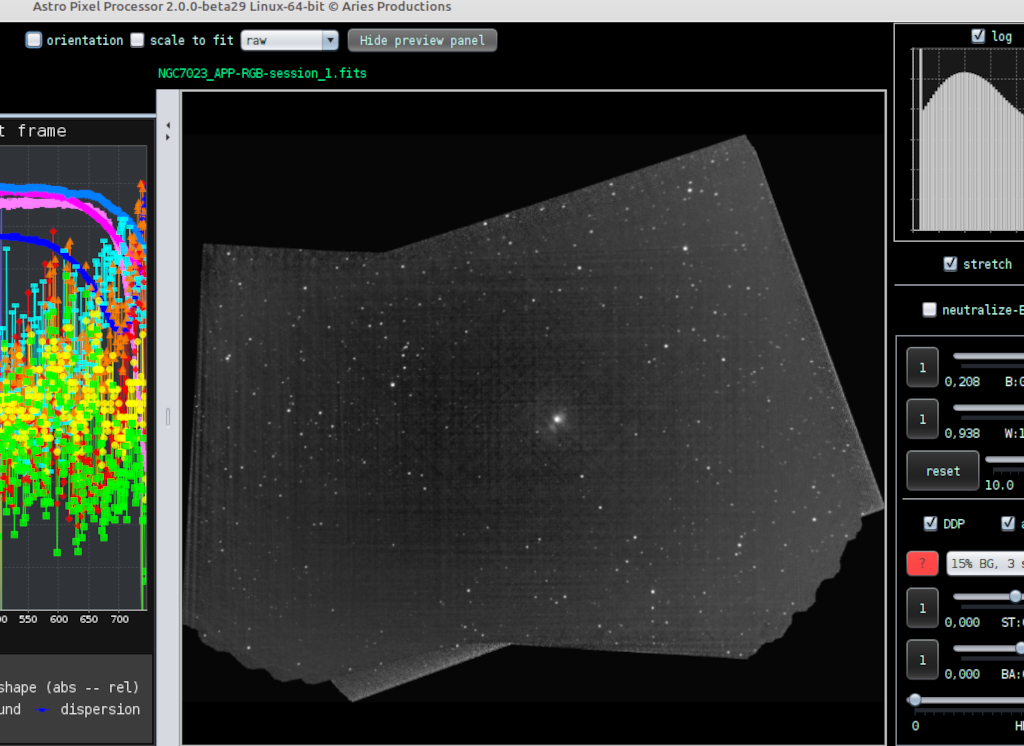
I have checked the specifications of the Origin and I see that the sensor is a color sensor, right? From your screenshot, it shows that APP is only interpreting it as monochrome. What happens if you try the following:
in 0) RAW/FITS, enable force Bayer/X-Trans CFA and then try to set the correct CFA pattern, like RGGB, if you know the correct one. Will the data be in color then and look normal?
That is really great, I will test your data now myself.
I think those horizontal lines have to do with illumination differences between your light frames. In 6) Integrate, enable MBB and set the % to 25 and try again, it might look much better then 😉 Enabling Local Normalization Correction (LNC) shoudl improve things even more.
thank you once again. I had already used MBB (15%) and am currently trying with 25%. I always use 2nd degree LNC / 3 iterations with my stacks.
I will report, if the increase of the MBB-value has helped.
Regards, Jochen
PS: this is not directly related to my problem and is also not a matter of great importance:
sometimes, I need to load the "FinalStackedMaster.tiff" of the Origin (for example for registering different sessions or to stack them together).
Whenever I try to load the .tiff, I get the following error:
I then use PI to convert those files into the .fit-format and it works. Maybe you can take a look - there must be a master.tiff in my uploaded folder.
Dear Jochen,
That TIFF error seems to indicate that the Origin is actually creating a corrupt/badly specified TIFF somehow... Can you share that TIFF so I can find a way to have it load anyway in APP, thanks?
Edit, Oh, I see the TIFF in the upload, I will check things now and analyse your data.
Mabula
This post was modified 2 years ago by Mabula-Admin
Is it perhaps just the unusual "4-letter-ending" .tiff ? Pixinsight loads the file without problems and as mentioned: if I save the file to .fit it loads in APP without problems. I haven't tried to just rename it to ".tif" though.
I have solved your issue with the horizontal band, there is 1 very bad light frame in your list that has no data at all. It is frame ligth008.fits. If you delete it, all will be fine, even without MBB enabled.
I will now check that TIFF file to see if I can make it load in APP.
I actually don't "blink" through my lights and let APP do the judgement (integrate: average, weights: quality). That normally works perfectly, but this time it seemed to have failed recognizing the faulty light.
Maybe in future I should take a closer look at my lights before stacking. As I usually do short exposures, there are sometimes >1000 lights/session, which is quite a bit of work.
No problem, I actually find the light very quickly with sorting on the star amount seeing it was very low and then also big outliers on the sky background, etc...
Looking at the fits headers, the Celestron telescope only produces the bare minimum in terms of FITS info in the header. Hopefully this gets better with firmware updates 😉
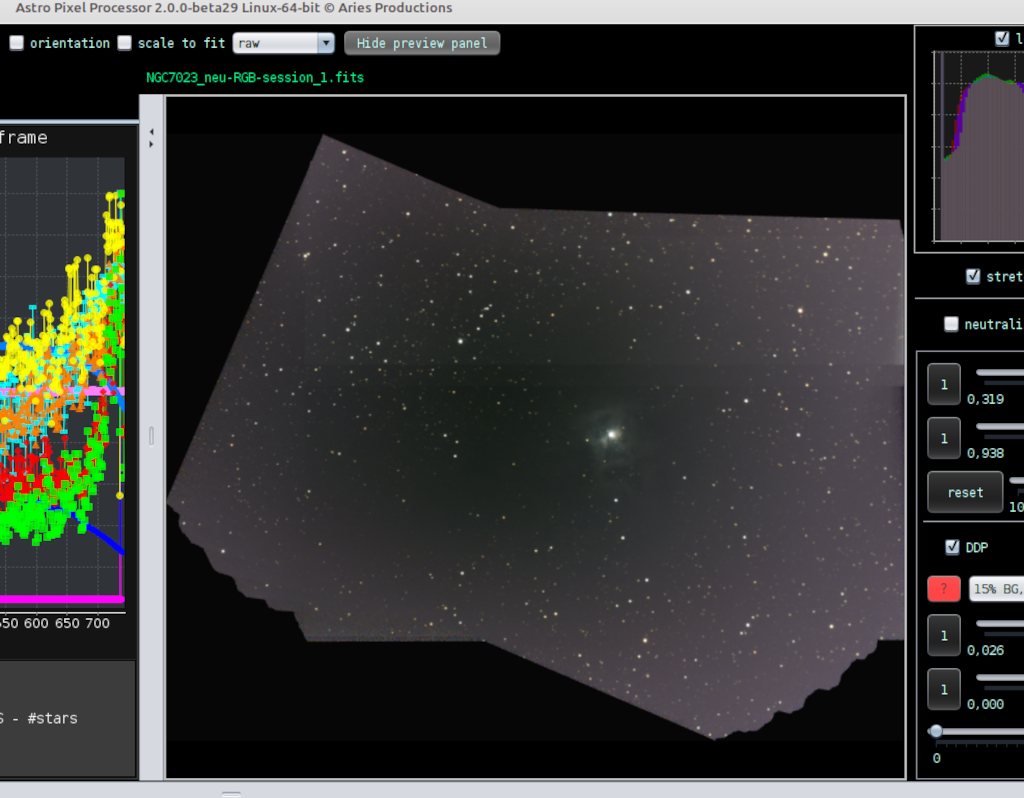
The result that I get looks good for the Iris Nebula 🙂
And more good news, I have found the problem with the "FinalStackedMaster.tiff" file. The 4 letter tiff extension is not the issue. The TIFF has a weird TIFF tag that is not part of the TIFF specification (probably a proprietary Celestron tag) and this crashed APP... I have now built in a check for this so these TIFFs can still be read without problems including the TIFF header. The fix will be part of 2.0.0-beta33 to be released any day now. This is added to it's release notes.
FIXED READ support for TIFF from Celestron Origin telescope
unfortunately, I ran into some problems again. I am currently photographing the very faint Planetary "Purgathofer-Weinberger 1". So far, I have collected several sessions in several nights and it was no problem to integrate these with APP. A few days ago, I have installed a firmware-update on my Origin and since that update, a stack with the setting "force Bayer/X-Trans CFA" and Bayer-setting "BGGR" results in a greenish image with massive vertical stripes in it. If I change the pattern to "supported" and uncheck the force Bayer/X-Trans, the stack works.
Unfortunately, now I am not able to combine these sessions with the older ones anymore (stacked with BGGR forced) - the registration always fails.
I have created a subfolder named "2" in "jochen-vollstedt-registerFailure" and uploaded the two stacks I would like to combine.
Load only your old data as before with force Bayer CFA and set the correct CFA pattern in 0) RAW/FITS. Then go to 2) Calibrate, and save the files as calibrated files at the bottom while enabling demosaic Bayer/X-Trans CFA.
This will save your files already debayered/demosaiced.
Clear the file list now with the clear button at the bottom of 1) Load.
These newly saved calibrated files can then be loaded as lights together with your new lights and in 0) RAW/FITS you can disable force Bayer CFA and set the pattern to supported. The new files will automatically be processed correctly due to the new FITS tags included in the new files by your telescope.
Unfortunately, I still have some problems. Sticking to your instructions, at first, the data didn't want to register but I expect I had to remove the hook at "2) Calibrate --> demosaic Bayer/X-Trans CFA" when merging the files? After I did that, registration and integration runs but the result is a picture with a lot of artefacts and hotpixels (I didn't use calibration frames for the test, though) and almost no stars:
I have uploaded 15 single frames of "old data" and 15 single frames of "new data" to "jochen-vollstedt-registerFailure/2".
Sorry - I have to correct myself - I seem to have loaded the new files only. Merging both together (calibrated old plus new ones) still results in register failure.
Do you know why the images are all of a sudden mirrored with the new firmware? That is a rather big change. If data is mirrored only in 1 axes, then you need to enable flip descripters in X/Y in 4) register. Then it will work. And then you also must disable same camera and optics, that flip actually is a fundamental data projection change.
"Sticking to your instructions, at first, the data didn't want to register but I expect I had to remove the hook at "2) Calibrate --> demosaic Bayer/X-Trans CFA" when merging the files? After I did that, registration and integration runs but the result is a picture with a lot of artefacts and hotpixels (I didn't use calibration frames for the test, though) and almost no stars"
Yes, 2) demosaic Bayer/X-trans CFA needs to be turned off as I indicated " with your new lights and in 0) RAW/FITS you can disable force Bayer CFA and set the pattern to supported".
I just tested your uploaded data, to combine the old "unflipped" data with the new "flipped" data, you need to enable flip descripters in X/Y in 4) register, and you need to disable same camera and optics in 4) register. This flip change between the the light frames requires these 2 settings and then the registration works fine without any problem.
The artefacts and such are not visible with beta36, i see from your screenshot that you use beta33? I think beta 35 had a big fix that solves that issue, APP would lock on to hot pixels instead of stars because you have short exposures and a lot of noise. Beta35, and beta36 work much better in that regard.
Do you know why the images are all of a sudden mirrored with the new firmware?
This will remain Celestron's secret. I wonder why there was no announcement about it. I only discovered it by accident when I was processing a picture.
To sum it all up, this is what you need to do to merge images from Origin’s old firmware with files from the new one:
load old-FW images into APP with the following settings: 0) RAW/FITS --> pattern: BGGR | force Bayer/X-Trans CFA: checked
goto 2) CALIBRATE and select "demosaic Bayer/X-Trans CFA", then "save calibrated Light frames" (...to different folder)
Clear everything or restart APP
Load calibrated lights togehter with new-FW lights with the following settings: 0) RAW/FITS --> "pattern": supported | "force Bayer/X-Trans CFA": unchecked
Uncheck 2) CALIBRATE --> demosaic Bayer/X-Trans CFA
goto 4) REGISTER and check "flip descriptors in X/Y", uncheck "same camera and optics"
Attention: With firmware 1.2.5139, Celestron has once again changed the readout order of the Bayer matrix WITHOUT updating the FITS header accordingly.
You must now use RGGB (the FITS header still says "GBRG"). Therefore, under 0) RAW/FITS, you will now need to enter "RGGB" for 'pattern' and check the box for "force Bayer/X-trans CFA".
Unfortunately, there's no mention of this in the official release notes. Additionally, the orientation of the individual frames has been changed yet again; they are no longer horizontally mirrored.