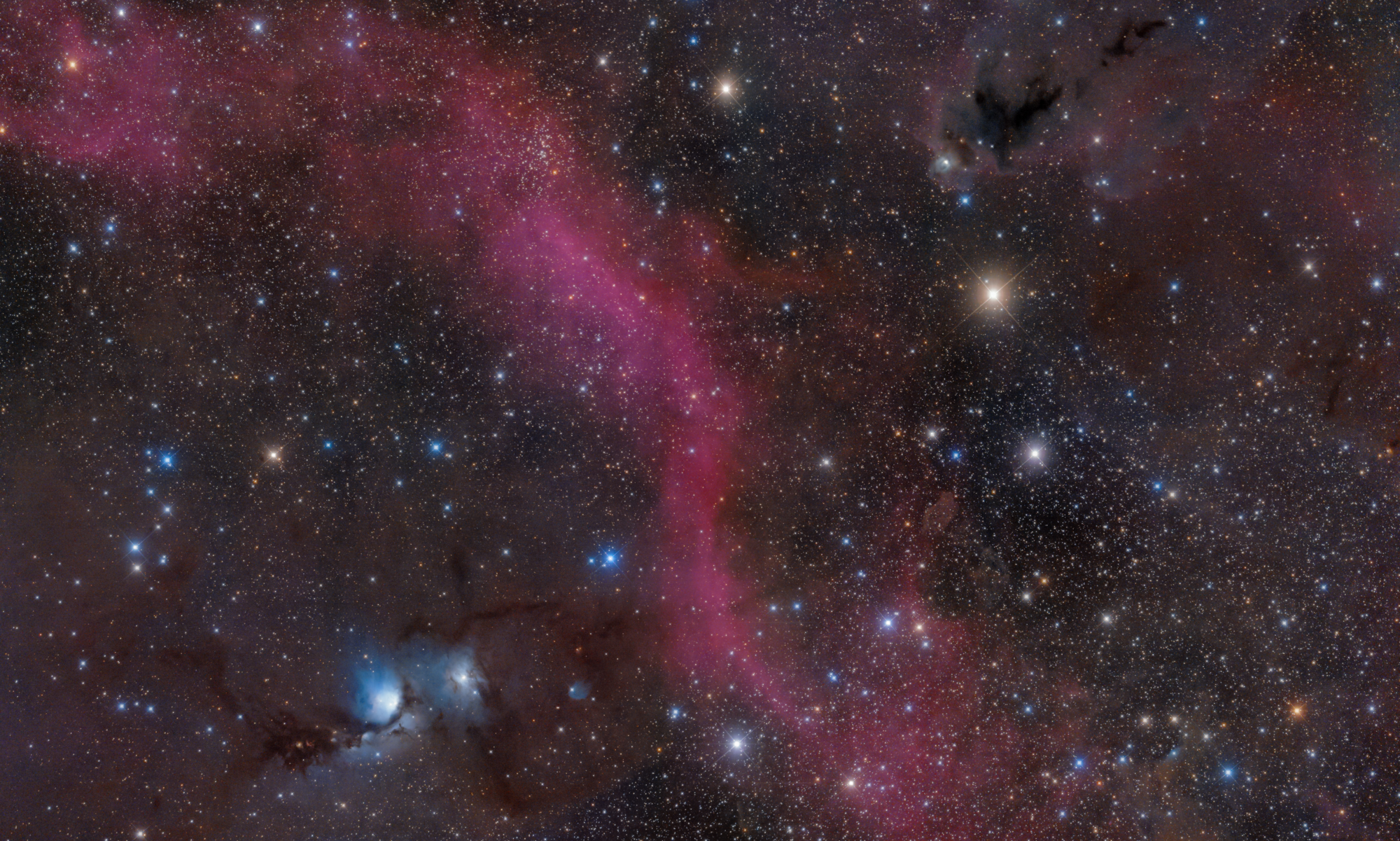

2026-10-09 APP 2.0.0-beta48 has been released !
This is mainly a bug fix release for the reported bugs in beta47. In addition it has a significant User Interface performance improvement noticable when you need to process 1000s of images in APP.
2026-10-03 APP 2.0.0-beta47 has been released !
This is a very big release... many code optimizations/rewrites, many parts of APP are much faster and more precise, especially star analysis and registration are much faster ! Big mosaics will go much faster 🙂
And we introduce a new preview filter, which includes the new Adaptive Deep Sky Stretch and a General Levels Stretch, this has been long over due. The old preview filter (the panel on the right side to stretch and preview your data) has not been updated for a couple of years and it is a critical part of any APP session.
Adaptive Deep Sky Stretch or ADSS is a much more intuitive stretch algorithm. It is also color preserving (which is a great new addition in itself ! ) which means that the highlights are no longer bleached, color is maintained from the linear data while stretching. You can simply stretch your data using the sky background level and signal width sliders which work much easier and more intuitive. You no longer need to fiddle with the old complicated sliders with zoom buttons. All the zoom buttons for the sliders are made redundant. And you can enter slider values in the slider value fields yourself. I will make a youtube video in the coming days to explain and fully introduce ADSS. Once the video is ready, it will be highlighted on the forum.
RGB Combine upgrade !. The RGB Combine Tool has been rewritten mostly. The tool is faster and easier to use and most importantly, the Luminance slider to inject a luminance channel or channels into the RGB composite is now working correctly. It no longer bleaches the RGB colors. Combined with the new ADSS preview, you will get much better and easier great composites with great color! I will also explain this in a new youtube video.
Astro Pixel Processor 2.0.0-beta32 release notes
2.0.0-beta31 has a regression bug in the integration module which beta32 solves. For completeness, we also provide the beta31 release notes below.
- Integration BUG fixed which manifested in beta31
As reported in this thread https://www.astropixelprocessor.com/community/main-forum/upgraded-to-2-0-0-beta31-corrupted-integration/#post-32077 beta31 introduced a problem in integration in some cases. This regression bug was caused by another fix in beta31 in the integrator. The fix in beta31 is still fixed in beta32 so is this regression bug. All should work without issues in the integration now.
Astro Pixel Processor 2.0.0-beta31 release notes
- UPGRADED Development platform to Oracle GraalVM 23.0.2
This update for the development platform has several security fixes for Windows, Linux and macOS.
- IMPROVED support for NUMA (Non Uniform Memory Access) on Linux, macOS & Windows for computer with more than 1 CPU node.
Astro Pixel Processor can now use NUMA on systems with more than 1 CPU node which should enhance the performance for these systems.
- FIXED/IMPROVED INTEGRATION - ArrayOutOfBoundsException in Integrator - performance gain 5-10%
As mentioned in this post https://www.astropixelprocessor.com/community/main-forum/how-to-speed-up-registration-process-on-large-mosaics/#post-31013 APP could crash with an ArrayOutOfBoundsException in the Integrator if the integrated image reaches nearly 2GB in size. A combination of the number of CPU threads and the actual image size could cause the crash. This crash should no longer occur. A nice upside of the fix is that the code for the actual integration where the bug manifested has been optimized a bit as well leading to 5-10% performance gain on the task where all pixels of the target integration file are actually integrated from the integration layers depending on the computer used, amount of pixels and the number of CPU threads.
- FIXED Weird horizontal lines on macOS with big field of views
The above fix for ArrayOutOfBoundsException in Integrator also has fixed the issue on macOS where weird horizontal lines would manifest in integrations of big Fields of View, like big mosaics. It was mentioned in 2 topics: https://www.astropixelprocessor.com/community/main-forum/strange-horizontal-lines-in-mosaic-integrations/#post-28274 and https://www.astropixelprocessor.com/community/appreleases/image-artefacts-on-multipanel-mosaic-2-0-0-beta17/#post-28039


- FIXED External OpenGL image viewer on 2nd monitor
We have fixed several bugs related to the external OpenGL image viewer window. Most importantly, when the external OpenGL image Viewer window is on a 2nd monitor, after restarting APP, the window would be recreated on the same place on the 2nd monitor but the application could hang while starting up, due to an OpenGL initialization issue. This issue is fixed, so you can now use the external OpenGL image viewer fine on external or not-primary monitors. The bug fix has another upside as well. The actual drawing performance of the image data is much faster now depending on the graphical chip and the operating System.


- IMPROVED External OpenGL image viewer performance
Due to the above bug fix, the OpenGL initialization for the external OpenGL image viewer has been improved which greatly improves the drawing performance depending on graphical hardware and the operating system. On my test system with and Nvidia RTX 2080 videocard and windows 10, the performance is greatly enhanced, zooming in and out with the mousewheel on the image is very fast now in this external OpenGL window.
- FIXED application shutdown behaviour
In some cases, shutting down APP with closing the main application window or externally like using the CMD-Q shortcut on macOS would cause a delay or crash while shutting down. This is fixed. The application will now shut down immediately and all resources as used by APP are given back to the Operating System.
- FIXED release resources of OpenGL and external image viewer windows at application shutdown
This was an older bug on our list which is solved now. When the application is closed, the external image viewer windows are properly disposed and OpenGL is explicitely shutdown to make sure that all those resources are released. It is implemented in a shutdown hook, so all resources are released even in situation of an application crash.
- FIXED FOCUS issues with multi window setup
As reported in this post https://www.astropixelprocessor.com/community/rfcs-request-for-changes/multi-monitor-support-image-window-on-2nd-monitor/#post-31710 there were focus issues with the external image viewer windows relative to the main application window or the console panel window. If the external image viewer would be in front of the main application window and it would fully cover it, you could not get the main window to become visisble. This is now fixed for all situations where APP application windows are in front of each other. Each APP window behind another APP window can be moved in front and in focus.

- IMPROVED report version of development platform used
The startup message in the general console will now show the version of the development platform that is used, in this case this is Oracle GraalVM 23.0.1. It is also shown on the application window title depending on the platform.
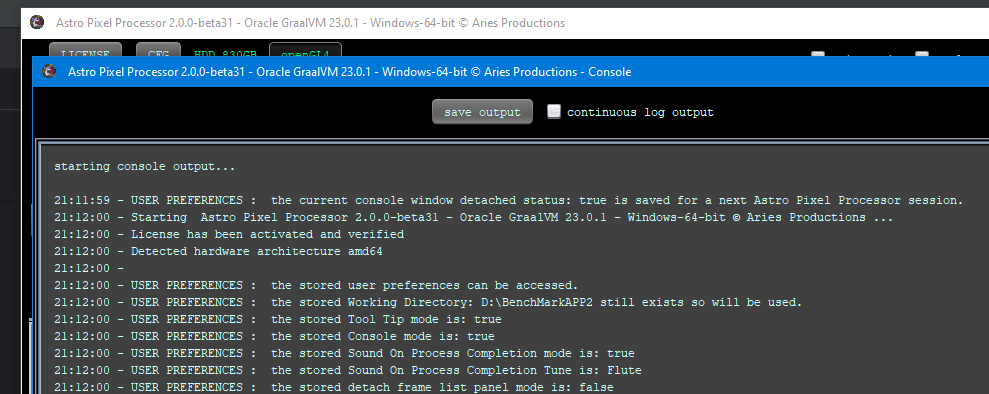
- IMPROVED error/crash/warning report
Whenever an error/crash/warning manifests, APP will now show the actual APP version, the development platform (Oracle GraalVM in this case) and the platform/OS in the error message so screenshots of the error will directly communicate this information to us saving time.

