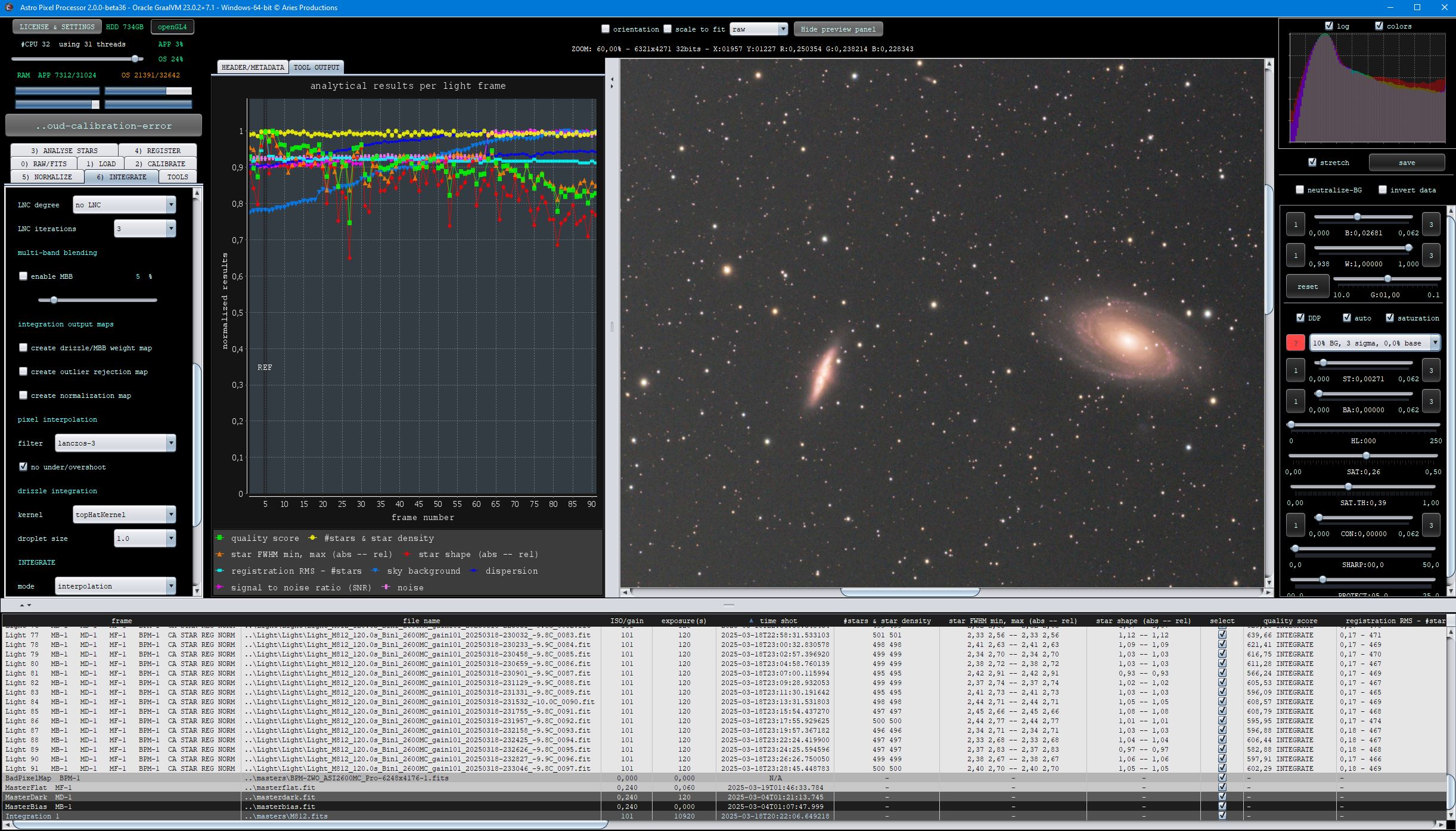
It did take a long time to have the work finished on this and it will have a major performance boost of 30-50% over 2.0.0-beta39 from calibration to integration. We extensively optimized many critical parts of APP. All has been tested to guarantee correct optimizations. Drizzle and image resampling is much faster for instance, those modules have been completely rewritten. Much less memory usage. LNC 2.0 will be released which works much better and faster than LNC in it's current state. And more, all will be added to the release notes in the coming weeks...
Update on the 2.0.0 release & the full manual
We are getting close to the 2.0.0 stable release and the full manual. The manual will soon become available on the website and also in PDF format. Both versions will be identical and once released, will start to follow the APP release cycle and thus will stay up-to-date to the latest APP version.
Once 2.0.0 is released, the price for APP will increase. Owner's license holders will not need to pay an upgrade fee to use 2.0.0, neither do Renter's license holders.
[Solved] Your email server seems to be down - NOT DOWN, ICLOUD,COM does not pass SPF protocol check !
Our mail servers have been up and running without issues for 100s of days according to our mail server logs. I have checked our mail servers, there is something not right with your email in fact, it does not pass the SPF protocol check I see now. You need to report this a.s.a.p. to your mail provider I think.
On March 10, all was fine:
Mar 10 18:11:38 h2887425 postfix/smtpd[27682]: connect from st43p00im-zteg10063501.me.com[17.58.63.176] Mar 10 18:11:38 h2887425 postfix/smtpd[27682]: Anonymous TLS connection established from st43p00im-zteg10063501.me.com[17.58.63.176]: TLSv1.2 with cipher ECDHE-RSA-AES256-GCM-SHA384 (256/256 bits) Mar 10 18:11:39 h2887425 policyd-spf[27688]: None; identity=helo; client-ip=17.58.63.176; helo=st43p00im-zteg10063501.me.com; envelope-from=pkolano@icloud.com; receiver=support@astropixelprocessor.com Mar 10 18:11:39 h2887425 policyd-spf[27688]: Pass; identity=mailfrom; client-ip=17.58.63.176; helo=st43p00im-zteg10063501.me.com; envelope-from=pkolano@icloud.com; receiver=support@astropixelprocessor.com Mar 10 18:11:39 h2887425 postfix/smtpd[27682]: 32230200068: client=st43p00im-zteg10063501.me.com[17.58.63.176] Mar 10 18:11:39 h2887425 postfix/cleanup[27045]: 32230200068: message-id=<10E8EAAA-B22D-4B99-BA1A-2A189D19CCD7@icloud.com> Mar 10 18:11:41 h2887425 opendkim[1129]: 32230200068: st43p00im-zteg10063501.me.com [17.58.63.176] not internal Mar 10 18:11:41 h2887425 opendkim[1129]: 32230200068: not authenticated Mar 10 18:11:43 h2887425 opendkim[1129]: 32230200068: DKIM verification successful Mar 10 18:11:43 h2887425 opendmarc[1151]: 32230200068: icloud.com pass Mar 10 18:11:43 h2887425 postfix/qmgr[29822]: 32230200068: from=<pkolano@icloud.com>, size=3054215, nrcpt=1 (queue active) Mar 10 18:11:43 h2887425 postfix/local[27693]: 32230200068: to=<support@astropixelprocessor.com>, relay=local, delay=4.6, delays=4.6/0.01/0/0.01, dsn=2.0.0, status=sent (delivered to mailbox) Mar 10 18:11:43 h2887425 postfix/qmgr[29822]: 32230200068: removed Mar 10 18:11:43 h2887425 postfix/smtpd[27682]: disconnect from st43p00im-zteg10063501.me.com[17.58.63.176]
But on March 11
Mar 11 23:00:40 h2887425 postfix/smtpd[5268]: connect from p-west2-cluster5-host11-snip4-9.eps.apple.com[57.103.71.12] Mar 11 23:00:40 h2887425 postfix/smtpd[5268]: Anonymous TLS connection established from p-west2-cluster5-host11-snip4-9.eps.apple.com[57.103.71.12]: TLSv1.2 with cipher ECDHE-RSA-AES256-GCM-SHA384 (256/256 bits) Mar 11 23:00:41 h2887425 postfix/smtpd[5276]: connect from p-west2-cluster4-host7-snip4-10.eps.apple.com[57.103.69.221] Mar 11 23:00:41 h2887425 policyd-spf[5278]: Softfail; identity=helo; client-ip=57.103.71.12; helo=p00-icloudmta-asmtp-us-west-2a-100-percent-4.p00-icloudmta-asmtp-vip.icloud-mail-production.svc.kube.us-west-2a.k8s.cloud.apple.com; envelope-from=pkolano@icloud.com; receiver=support@astropixelprocessor.com Mar 11 23:00:41 h2887425 postfix/smtpd[5268]: NOQUEUE: reject: RCPT from p-west2-cluster5-host11-snip4-9.eps.apple.com[57.103.71.12]: 550 5.7.1 <support@astropixelprocessor.com>: Recipient address rejected: Message rejected due to: domain owner discourages use of this host. Please see http://www.openspf.net/Why?s=helo;id=p00-icloudmta-asmtp-us-west-2a-100-percent-4.p00-icloudmta-asmtp-vip.icloud-mail-production.svc.kube.us-west-2a.k8s.cloud.apple.com;ip=57.103.71.12;r=support@astropixelprocessor.com; from=<pkolano@icloud.com> to=<support@astropixelprocessor.com> proto=ESMTP helo=<p00-icloudmta-asmtp-us-west-2a-100-percent-4.p00-icloudmta-asmtp-vip.icloud-mail-production.svc.kube.us-west-2a.k8s.cloud.apple.com> Mar 11 23:00:41 h2887425 postfix/smtpd[5268]: disconnect from p-west2-cluster5-host11-snip4-9.eps.apple.com[57.103.71.12]
So I guess, Apple is messing up here with one of their mail servers?
I have checked the SPF domain records for icloud.com, it shows:
icloud indicates by ~all at the end of their DNS SPF record, that any email from icloud.com that is not using a server in this list, should be considered by the receiving party as as spam or suspicious, which we will do.
On March 10, the server 17.58.63.176 (xxx.me.com) was used, which is in the list, so we will accept it as safe email.
On March 11, the server 57.103.71.12 (xxxx.apple.com) was used, which is not ! in the safe list for icloud.com, so we will reject that email as spam/suspicious. So yes, Apple/Icloud has a problem in their network here to be able to send out safe email from icloud.com I think.
I also double checked in our mail server logs that go back 100s of days if other icloud.com users have the same issue, but no, there is only an issue with your icloud.com account it seems here:
Please report it to your mailprovider and they will be able to fix this quickly I think. The SPF record needs to be changed a bit. 57.103.64.0/18 should be 57.103.0.0/16 or 57.103.128.0/17 I think... 57.103.64.0/18 means that only servers
57.103.0-64.xxx are allowed to send on behave of icloud.com.
So 57.103.71.12, 7.103.69.221, 57.103.70.106, 57.103.76.167 are not in this range.
Is it still not working? Or didn't you retry sending email to our support address? The issue is weird yes, but definitely a problem on Apple's side somehow. I double checked, but your email is the only that is rejected like this, it fails the SPF protocol which is quite standard these days to allow for safe email traffic.
First regarding your bouncing email, it is quite weird and I suspect that Apple is doing maintenance on the icloud mail servers and they forgot to update the SPF DNS record to use Apple servers for sending mail instead of icloud.com servers... this is what I see today
Mar 18 20:28:34 h2887425 policyd-spf[3852]: Softfail; identity=helo; client-ip=57.103.77.134; helo=p00-icloudmta-asmtp-us-east-1a-60-percent-4.p00-icloudmta-asmtp-vip.icloud-mail-production.svc.kube.us-east-1a.k8s.cloud.apple.com; envelope-from=pkolano@icloud.com; receiver=support@astropixelprocessor.com Mar 18 20:28:34 h2887425 postfix/smtpd[3614]: NOQUEUE: reject: RCPT from p-east2-cluster3-host9-snip4-3.eps.apple.com[57.103.77.134]: 550 5.7.1 <support@astropixelprocessor.com>: Recipient address rejected: Message rejected due to: domain owner discourages use of this host. Please see http://www.openspf.net/Why?s=helo;id=p00-icloudmta-asmtp-us-east-1a-60-percent-4.p00-icloudmta-asmtp-vip.icloud-mail-production.svc.kube.us-east-1a.k8s.cloud.apple.com;ip=57.103.77.134;r=support@astropixelprocessor.com; from=<pkolano@icloud.com> to=<support@astropixelprocessor.com> proto=ESMTP helo=<p00-icloudmta-asmtp-us-east-1a-60-percent-4.p00-icloudmta-asmtp-vip.icloud-mail-production.svc.kube.us-east-1a.k8s.cloud.apple.com> Mar 18 20:30:23 h2887425 policyd-spf[4012]: Softfail; identity=helo; client-ip=57.103.76.5; helo=p00-icloudmta-asmtp-us-east-1a-10-percent-1.p00-icloudmta-asmtp-vip.icloud-mail-production.svc.kube.us-east-1a.k8s.cloud.apple.com; envelope-from=pkolano@icloud.com; receiver=support@astropixelprocessor.com Mar 18 20:30:23 h2887425 postfix/smtpd[4008]: NOQUEUE: reject: RCPT from p-east2-cluster1-host3-snip4-2.eps.apple.com[57.103.76.5]: 550 5.7.1 <support@astropixelprocessor.com>: Recipient address rejected: Message rejected due to: domain owner discourages use of this host. Please see http://www.openspf.net/Why?s=helo;id=p00-icloudmta-asmtp-us-east-1a-10-percent-1.p00-icloudmta-asmtp-vip.icloud-mail-production.svc.kube.us-east-1a.k8s.cloud.apple.com;ip=57.103.76.5;r=support@astropixelprocessor.com; from=<pkolano@icloud.com> to=<support@astropixelprocessor.com> proto=ESMTP helo=<p00-icloudmta-asmtp-us-east-1a-10-percent-1.p00-icloudmta-asmtp-vip.icloud-mail-production.svc.kube.us-east-1a.k8s.cloud.apple.com>
57.103.77.134 and 57.103.77.134 are clearly not allowed according to icloud.com SPF DNS record. I have no control over that.
@mabula-admin I've just tried twice to send it to your support email address but same issue.
I'm using iCloud for many years and never had such issue, only with you.
Oh well.... 💁🏻
Thank you very much for reporting this error. It looks like some data issue somehow. Can you check what happens if you only calibrate with bias and flats ? So without the darks, does it work then? Or do you get this error as well?
Can you upload the data on which this happens so I can test and fix it as soon as possible?
Okay no problem, I have extended your Trial license with another 30 days, you should have received a confirmation of this by email. Please take your time and when ready, please upload that dataset so I can test it myself and solve this issue.
The button next to the masterDark load button doesn't say clear, but it says clean.
The clean button will remove all the files of that type, for instance the MasterDark type, that are notselected from the file list.
The popup menu for the clean button next to the MasterDark says Removes unselected MasterDark frames. So if you toggle the switchbutton ALL to None and then push clean, all the masterdarks are gone. I just tested it and all works fine and this is the expected behaviour.
APP 2.0.0-beta35 shows fine on macOS 15 Sequoia in Launchpad after installing. I know that older macOS versions actually have some issues with the launchpad not showing APP, especially older APP versions, but in macOS 15 it should show fine, it does on our test systems. What macOS version are you using?
I have tested your data now, And I see that the issue is caused by your masters being 64bits.
I have never seen that to be honest and I doubt that this adds anything over using 32bits masters apart from taking up more space on your harddisk. Is there any specific reason that you would use 64 bits masters? I see that the masters are made by Pixinsight.
Having said this, I will try to fix this, so APP can still process your 64bits data with the most accuracy desired.
FIXED 2) CALIBRATE, APP would throw a ClassCastException in the calibration modules if you would load 64bits masters.
APP can now properly process 64bits calibration masters without throwing this error. It is worth pointing out though that 64bits masters add nothing at all for precision over 32bits masters in data calibration from 16bits camera's.