

June 24 2026 APP 2.0.0-beta46 has been released !
Improved internal memory configuration (lower ! memory usage), fixed beta45 startup issue, fixed Set Save Directory & 2-panel mosaics.
May 27 2026 APP 2.0.0-beta45 has been released !
Fully Multi-Threaded LNC, many improvements for the registration engine, platform upgrade, and further tuning of internal memory consumption and memory release back to OS.
Apr 14 2026: Google Pay, Apple Pay & WeChat Pay added as payment options
Update on the 2.0.0 release & the full manual
We are getting close to the 2.0.0 stable release and the full manual. The manual will soon become available on the website and also in PDF format. Both versions will be identical and once released, will start to follow the APP release cycle and thus will stay up-to-date to the latest APP version.
Once 2.0.0 is released, the price for APP will increase. Owner's license holders will not need to pay an upgrade fee to use 2.0.0, neither do Renter's license holders.
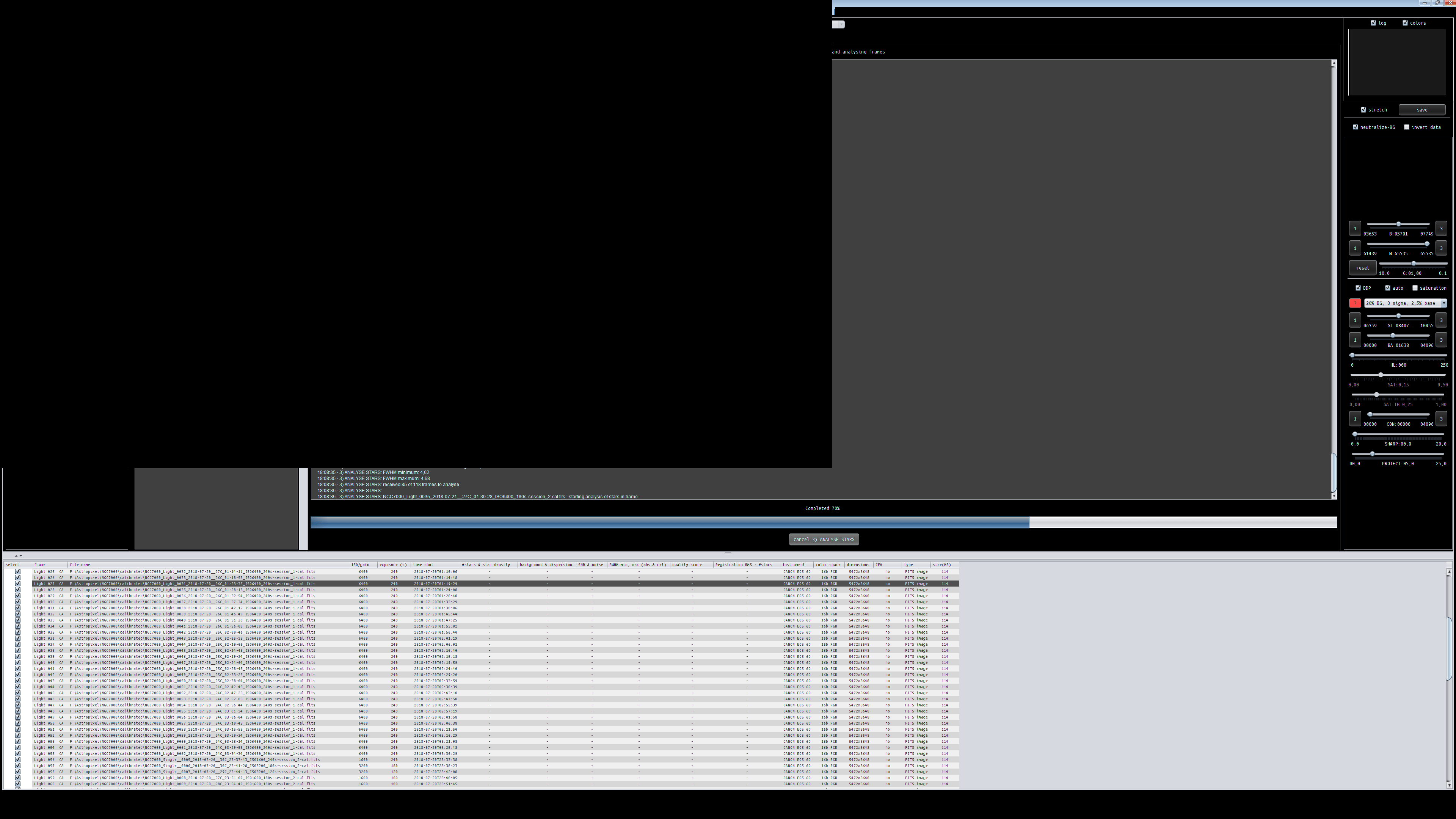
I noticed something else. I have the problem since version 1.056. For example, star analysis or integration specifically LNC process when CPU and memory are heavily loaded. Will the screen short completely black. Then the picture builds up again but then the aspect ratio is not right anymore. Had it checked against my laptop again, but since the error does not occur. Use Windows 10 64 bit.
Hi @minusman,
I will have a look at this, probably related to drawing of the User Interface that stops when hardware resources are totally consumed. Are you using all CPU threads?
Mabula
I leave 1 CPU threads, as default by APP at the program start is set.
Hello Mabula, Thanks for the great presentation on The Astro Imaging Channel.
Very informative, also to your person. Are there any more Turtorials of the individual functions?
Now to my question, I have recently had stability problems with APP with my PC. Funny white APP ran smoothly on my Toshiba laptop. After a long search, I found out that one setting between PC and laptop is different.
In my laptop true the windows core insulation enabled. Activated on the PC
and stability issues have disappeared until version 1.068. In the new version 1.069, the problems started again, sometimes in the star analysis Windows Explorer crashes screen becomes black, image builds up again and APP ends itself after the end of the task (eg star analysis ...).
Maybe it has to do with the IMPROVED, APPLICATION MEMORY MANAGEMENT. Here is a screenshot.
Otherwise, the new version is very successful, especially the improved star analysis. 😋
