

Mar 28 2026 APP 2.0.0-beta40 will be released in 7 days.
It did take a long time to have the work finished on this and it will have a major performance boost of 30-50% over 2.0.0-beta39 from calibration to integration. We extensively optimized many critical parts of APP. All has been tested to guarantee correct optimizations. Drizzle and image resampling is much faster for instance, those modules have been completely rewritten. Much less memory usage. LNC 2.0 will be released which works much better and faster than LNC in it's current state. And more, all will be added to the release notes in the coming weeks...
Update on the 2.0.0 release & the full manual
We are getting close to the 2.0.0 stable release and the full manual. The manual will soon become available on the website and also in PDF format. Both versions will be identical and once released, will start to follow the APP release cycle and thus will stay up-to-date to the latest APP version.
Once 2.0.0 is released, the price for APP will increase. Owner's license holders will not need to pay an upgrade fee to use 2.0.0, neither do Renter's license holders.
OK, I've been working through some data and got to the Integration file which I load up in the Image Preview.
I then run through each of the Tools (9) in turn saving after each one as a new processed image.
Before starting using another Tool, for instance I have just completed 'Remove Light Pollution' and saved that image, I will then double click on this latest saved image to load it in the Image Preview, then proceed with the next Tool & so on.
After completing the various Tools, I then make some further processing by tweaking the various settings on the right hand side.
When I am finally happy with the result I hit the save button.
What I have noticed is that if I save my final image as stretched & then double click on this saved file to load it in the Image Preview window, it is severely blown out. I am however able to open the saved stretched Tiff in Photoshop without issue.
The same also happens when saving as a stretched .fits file.
So what I tried was to save my image as an unstretched .tiff & also an unstretched .fits file
I then closed down APP & restarted it, I located the recently saved unstretched files and loaded them in as Lights.
Now these images had lost all their colour channels and were just grey images.
I am doing something wrong or does APP work like this by design i.e. it's a one time processing deal & that once files are saved either stretched for instant archiving or to use in a post processor such as Photoshop or as unstretched to be processed futher in the likes of StarTools etc?
Regards..,
Kirk
I'm having the same problem. Just started working on an image with the latest version. It does not save what's in the preview like it is supposed to. When i re load the image it is lighter and blown out, not preserving the setting. That really stinks, not going to spend hours working on an image only to find out it doesn't save my work! Just purchased today.......not very happy
OK, I've been working through some data and got to the Integration file which I load up in the Image Preview.
I then run through each of the Tools (9) in turn saving after each one as a new processed image.
Before starting using another Tool, for instance I have just completed 'Remove Light Pollution' and saved that image, I will then double click on this latest saved image to load it in the Image Preview, then proceed with the next Tool & so on.
After completing the various Tools, I then make some further processing by tweaking the various settings on the right hand side.
When I am finally happy with the result I hit the save button.
What I have noticed is that if I save my final image as stretched & then double click on this saved file to load it in the Image Preview window, it is severely blown out. I am however able to open the saved stretched Tiff in Photoshop without issue.
The same also happens when saving as a stretched .fits file.
So what I tried was to save my image as an unstretched .tiff & also an unstretched .fits file
I then closed down APP & restarted it, I located the recently saved unstretched files and loaded them in as Lights.
Now these images had lost all their colour channels and were just grey images.
I am doing something wrong or does APP work like this by design i.e. it's a one time processing deal & that once files are saved either stretched for instant archiving or to use in a post processor such as Photoshop or as unstretched to be processed futher in the likes of StarTools etc?
Regards..,
Kirk
Hi Kirk and Michael @1cm69 & @w3tbcptd-net ,
Let me clarify what's happening here:
If you save an image with stretch then it's saved like you see the image in the image viewer, that's what you expect right? If you open this image in another application it looks and should look like you saw it in the image viewer in APP.
So that also means that to see that image like intended in APP, you will need to see it totally unstretched now (i.e. disable DDP and set black point to zero), because the stretch is fully applied to the saved data. That's what I think you should expect as well, right?
Let me show you a simple example, because that will probably explain it more clearly:
I am using data of Sara Wager @swag72 to illustrate APP's behaviour here. It's a narrowband composite created in APP of the Horsehead Nebula in Orion.
First let's look at the data unstretched, to confirm the original data is linear, notice in the screenshot that DDP is turned of and that the black point (B slider) is set to 0:

Then we turn on DDP and tweak the sliders so we have an image we want to save and publish as a TIFF or JPG:
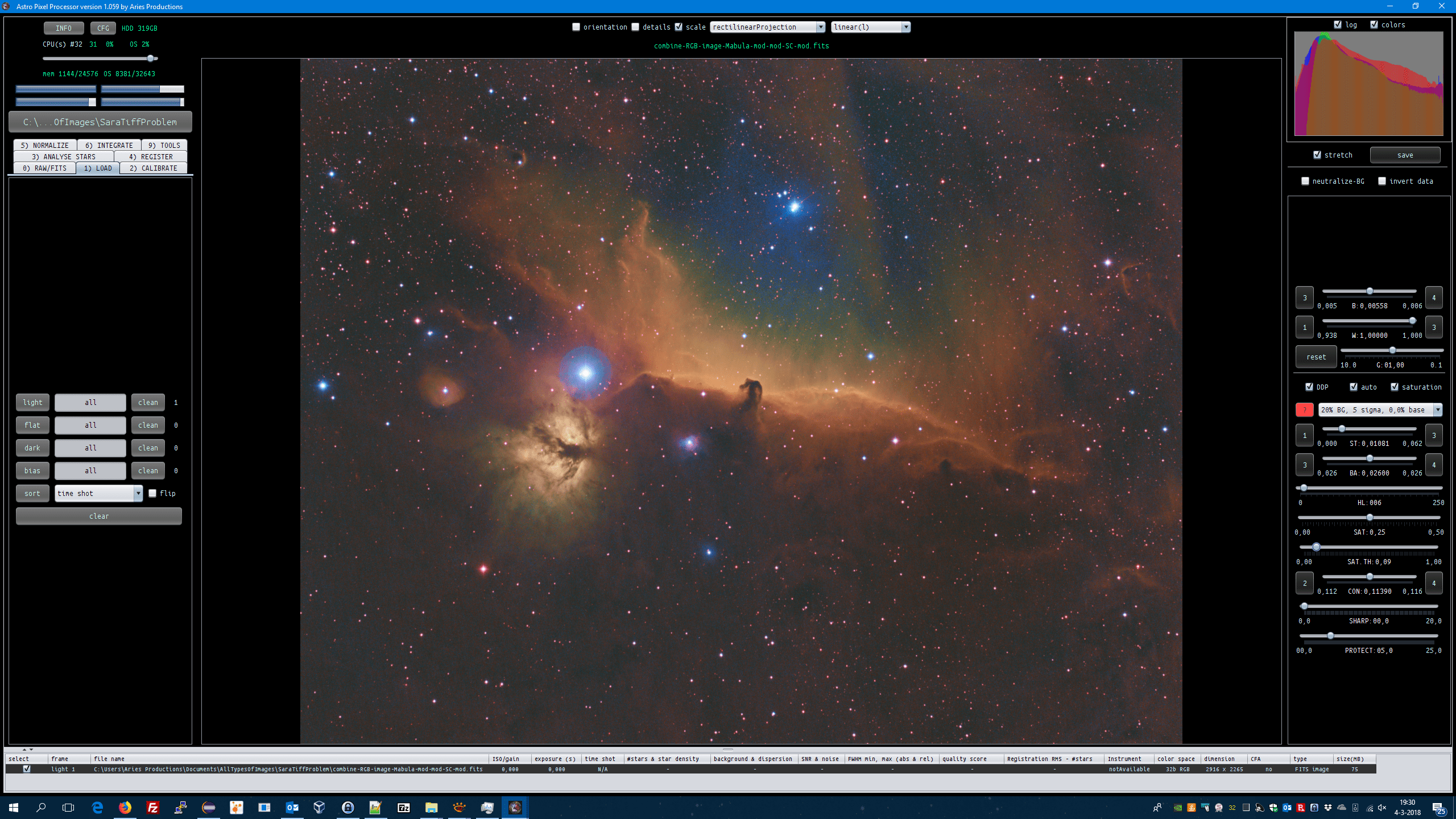
So I now leave the strech selectbox enabled and click on save:
this is the JPG that I saved with ICC profile, it looks exactly like intended 😉

(I have saved it stretched in 32bits TIFF format as well which I show in the following example)
Now if i turn off auto DDP (so leave stretch settings intact) and load this image, it will look blownout, just like you indicate. This is to be expected, since the image itself is already stretched, and we are applying a second stretch on already stretched data:

If I disable stretching completely, so turn off DDP and set black point to zero, I expect the same image to appear that we saved stretched, et voila, it does, everything is working like I would expect here:

And loading the saved stretched image in any other application shows the image with the stretch parameters fully applied, also as expected. Shown in regular image viewer XNview:
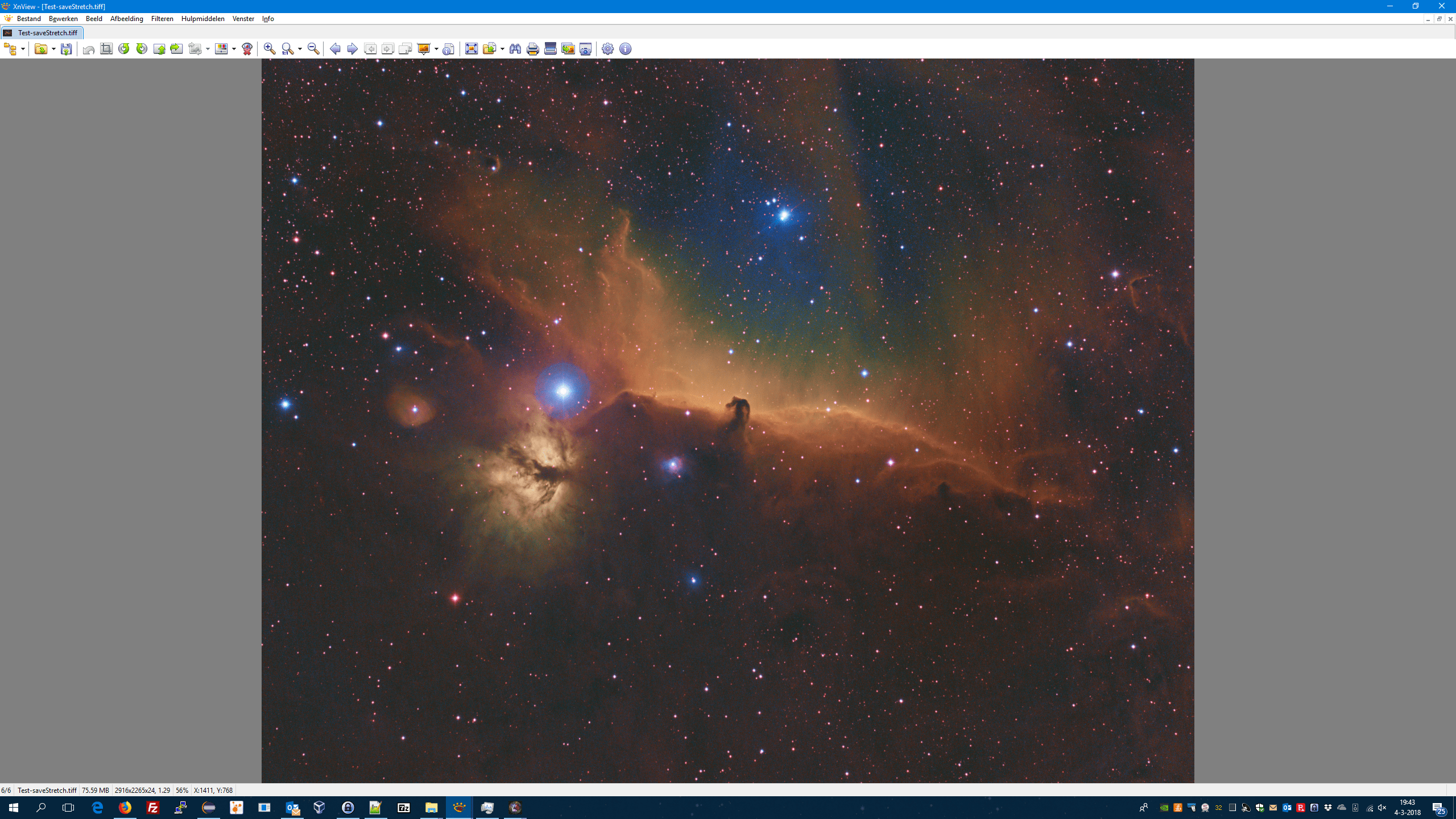
So the blowing out that you describe is happening, because APP is applying a new stretch on already stretched data. Disabling all stretching shows you the initially stretched data exactly like intended with the right colors and ICC color profile if chosen.
I hope this clarifies it and shows you that nothing bad is happening here, it has to do with understanding how the preview filter works. If you save a stretched image, off course, to look at it properly like intended, you need to disable all stretching in the preview filter in APP 😉
Kind regards,
Mabula
That seems like a very confusing way to work. I would think you would want to have all the previous settings set when reloading an image, that way if I'm not finished editing all my previous settings are where I left off. So if I understand this correctly, after editing and saving an image you have to reset all of your editing parameters back to the default settings or the photo gets reedited on import by APP? Just my opinion but no photo should get edited by any program directly after importing it.
Hi Michael @w3tbcptd-net, I don't think I understand how you would come to that conclusion from my clarification.
I understand this correctly, after editing and saving an image you have to reset all of your editing parameters back to the default settings or the photo gets reedited on import by APP? Just my opinion but no photo should get edited by any program directly after importing it.
APP isn't doing anthing strange here, it just reads and shows the data like it is. No editing is done at all by APP by itself. I would hate that myself actually 😐
Simply said:
if you save stretched: the parameters in the preview filter are applied to the data and it is saved as such.
if you save unstretched: no parameters in the preview filter are applied, the original data that was loaded is simply saved unaltered. That's easy for converting your unaltered data to another image format to for instance import it into another application.
APP's preview filter itself also doesn't edit/alter your data. Nothing is done, it's just a preview of the data that you load into it, with the preview filters applied. So if you stop the previewfilter without saving stretched or unstretched, nothing is done to your data and it shouldn't. That would be terrible, I certainly agree.
Remembering the exact preview filter settings on an image, to be able to tweak the sliders in a different sesssion while still using the original data would require storing the preview filter settings somewhere. That is an implementation that I could do in a future version off course. Maybe that's what you refer to?
Mabula
Ok. I understand. I think having a save with slider settings as an option would be a great feature.
Also an undo redo buttons on the main window to toggle would be great
Hi Michael @w3tbcptd-net
Okay, excellent 😉 I will put both on my TODO for a future APP version.
Undo/Redo has been requested before and I think saving the slider settings for an image should prove a nice option as well. Thank you for your feedback.
Cheers,
Mabula
Yes yes undo redo. I still haven't been able to find that comparison slider you were talking about earlier in the month last month. But an undo redo would accomplished the same thing and faster? And don't forget next update please have it so that when we fire up the program it's already in the last default directory used 😀
