

June 24 2026 APP 2.0.0-beta46 has been released !
Improved internal memory configuration (lower ! memory usage), fixed beta45 startup issue, fixed Set Save Directory & 2-panel mosaics.
May 27 2026 APP 2.0.0-beta45 has been released !
Fully Multi-Threaded LNC, many improvements for the registration engine, platform upgrade, and further tuning of internal memory consumption and memory release back to OS.
Apr 14 2026: Google Pay, Apple Pay & WeChat Pay added as payment options
Update on the 2.0.0 release & the full manual
We are getting close to the 2.0.0 stable release and the full manual. The manual will soon become available on the website and also in PDF format. Both versions will be identical and once released, will start to follow the APP release cycle and thus will stay up-to-date to the latest APP version.
Once 2.0.0 is released, the price for APP will increase. Owner's license holders will not need to pay an upgrade fee to use 2.0.0, neither do Renter's license holders.
Hi all,
I tried my first mosiac with the NA nebula as the subject. Four frames, SGP, RASA8, ASI294 MC pro, EQ6R, four panels 60 60 sec. exposures.
My framing isn't great, got to work on that, plus my computer takes forever to do a mosiac (4 hours). Anyway, the issue is on the right side of the mosiac, there is a bunch of swirls in the image. I also tried a mosiac of the veil with exactly the same result, so something must be set wrong somewhere....any help would be appreciated.
I have attached the image in .
JPG.
Hi,
I have exactly the same issue in Mosaic mode.
At first glance the image looks ok

But when I zoom at the lower panel, there is a large swirled area
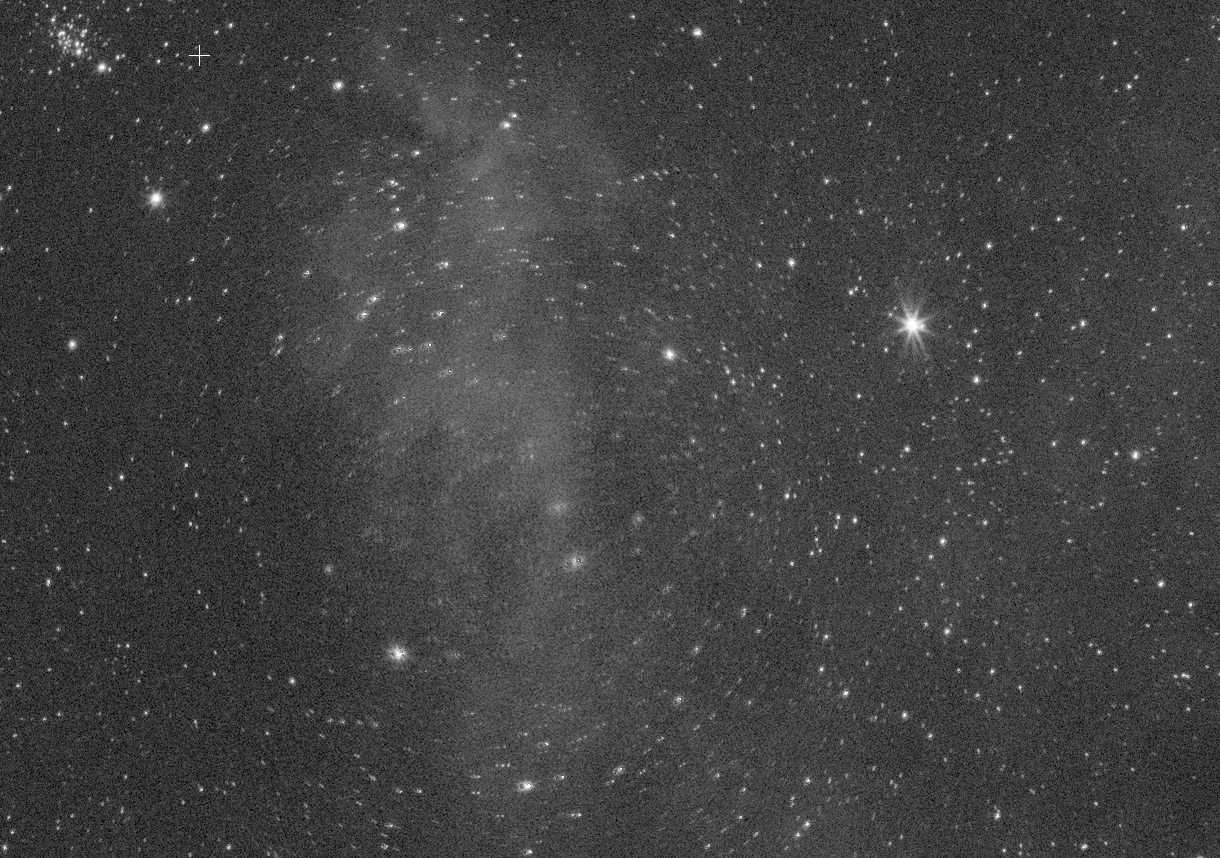
The same region using a regular integration i.e. not in mosaic mode : no trouble at all
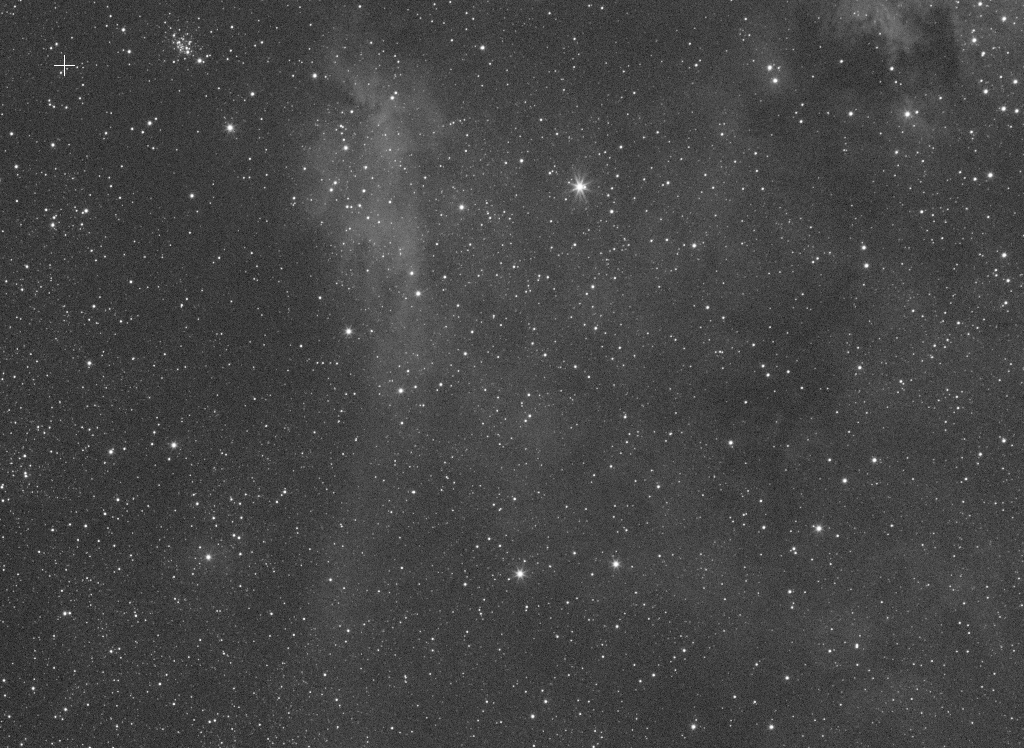
I hope Mabula will find time to look at this issue.
BR
Axel
How much (%) overlap do the frames have? Did you set the scale start and stop to recommended values for a mosaic for instance? Like Start at 5 and Stop at 10? You can also try to turn off dynamic distortion correction.
If what @vincent-mod says doesn’t work, try increasing the number of stars in star detection to 2000 or more and use triangles for star detection. That has worked for me in the past.
If what @vincent-mod says doesn’t work, try increasing the number of stars in star detection to 2000 or more and use triangles for star detection. That has worked for me in the past.
Hi guys,
Thanks for the support.
I used scale start 5 and stop 10 + number of stars = 2000 and it worked perfectly
My previous settings were scale start 1 and stop 10 + number of stars = 500
CS to all!
If what @vincent-mod says doesn’t work, try increasing the number of stars in star detection to 2000 or more and use triangles for star detection. That has worked for me in the past.
Hi guys,
Thanks for the support.
I used scale start 5 and stop 10 + number of stars = 2000 and it worked perfectly
My previous settings were scale start 1 and stop 10 + number of stars = 500
CS to all!
And can you post the result as well? Now I am curious!
HI all @b777capt @axel @vincent-mod @wvreeven,
Thanks for your tips Wouter 😉
When creating a mosaic, first, try to integrate the separate panels properly. Then register the integrated panels as a mosaic, then a 4 panel mosaic will not take 4 hours, rather maybe 10 minutes 😉 that should run very quickly and robustly on just 4 panels.
And yes, for a mosaic, with most data, you will need to increase the stars target to 2000-2500 to get robust results.
FYI: I am working on a big upgrade of the entire registration engine where APP will be much smarter, so then these issues should be solved automatically by APP 😉 though... there are several problems with the current engine which I will try to solve to make it much easier for the user to get good mosaics and quickly.
Cheers,
Mabula

All.....thank you...your solution worked perfectly....:-)
