

UPDATE FROM MABULA
I have had a very rough 2 months unfortunately health wise. I was struck 3x in a row with bacterial infections. The second infection occurred after a routine hospital checkup and I became very sick. I had to rest and take a lot of antibiotics. Once I was recovering and restarting work 1 month ago, I again became sick. The infection was not yet gone, so even more antibiotics and rest was needed. Needless to say, it took a lot of my energy and I needed a lot of rest.
Finally, the infection is really gone and my energy is coming back step-by-step now and I have started work again. I am terribly sorry to have kept you waiting for support. I will address all outstanding questions and e-mails step-by step and will be on the forum daily from today.
APP 2.0.0-beta47 will come soon as well, a lot of work was already completed before I became very ill, so the release is also nearly ready for you. Beta47 will be much faster actually. Many workflows will be more than 2x faster, mosaics can even be 10x faster than before because registration really received a major boost... all compared to beta46. Before I release it, I will make sure that everything is working properly and then I will release it.
Hi
Getting a really frustrating problem with the light pollution tool
It happens with Ha Oii ectracted files when in RGB combine and ha oii colour extraction
Pic is fine but greenish but turns red when the light pollution tool is selected and when used goes more green and washed out
Any thoughs?
Ta
Paul


When I use the RGB Combine tool with the Ha & Oii extracts its just all red.....

This is the ha oii colour stack...ok until i press neutralise background


Would you be able to upload your data? Preferably a subset of the raw data, so like 20 darks, 20 flats, 20 lights, etc.
@vincent-mod Hi
Thanks but its not accepting the files.
Is there a size restriction?
ah...ok...some are fai;ing to upload and some are slow...lots of queing..they are on the way 🙂
Ok..all uploaded...the dark flats are dark flats despite the file saying lights 🙂
Ok thanks, I'll see if I can figure them out. 🙂
Hi Paul, it seems the lights didn't upload correctly, I see txt files instead of fits files.
Sorry mate Doh...Just adding 10 lights now 🙂
All done..added a new folder called lights and they are in there 🙂
Thanks Paul, apologies for the delay, I'll have a look again today.
I think I know what's going on, in the combine tool you need to use the HSO 2 formula, that will mix green and blue better with the OIII signal. I also had to manually tell APP what was H-alpha and what was OIII, it standard showed "Custom".

Neutralize on this didn't look strange, neither did light pollution removal. I used the "Extract-Ha" and "Extract-OIII" settings in tab 0 to load the data. Could you tell me in more detail what your steps are?
Hi
Same issue with RGB combine on my next pic
Did your suggestion and this is the output. I removed APP and reinstalled....I have not made any changes to the set up since it worked correctly
I added the extracted files and told APP what was Ha and what was Oii
The last pic shows Ha Oiii combined using the extracted files.
Is there a reset button for APP.....
" I used the "Extract-Ha" and "Extract-OIII" settings in tab 0 to load the data" I dont understand what you mean here sorry. I extracted the ha oii in tools and loaded them in RGB combine tool and told app what the files were
Losing faith now


The formulae don't seem correct, do you press the "new formula" button after having selected a new formula? Select HSO-2 and then new formula.
And yes, there is a reset for APP in the CFG menu on the top left. These will reset settings.
Ok...reset APP > Added Ha and told APP its Ha > added oiii and told APP its oiii....selected HSO2 and pressed new formula and recalculate...same...pressed new formula again and recalaucate and the same....
I cant think of anything else now
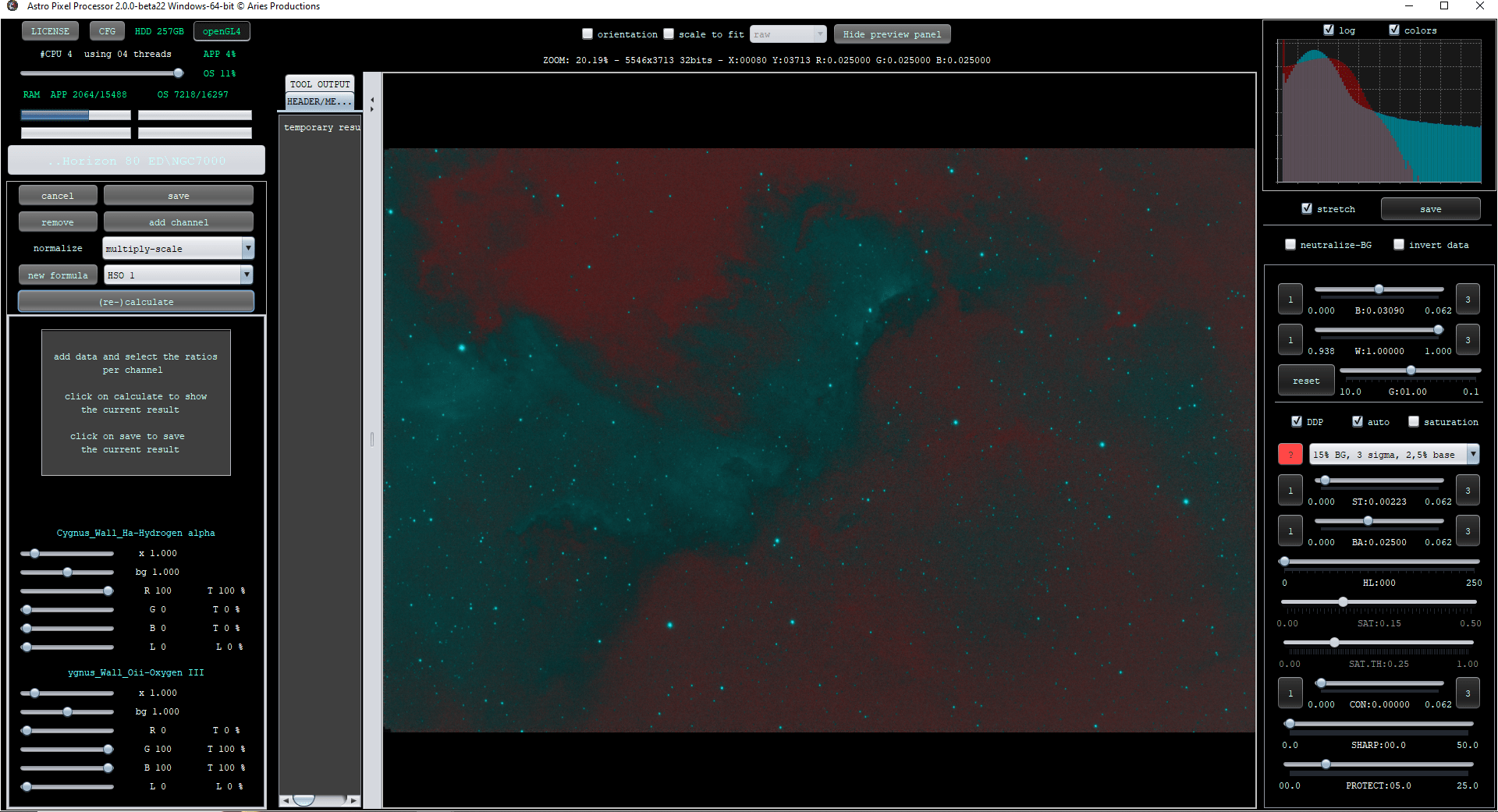
I'm re stacking the data fresh and starting again
Strange
Re extracted the Ha & Oiii and redid everything the same and it works....so if it happened again i'll know what to do 🙂
Thanks for the time in helping me solve this 🙂

No problem! Might have been a setting that was wrong somehow perhaps. Glad I could help!
