

Mar 28 2026 APP 2.0.0-beta40 will be released in 7 days.
It did take a long time to have the work finished on this and it will have a major performance boost of 30-50% over 2.0.0-beta39 from calibration to integration. We extensively optimized many critical parts of APP. All has been tested to guarantee correct optimizations. Drizzle and image resampling is much faster for instance, those modules have been completely rewritten. Much less memory usage. LNC 2.0 will be released which works much better and faster than LNC in it's current state. And more, all will be added to the release notes in the coming weeks...
Update on the 2.0.0 release & the full manual
We are getting close to the 2.0.0 stable release and the full manual. The manual will soon become available on the website and also in PDF format. Both versions will be identical and once released, will start to follow the APP release cycle and thus will stay up-to-date to the latest APP version.
Once 2.0.0 is released, the price for APP will increase. Owner's license holders will not need to pay an upgrade fee to use 2.0.0, neither do Renter's license holders.
Hopefully some of you smart and experienced APP users can help me correct whatever I’m doing wrong. I’ve been using APP for a few months developing filtered monochrome CCD images with very little trouble. Now I’ve attempted developing an image taken with a color CMOS camera and I’m getting unexpected noise in the “calibrate star color” step. Attached are 3 jpegs to demonstrate what is happening. Each image is the blue channel only, which exhibits the most degradation. The red channel is similar, but not quit as bad and the green channel exhibits very little change.
The first image was prepared by taking the integrated stack with no further APP processing applied except doing a 15% stretch and setting saturation at 0.15 and saturation threshold 0.25. The image was saved as a TIFF and the blue channel extracted with photoshop (with no other PS processing applied) and saved as a JPEG. I use this image as a baseline for comparison.
The second image takes the processing one step further with the application of APP’s “remove light pollution” algorithm, which I understand also does a background calibration. The resulting FITS file was then processed the same as the first image with a resulting blue channel jpeg. You can see that the noise perhaps has increased fractionally, but not dramatically.
The third image again goes to the next step and applies the APP “calibrate star color” algorithm. The selected star sample lay nicely along the black body model line and the star colors looked good. No additional adjustments were made. The resulting FITS file was then processed the same as the other two images with a resulting blue channel jpeg. As you can see from image 3, there is significant degradation especially in M106's core. Hopefully these images come through well enough for you to see the differences.
The images were taken with Itelescope’s T2 scope which is a150mm refractor and a QHY268C One Shot Color CMOS camera. The image is of M106 and NGC 4217 and is an integration of 8x300 second subs.
I expect I am doing something very basically wrong here, so any help in pointing me in the right direction would be much appreciated.
Thanks in advance,
Darrell DuBose


It would be nice to see some of the noise values for each step I think, which should be in the list of that frame (SNR & noise column). Going further with photoshop to extract the channels and saving as a jpeg is not a good way to compare noise levels as those are different algorithms and added compression as well.
I just did the jpegs to provide a visual representation of what I was seeing. If you zoom in on the core of M106 you can see some ugly artifacts. I guess I naïvely hoped that someone would recognize I was doing something wrong, or not doing something I should be doing, and the fix would be obvious.
I reloaded into APP the 3 FITS files that are the source of the 3 jpeg images. There are no info in the SNR&Noise columns. I presume I need to reprocess the images from the beginning for those results to be calculated. I'll post the info when I get it done.
You also asked via email if I was calibrating on the full color image (broadband data) and then taking out the blue channel to show here? Yes that is what I'm doing. I start with the color images calibrated by Itelescope (flats/darks/bias already applied) and integrate those images.
Darrell
Ha, yes that I removed as I reread it in your post. 🙂 I'll ask Mabula's opinion on this as well as I think a lot has to do with the amount of signal and the algorithm underneath.. the noise values are indeed available after calibration and normalization.
Hi Vincent, I reran the integration of the 8 images. No SNR&Noise info is displayed for the integrated frame on the list nor for the lpc or csc steps. Unfortunately, both the output FITS or TIFF files are far to big to attach, so not sure where to go from here.
Darrell
@lazyimager You can upload the images to
https://upload.astropixelprocessor.com/
using upload5 for both username and password. Please create a directory called lazyimager_noise and put the images in there.
Hi Darrel @lazyimager, can you please upload the original RGB stack, before any processing has been done? I will have a good look 😉
https://upload.astropixelprocessor.com/
using upload5 for both username and password. Please create a directory called lazyimager_noise and put the images in there.
And... the SNR and noise levels are in the metadata of the stack, there is no need to reprocess 😉
Mabula
Thanks Darrell, downloading now. May need some more investigation as these things tend to be tricky to find out.
Hi Darrell,
So I had a look and decided to use the split channels option in APP on each processed result, checking the blue channel. This is what came out of that;
Before any processing;
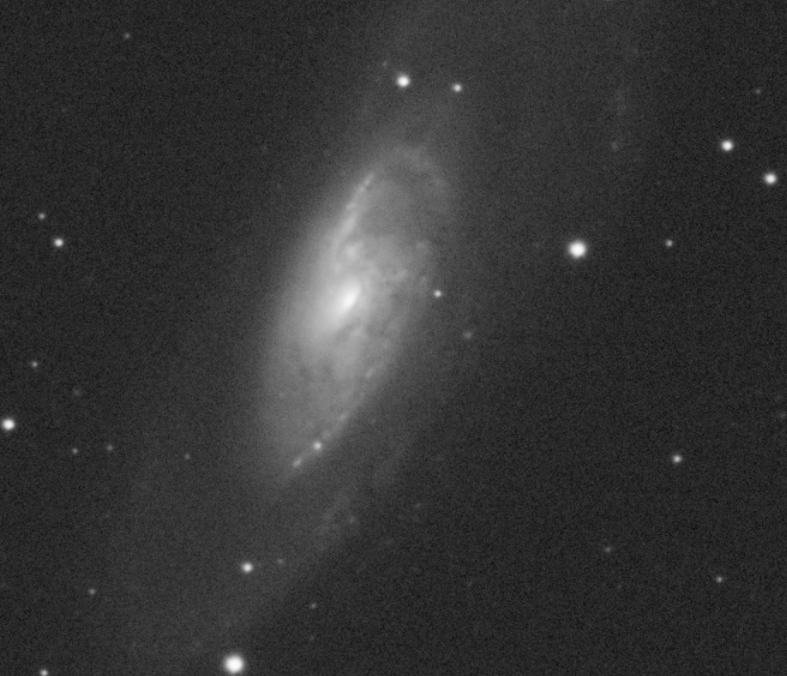
After Light pollution correction (it wasn't really needed as the data looks very nice overall);

After color correction;

I'm not seeing a difference, I suspect that processing it via Photoshop might introduce something odd somehow. Could you also try it using the split channels option of APP?
Thanks, Vincent
@vincent-mod
Will do. May be a few days.
Thanks for your help,
Darrell
Hi Vincent,
I haven't done the split channel thing yet, but I was curious about photoshop causing the channels to look strange. I downloaded FITS Liberator to look at the FITS files without converting to TIFFs and viewing in photoshop. Never used FITS Liberator before, so this approach might be bogus. Nonetheless, when I opened the APP stretched/saturated image, the channels (planes in FL) still display a similar appearance as the TIFFs show in photoshop. So not sure its a photoshop issue. I then opened the star color corrected but not stretched FITS file in FITS Liberator and performed a stretch there and the image looked cleaner. So, maybe its the stretching where this is happening.
Hopefully, this is a useful effort on your part and worth pursuing.
Thanks,
Darrell
Thank you, yes that might be the case somehow. I don't know the algorithms Photoshop uses, but it might have something to do with how these apps load in data and perform a standard normalization on background etc. which might cause issues like this. I don't think we can influence that very well, but to analyze within APP which always used the same stretching and linearity of the data is probably best.
Processed the data using split channel indeed improved the results.
Thanks for your help,
Darrell
