Share:
Notifications
Clear all

2026-10-09 APP 2.0.0-beta48 has been released !

This is mainly a bug fix release for the reported bugs in beta47. In addition it has a significant User Interface performance improvement noticable when you need to process 1000s of images in APP.

2026-10-03 APP 2.0.0-beta47 has been released !

This is a very big release... many code optimizations/rewrites, many parts of APP are much faster and more precise, especially star analysis and registration are much faster ! Big mosaics will go much faster 🙂

And we introduce a new preview filter, which includes the new Adaptive Deep Sky Stretch and a General Levels Stretch, this has been long over due. The old preview filter (the panel on the right side to stretch and preview your data) has not been updated for a couple of years and it is a critical part of any APP session.

Adaptive Deep Sky Stretch or ADSS is a much more intuitive stretch algorithm. It is also color preserving (which is a great new addition in itself ! ) which means that the highlights are no longer bleached, color is maintained from the linear data while stretching. You can simply stretch your data using the sky background level and signal width sliders which work much easier and more intuitive. You no longer need to fiddle with the old complicated sliders with zoom buttons. All the zoom buttons for the sliders are made redundant. And you can enter slider values in the slider value fields yourself. I will make a youtube video in the coming days to explain and fully introduce ADSS. Once the video is ready, it will be highlighted on the forum.

RGB Combine upgrade !. The RGB Combine Tool has been rewritten mostly. The tool is faster and easier to use and most importantly, the Luminance slider to inject a luminance channel or channels into the RGB composite is now working correctly. It no longer bleaches the RGB colors. Combined with the new ADSS preview, you will get much better and easier great composites with great color! I will also explain this in a new youtube video.

Bad columns

21 Posts
2 Users
4 Reactions
25.8 K Views
 Tony
(@tonymacc)
Neutron Star
Joined: 9 years ago
Posts: 110
Topic starter  

Done my first integration last night but it left bad pixels columns behind. Anything I may have done wrong?


ReplyQuote
 Tony
(@tonymacc)
Neutron Star
Joined: 9 years ago
Posts: 110
Topic starter  

Anything on this?


ReplyQuote
(@mabula-admin)
Universe Admin
Joined: 10 years ago
Posts: 5468
 

Hi Tony,

Did you use a Bad Pixel Map?

Did you create the Bad Pixel Map with detect hot columns on?

If your columns consist of cold/defect pixels, the flats in BPM creation should solve this.

Kind regards,

Mabula


ReplyQuote
 Tony
(@tonymacc)
Neutron Star
Joined: 9 years ago
Posts: 110
Topic starter  
Posted by: Mabula Haverkamp - Admin

Hi Tony,

Did you use a Bad Pixel Map?

Did you create the Bad Pixel Map with detect hot columns on?

If your columns consist of cold/defect pixels, the flats in BPM creation should solve this.

Kind regards,

Mabula


Yes I used a BPM.

Let me have another go to double check, am sure I did have detect on.


ReplyQuote
(@mabula-admin)
Universe Admin
Joined: 10 years ago
Posts: 5468
 

Does the BPM show the hot columns?


ReplyQuote
 Tony
(@tonymacc)
Neutron Star
Joined: 9 years ago
Posts: 110
Topic starter  
Posted by: Tony
Posted by: Mabula Haverkamp - Admin

Hi Tony,

Did you use a Bad Pixel Map?

Did you create the Bad Pixel Map with detect hot columns on?

If your columns consist of cold/defect pixels, the flats in BPM creation should solve this.

Kind regards,

Mabula


Yes I used a BPM.

Let me have another go to double check, am sure I did have detect on.

Still in there.


ReplyQuote
 Tony
(@tonymacc)
Neutron Star
Joined: 9 years ago
Posts: 110
Topic starter  
Posted by: Mabula Haverkamp - Admin

Does the BPM show the hot columns?

yes it does


ReplyQuote
 Tony
(@tonymacc)
Neutron Star
Joined: 9 years ago
Posts: 110
Topic starter  

I have also done the integration without the bpm and used darks instead but the column remains.

Originally I did my stacking elsewhere, ie my ic1396 4 pane mosaic, and just done the stitching in app and processed in photoshop, but now would like to do everything with app because buying for just stitching mosaics makes no sense. Hopefully there is a simple solution like something I have done wrong but I have followed the tutorials available but still with the same end result, so for now I will have to rely on stacking in my other program.


ReplyQuote
(@mabula-admin)
Universe Admin
Joined: 10 years ago
Posts: 5468
 

Hi Tony,

Please share how it looks so I can see what's happening. It sounds like the BPM isn't applied and there must be a simple explanation then.

It would help if you can show

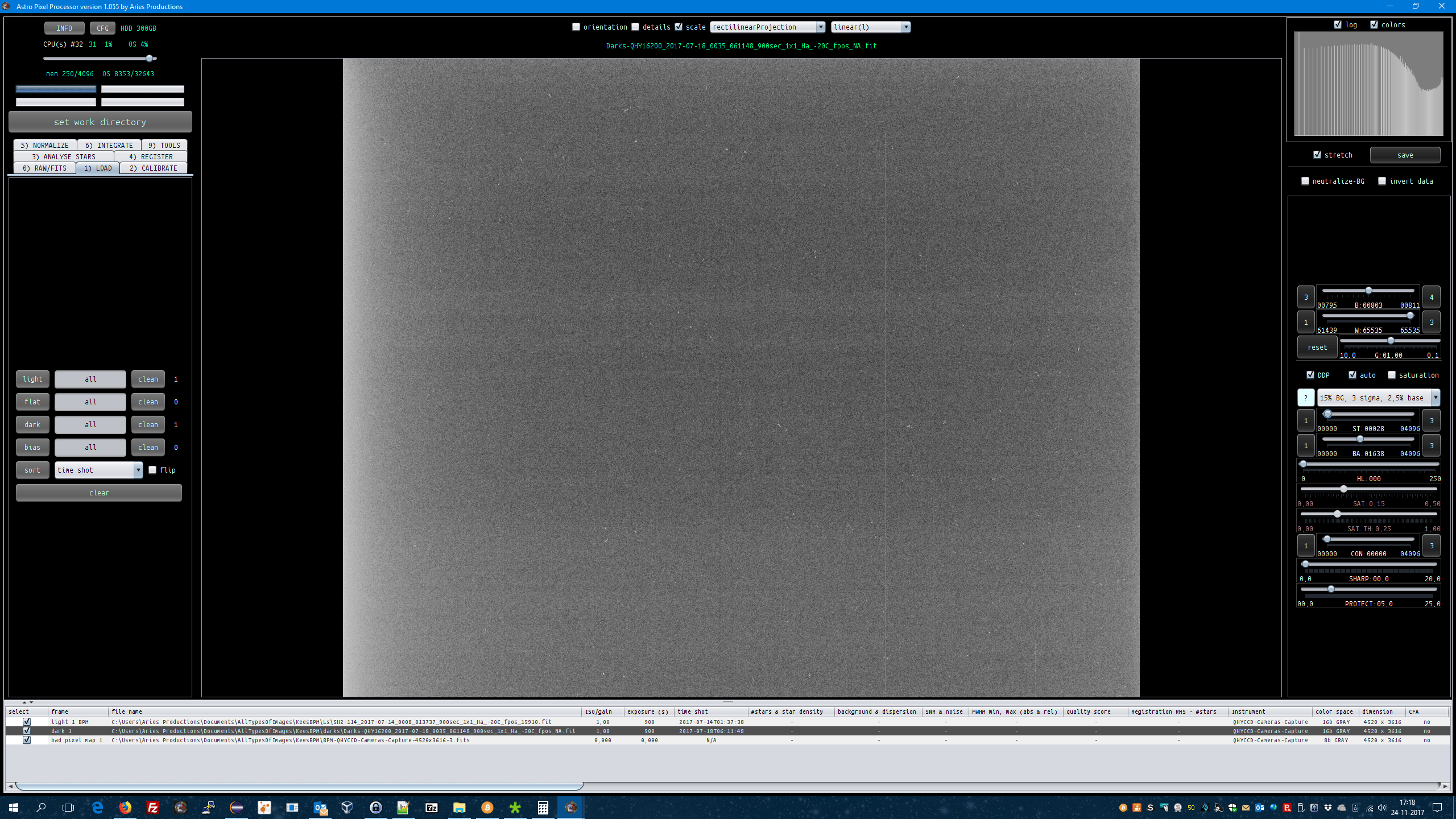
  • screenshot of a dark showing the bad column
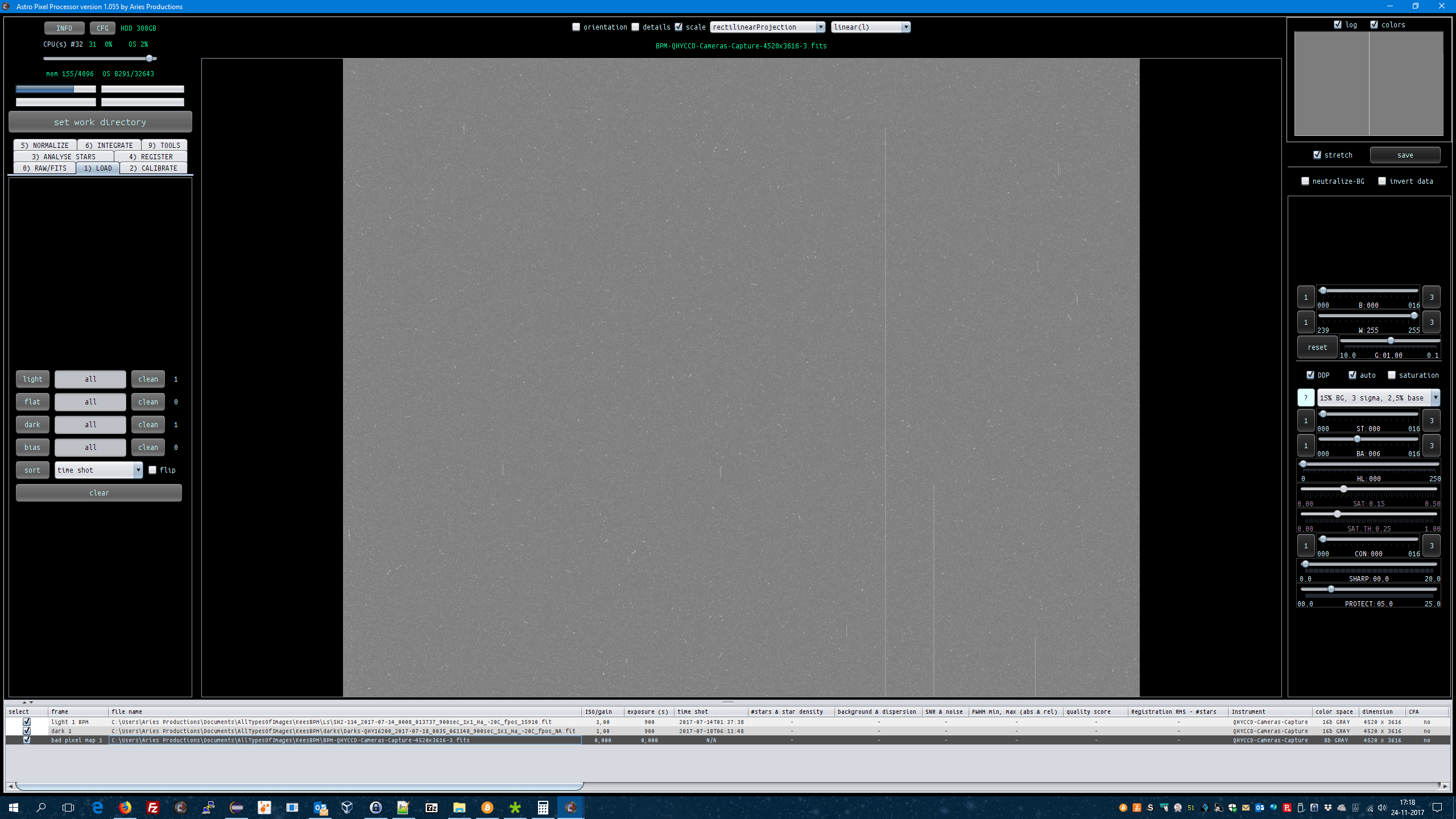
  • a screenshot of the BPM that shows the bad columms and
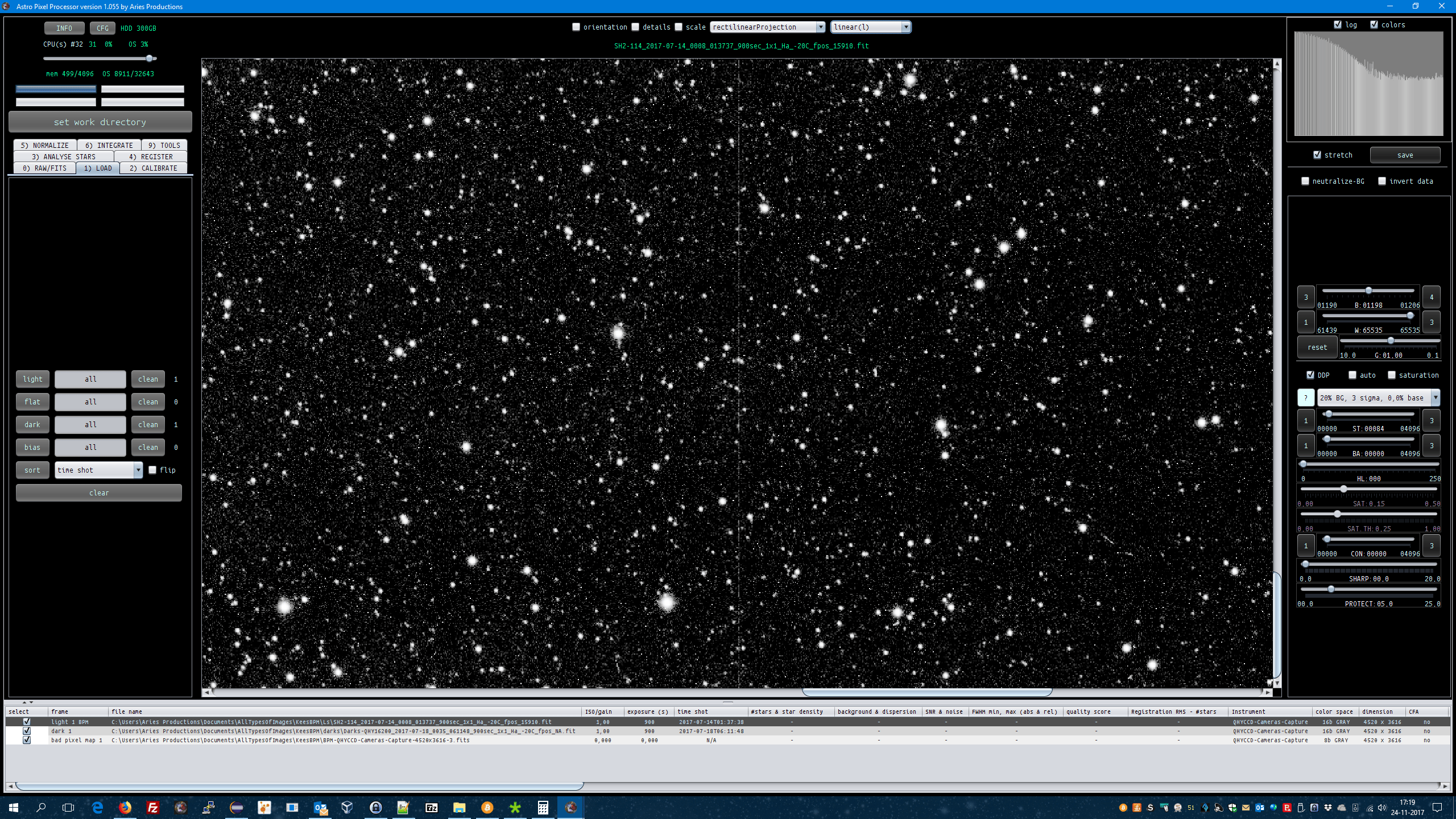
  • a screenshot that shows the integration showing the bad column
  • possible the metadata of the BPM header


An example that I have looks like this (data courtesy of Kees Scherer):

A dark stretched, so the bad column shows:

KeesDarkBadColumn

The BPM created with hot column detection:

Kees BPM badColumn

Zoomed in on a single light frame and stretched so the hot column shows

Kees Light BadColumn

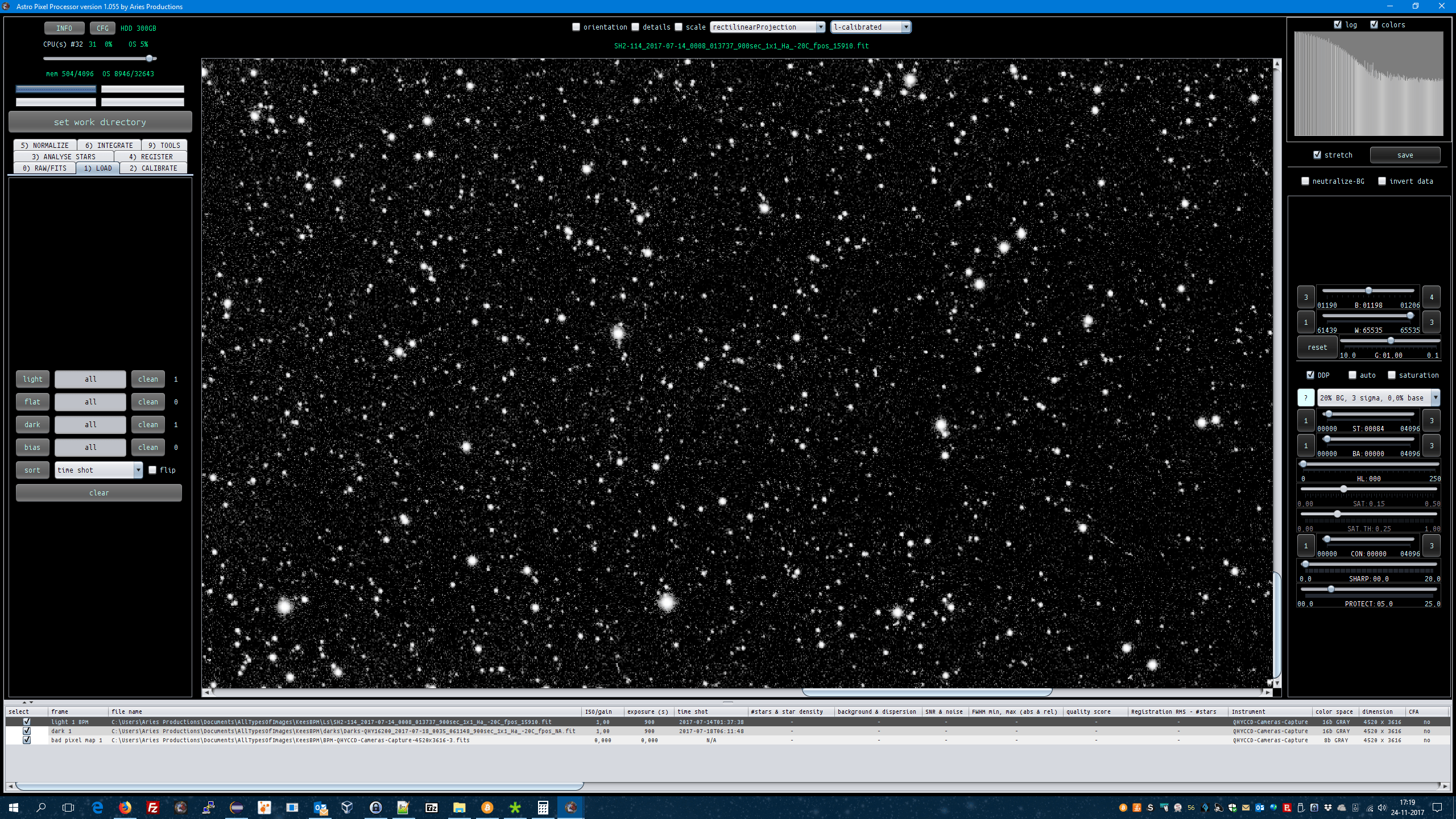
And corrected with the BPM, verified with the L-calibrated image viewer mode:

Kees LightWithBPM

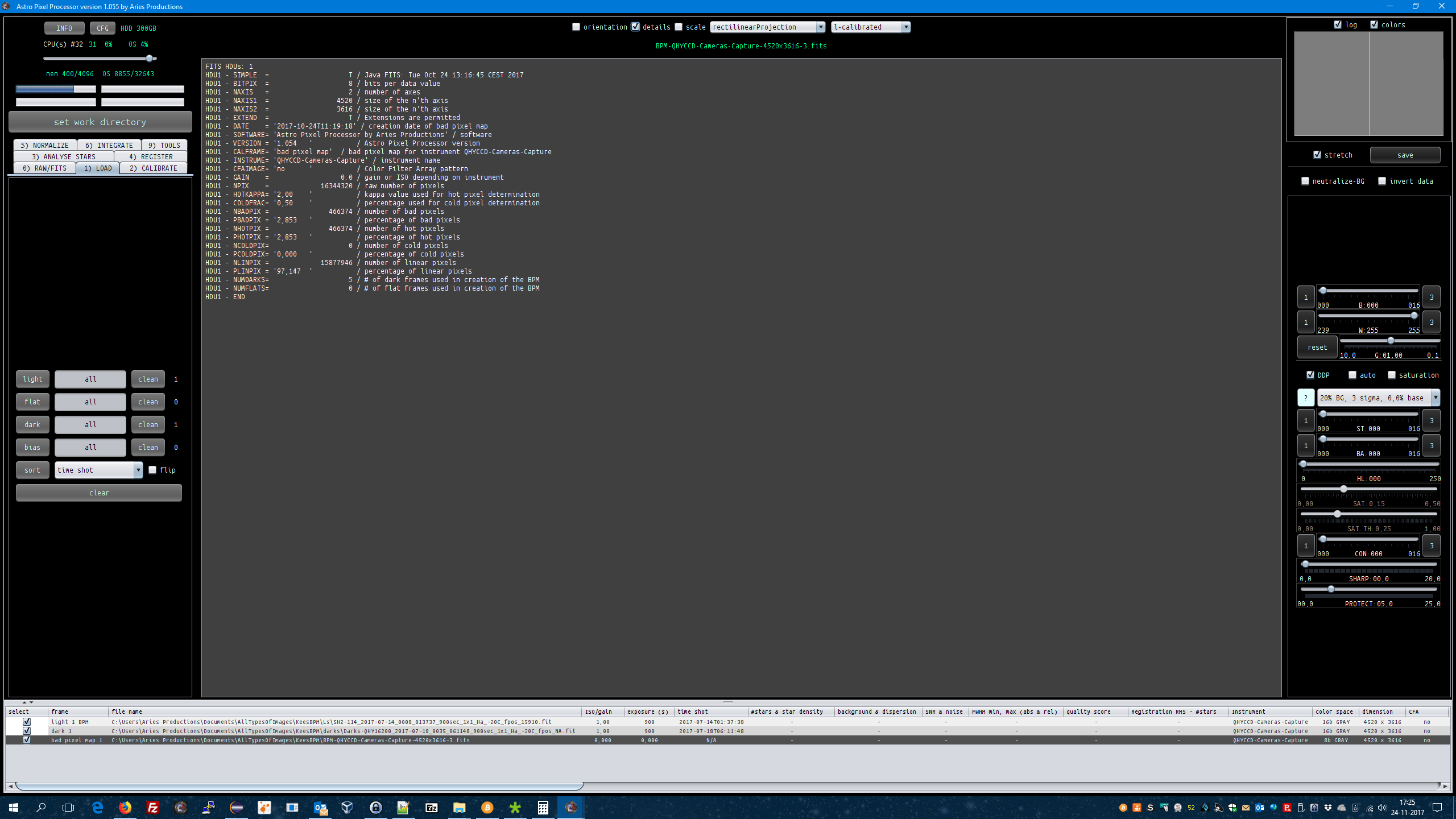
BPM metadata can be seen with the details checkbox above the image viewer panel when the BPM is loaded into the image viewer:

Kees BPM stats

Kind regards,

Mabula


ReplyQuote
 Tony
(@tonymacc)
Neutron Star
Joined: 9 years ago
Posts: 110
Topic starter  

I will start from the beginning again and will take some screenshots.


ReplyQuote
 Tony
(@tonymacc)
Neutron Star
Joined: 9 years ago
Posts: 110
Topic starter  

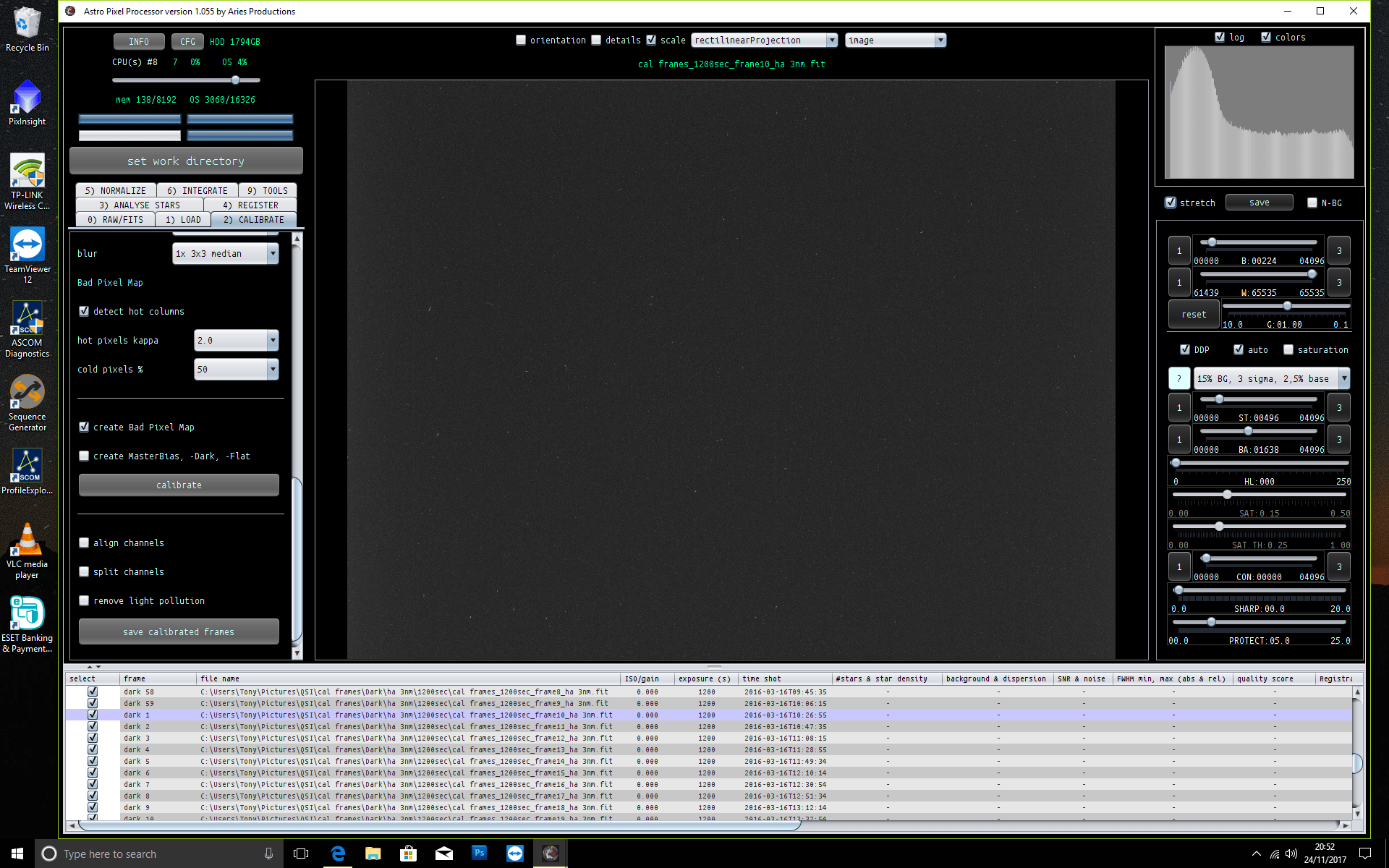
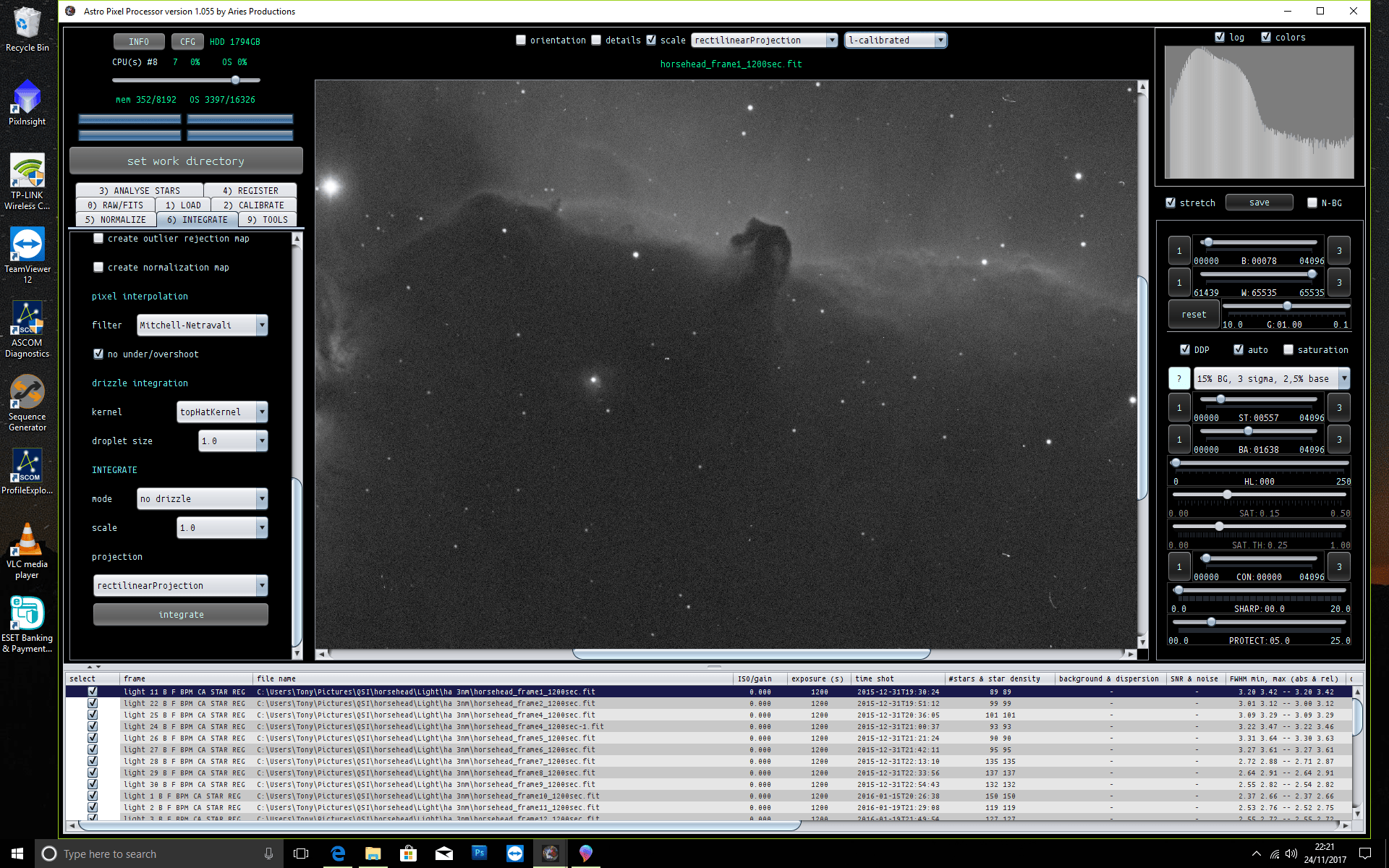
dark with bad pixel column

dark with pixel column


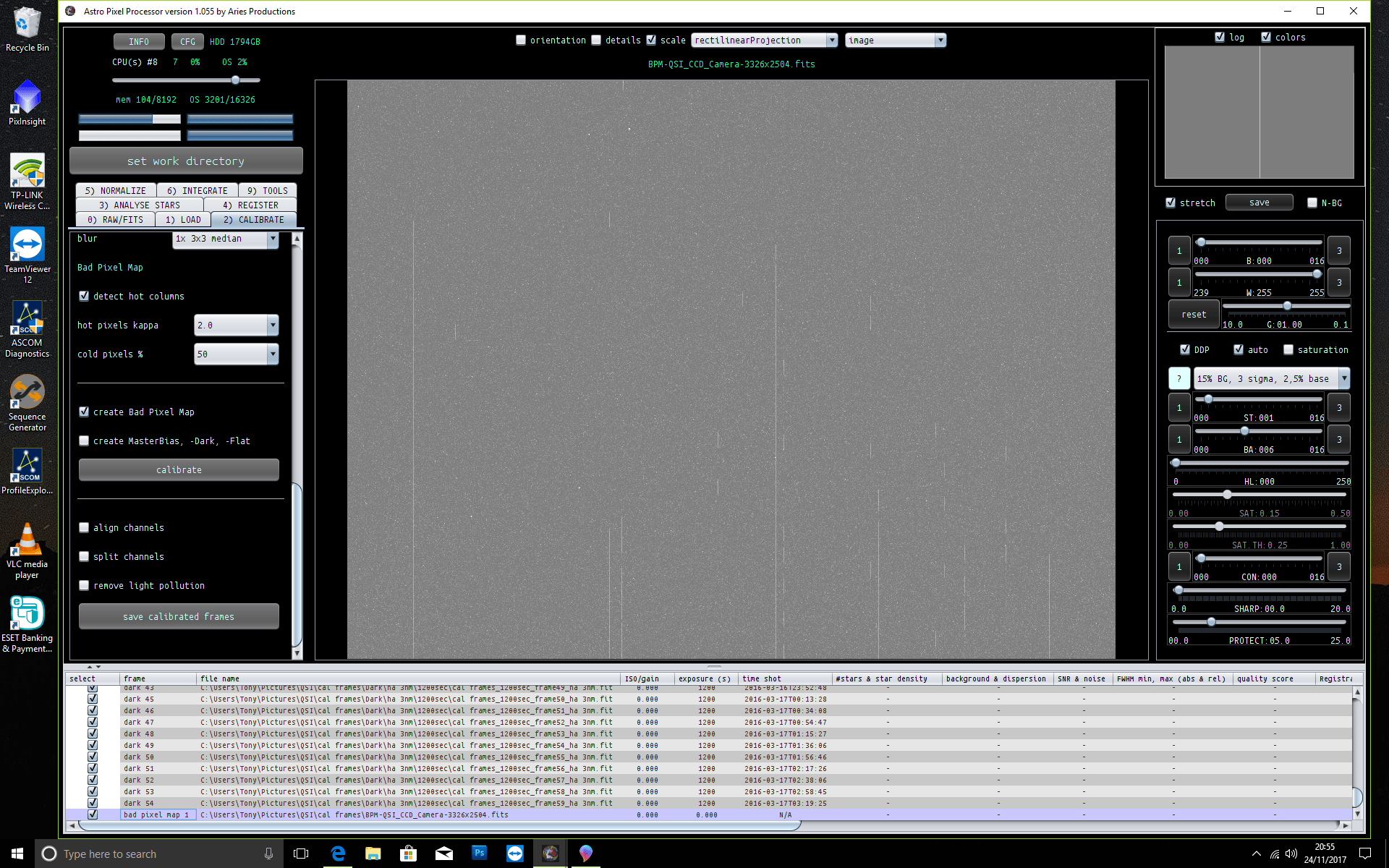
bpm with column

bpm


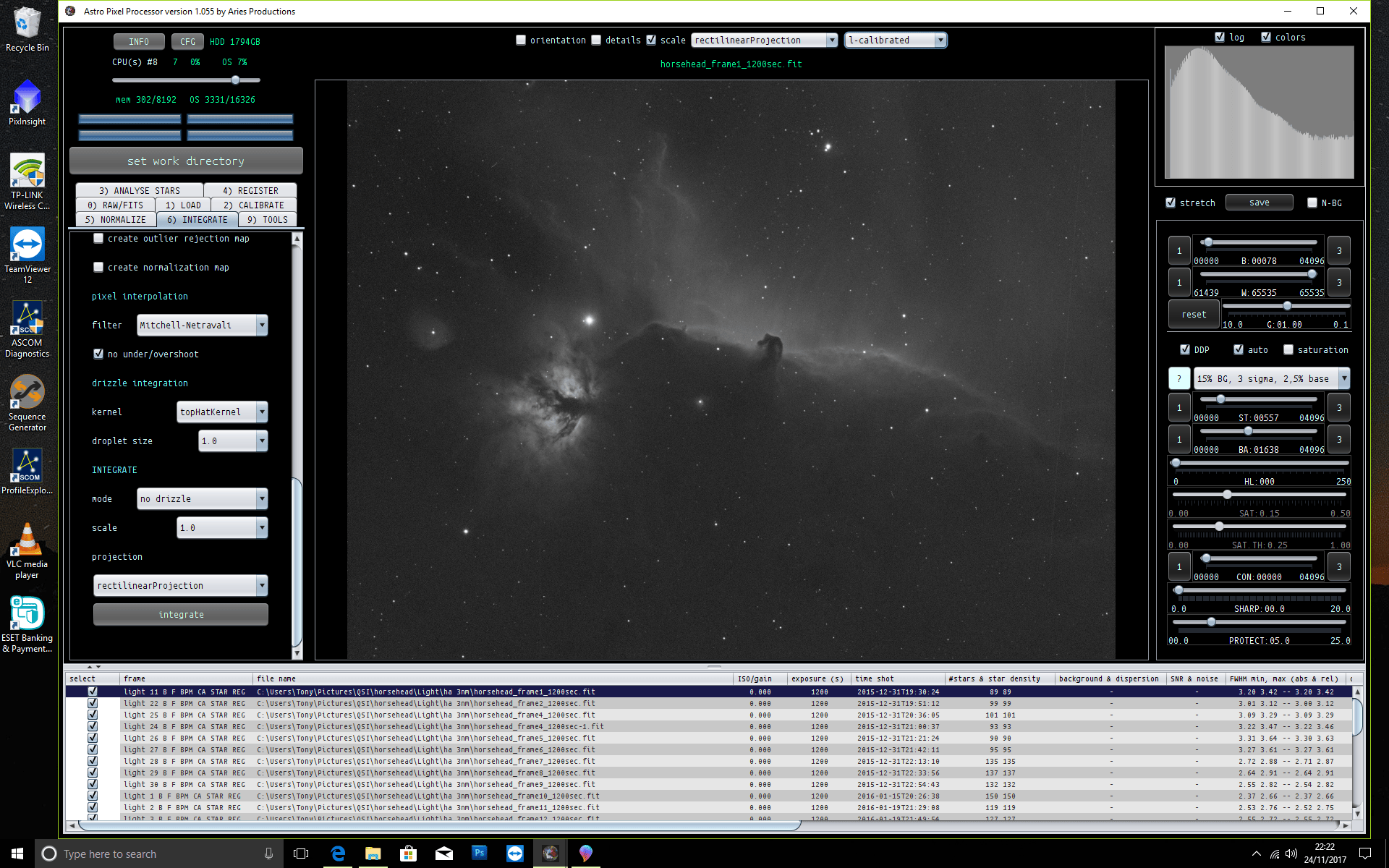
integration with column

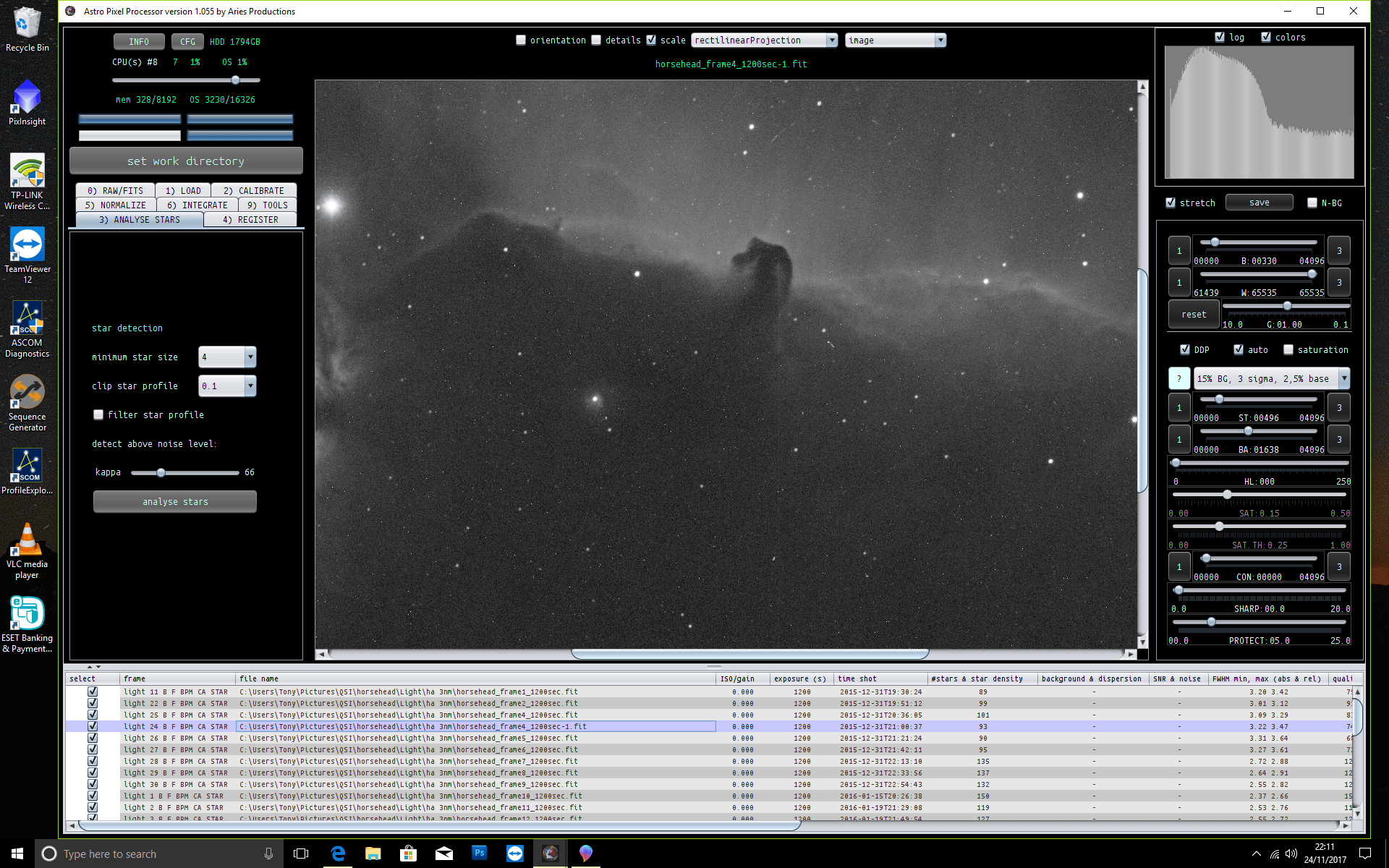
light

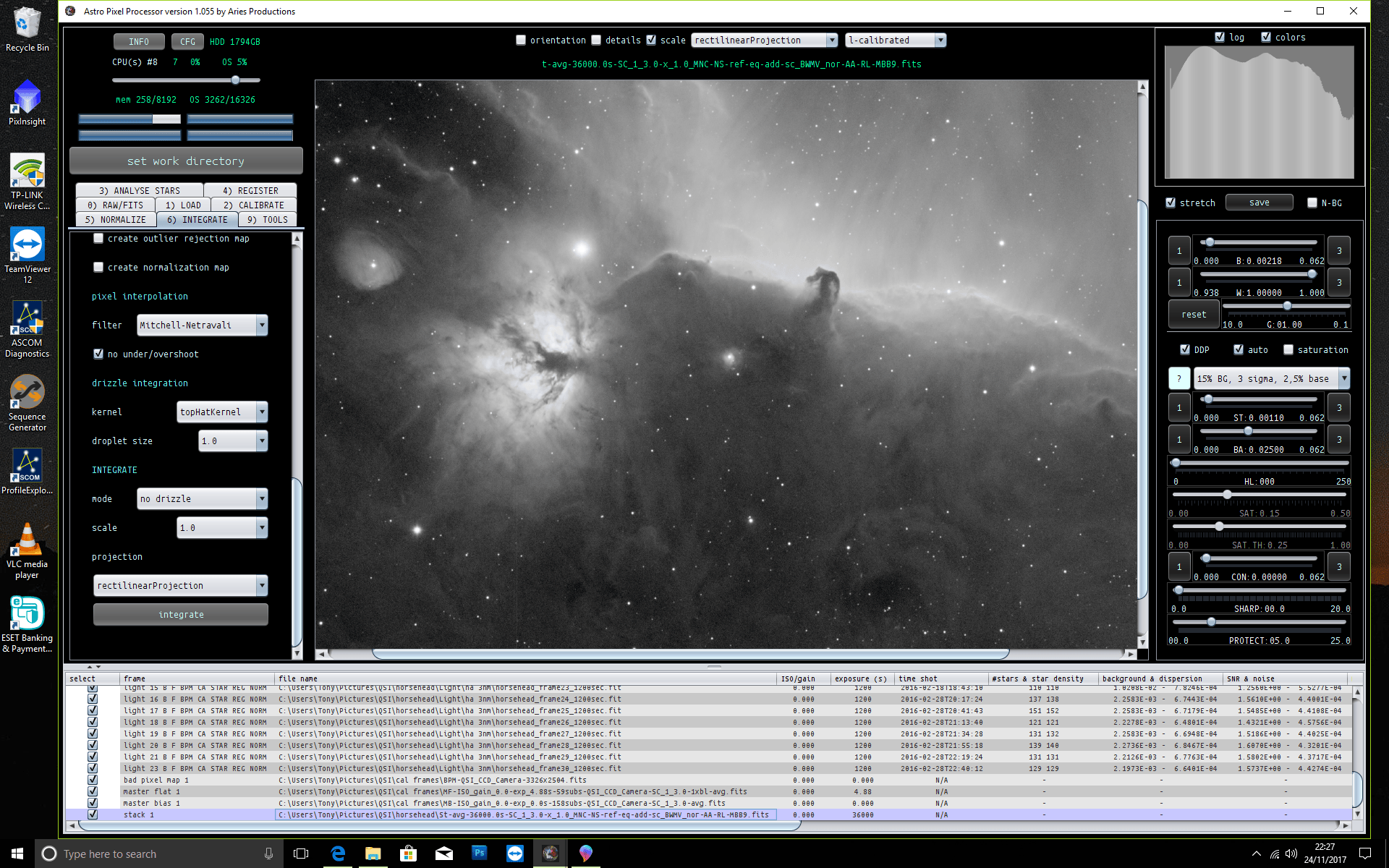
after calibration it is this time gone

calibrated

but another column has appeared this time under the flame nebula and out to the right hand side, this one on the right I think possibly satellite trail?

flame line


final


bpm details

bpm details


Mabula-Admin reacted
ReplyQuote
 Tony
(@tonymacc)
Neutron Star
Joined: 9 years ago
Posts: 110
Topic starter  

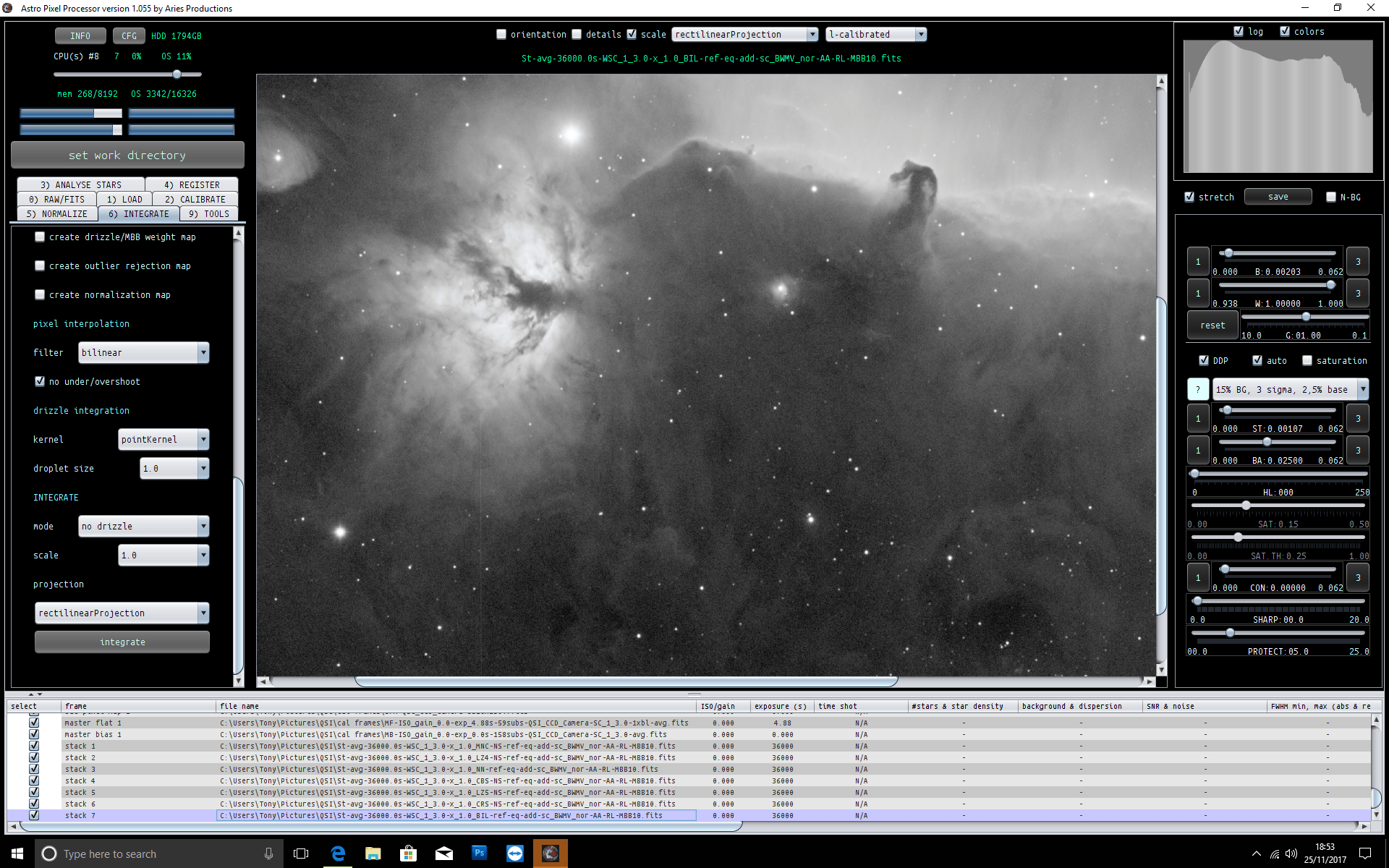
I have tried several settings but this line remains, its not a bad column it just appeared.

Untitled


Mabula-Admin reacted
ReplyQuote
(@mabula-admin)
Universe Admin
Joined: 10 years ago
Posts: 5468
 
Posted by: Tony

dark with bad pixel column

dark with pixel column


bpm with column

bpm


integration with column

light

after calibration it is this time gone

calibrated

but another column has appeared this time under the flame nebula and out to the right hand side, this one on the right I think possibly satellite trail?

flame line


final


bpm details

bpm details

Looks excellent to  me Tony, the line that is visible is a satellite trail indeed. Normally, that can simply be removed with an outlier rejection filter like sigma clip or winsor sigma clip.

Mabula


ReplyQuote
(@mabula-admin)
Universe Admin
Joined: 10 years ago
Posts: 5468
 
Posted by: Tony

I have tried several settings but this line remains, its not a bad column it just appeared.

Untitled

Hi Tony, this line doesn't show in the other integrations? Only in this one?

Mabula


ReplyQuote
 Tony
(@tonymacc)
Neutron Star
Joined: 9 years ago
Posts: 110
Topic starter  
Posted by: Mabula Haverkamp - Admin
Posted by: Tony

I have tried several settings but this line remains, its not a bad column it just appeared.

Untitled

Hi Tony, this line doesn't show in the other integrations? Only in this one?

Mabula


yes, its not on the bpm or anything else, I have gone back over everything in case theres something I have done or forgotten but it ends up the same result.


ReplyQuote
(@mabula-admin)
Universe Admin
Joined: 10 years ago
Posts: 5468
 

And it doesn't show in the other stacks?


ReplyQuote
 Tony
(@tonymacc)
Neutron Star
Joined: 9 years ago
Posts: 110
Topic starter  
Posted by: Mabula Haverkamp - Admin

And it doesn't show in the other stacks?


Odd one this, never noticed before but it is visable in another process  I did in another stacking program. I am going to process something completely different and see if its still there, but at least I have sorted the bad column.


ReplyQuote
(@mabula-admin)
Universe Admin
Joined: 10 years ago
Posts: 5468
 

Hi Tony,

There must be some explanation relating to the data itself, such a column shouldn't appear from nowhere.

Did you create the BPM using flats as well? Maybe this is a cold column that isn't corrected by the BPM and after dark subtration, it becomes a brigh column in the calibrated files?

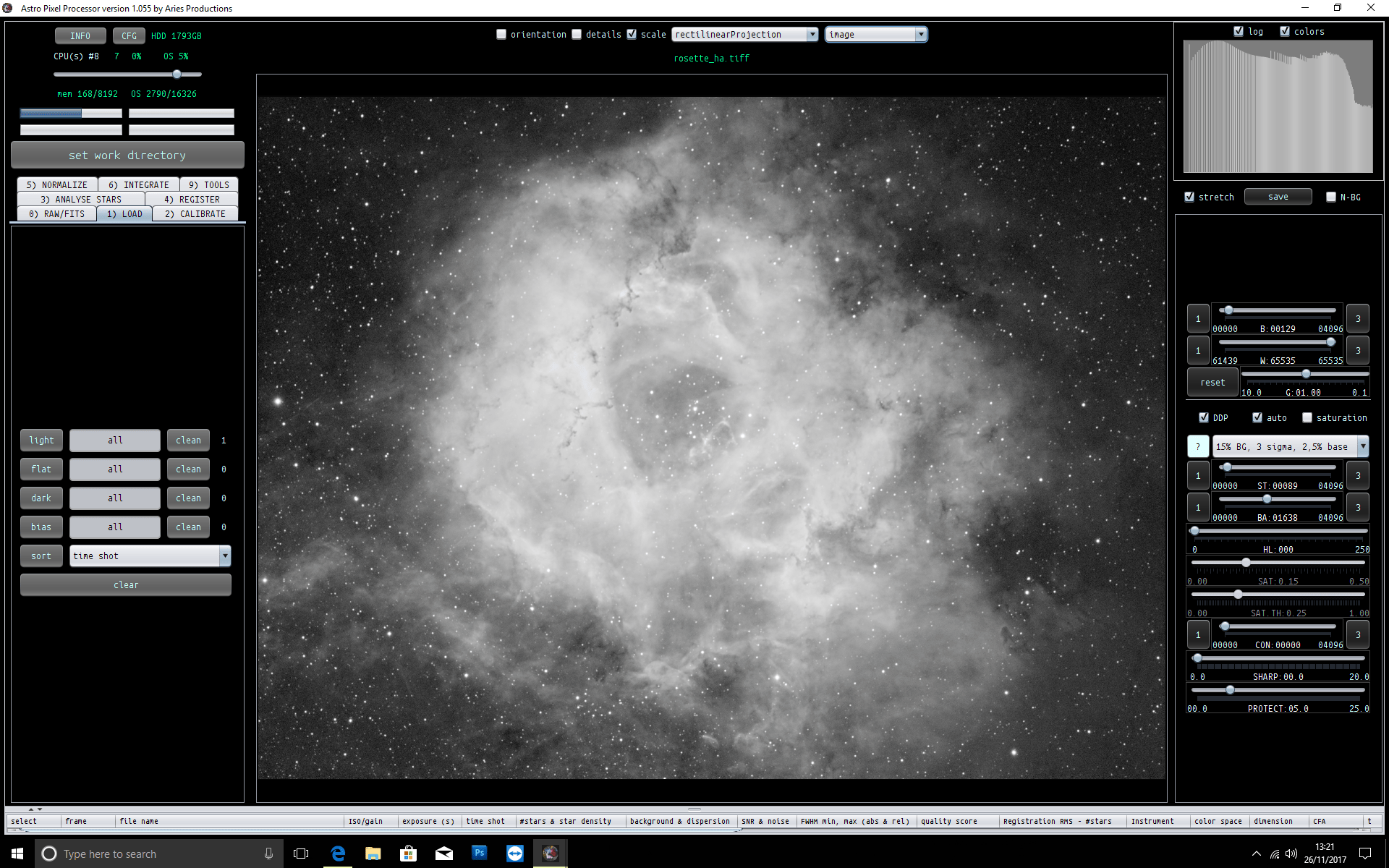
Can you find this column in the calibrated lights before and after calibration? You can check by loading the frames with the calibration masters and then loading an image into the image viewer with the linear and l-calibrated image viewer modes.
Mabula


ReplyQuote
 Tony
(@tonymacc)
Neutron Star
Joined: 9 years ago
Posts: 110
Topic starter  

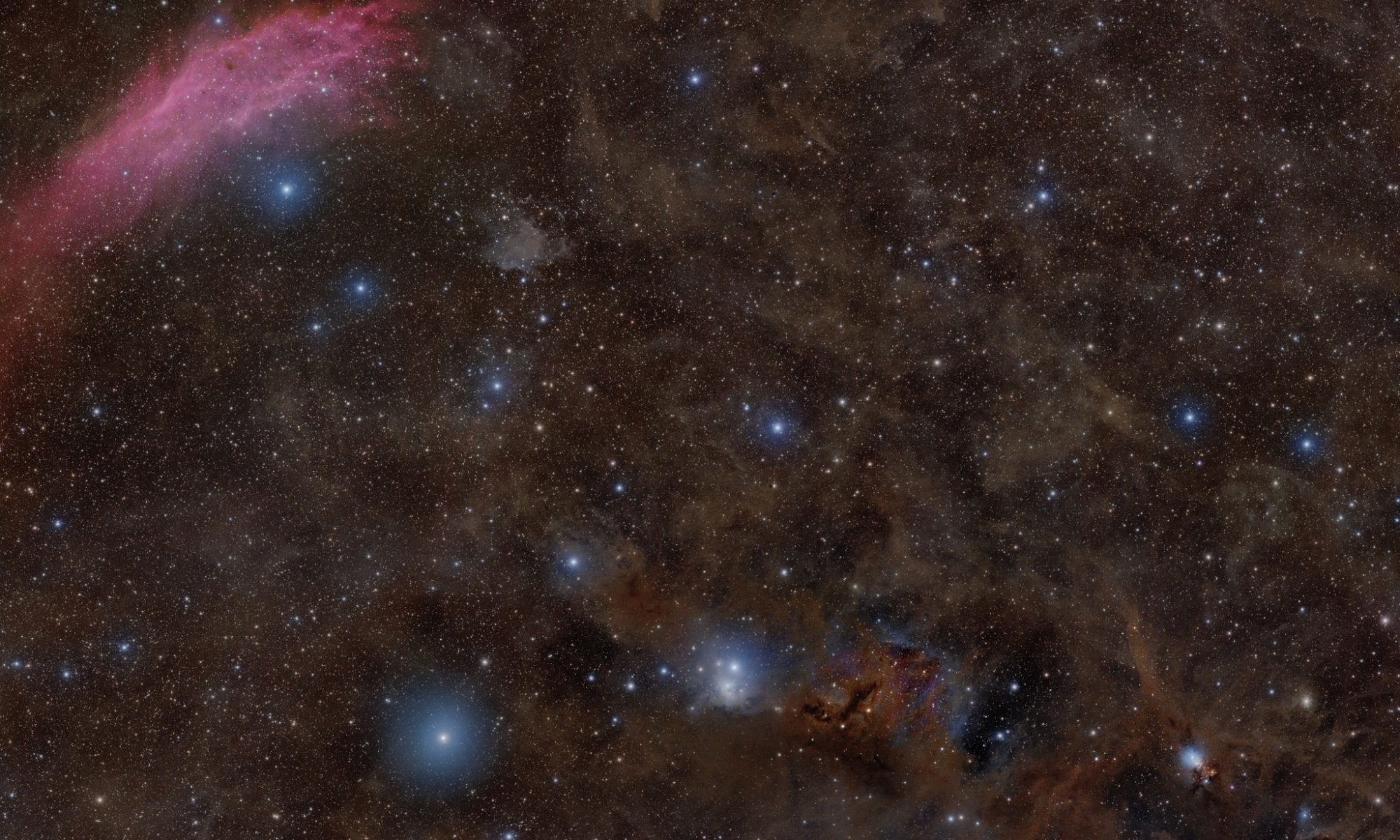
This is clean Mabula so there must be something in the lights of the Horsehead


Untitled1


Mabula-Admin reacted
ReplyQuote
(@mabula-admin)
Universe Admin
Joined: 10 years ago
Posts: 5468
 

Excellent Tony, thank you for your feedback.

Did you find the cause in the Horsehead nebula data?

Mabula


ReplyQuote
 Tony
(@tonymacc)
Neutron Star
Joined: 9 years ago
Posts: 110
Topic starter  
Posted by: Mabula Haverkamp - Admin

Excellent Tony, thank you for your feedback.

Did you find the cause in the Horsehead nebula data?

Mabula

Not yet, been busy but I will look over this weekend.


Mabula-Admin reacted
ReplyQuote
Share: