
2026-10-09 APP 2.0.0-beta48 has been released !
This is mainly a bug fix release for the reported bugs in beta47. In addition it has a significant User Interface performance improvement noticable when you need to process 1000s of images in APP.
2026-10-03 APP 2.0.0-beta47 has been released !
This is a very big release... many code optimizations/rewrites, many parts of APP are much faster and more precise, especially star analysis and registration are much faster ! Big mosaics will go much faster 🙂
And we introduce a new preview filter, which includes the new Adaptive Deep Sky Stretch and a General Levels Stretch, this has been long over due. The old preview filter (the panel on the right side to stretch and preview your data) has not been updated for a couple of years and it is a critical part of any APP session.
Adaptive Deep Sky Stretch or ADSS is a much more intuitive stretch algorithm. It is also color preserving (which is a great new addition in itself ! ) which means that the highlights are no longer bleached, color is maintained from the linear data while stretching. You can simply stretch your data using the sky background level and signal width sliders which work much easier and more intuitive. You no longer need to fiddle with the old complicated sliders with zoom buttons. All the zoom buttons for the sliders are made redundant. And you can enter slider values in the slider value fields yourself. I will make a youtube video in the coming days to explain and fully introduce ADSS. Once the video is ready, it will be highlighted on the forum.
RGB Combine upgrade !. The RGB Combine Tool has been rewritten mostly. The tool is faster and easier to use and most importantly, the Luminance slider to inject a luminance channel or channels into the RGB composite is now working correctly. It no longer bleaches the RGB colors. Combined with the new ADSS preview, you will get much better and easier great composites with great color! I will also explain this in a new youtube video.
Big thanks to Mabula for answering my questions on how to properly calibrate and stack narrowband images taken with a DSLR. It's great to see a Dev cater for those of us who have no choice but to do NB imaging in this way.
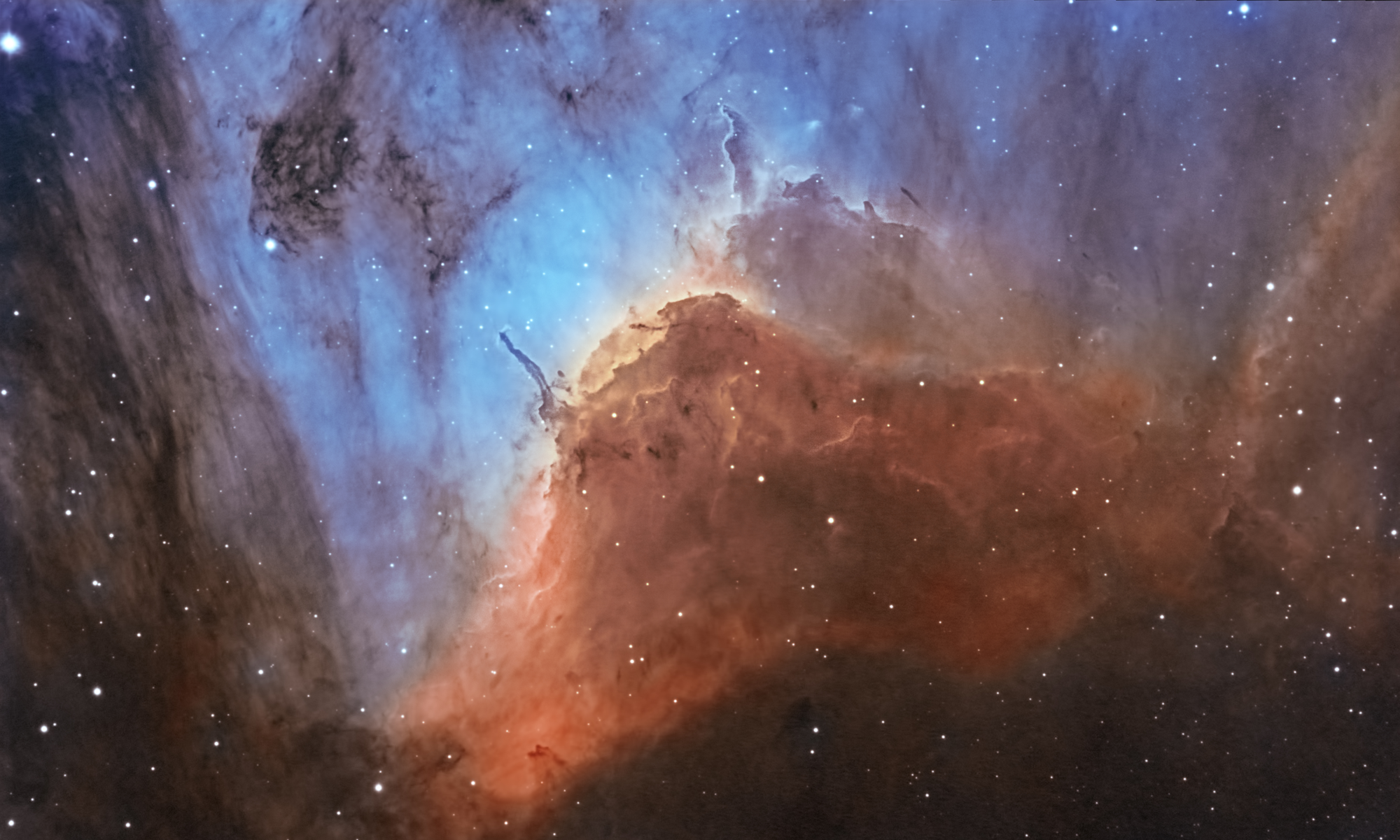
This is approx 4.5 hrs of Ha and 2.5 hrs of OIII. Mostly 20 min subs, with a modified D5300, SW 80ED, and a HEQ5-PRO mount.
Thanks for looking!

Wow, it's beautifull Xiga !!
Very well framed and I love the color composition, golden yellow with metallic blue... really nice 😉 Excellent work !
So the narrowband debayering did a nice job as well here, right?
Which narrowband filters did you exactly use? ( interested in their spectral width, so 3nm or 7nm or even a bit broader? )
Mabula
Thanks Mabula! 🙂
Yes, the Ha and OIII debayering algorithms worked very well. I used 2" Baader filters, which are 7nm for Ha and 8.5nm for OIII.
Full res version:

https://www.flickr.com/photos/32169902@N00/25215100618/
Awesome image! Could you tell me just a little bit about how you do narrow band Imaging with a DSLR? I had thought this was taboo and undoable. That image is just stunning. I am looking into those filters you mentioned but I was told not to bother because of the RGB sensors on a DSLR. I see some 6 and 12nm clip-in filters for the Canon EOS By astronomik. Are they going to be analogous to what you're using?
Scope?
Awesome image! Could you tell me just a little bit about how you do narrow band Imaging with a DSLR? I had thought this was taboo and undoable. That image is just stunning. I am looking into those filters you mentioned but I was told not to bother because of the RGB sensors on a DSLR. I see some 6 and 12nm clip-in filters for the Canon EOS By astronomik. Are they going to be analogous to what you're using?
Scope?
Hi Greg
Thanks for your kind words 😛
It is true that doing Narrowband imaging with a DSLR is not normally advised. Reason being, as you have said, is down to the RGB bayer matrix over the sensor, which makes things very inefficient. But as my image hopefully shows, you can still achieve perfectly acceptable results if you know how to work around the shortcomings. The biggest drawback is that you will need a good mount that will allow long exposures. I do 20 min exposures for my Narrowband images, but you could probably get away with slightly shorter ones if needs be. You will also need longer overall exposure as well, to make up for the inefficiency compared to a mono camera.
The main reason i do this, is simply out of necessity. I can't afford a cooled mono camera plus filter wheel and filters, so i made sure i went for the D5300 as it has a very good sensor for it's price. I went for the Baader 2" NB filters as they were significantly cheaper than the 2" Astronomik ones. As you have a Canon, you have the option of going for the clip-in filters, which are a good bit cheaper. As for the bandpass, the narrower you go the more contrast you will get, which with NB imaging is of paramount importance, as that is what makes the nebulosity really pop from the sky background. If you look at images done by experts using Astrodon filters you'll really see what i mean. But the narrower you go, the less light that gets through, and the harder it is to focus. I can manage ok with the 7nm Ha and 8.5nm OIII, but i wouldn't want to go any narrower without having a proper mono astro cam. I also woulnd't want to go as high as 12nm, as i think it would result in too much loss of contrast. But as with everything in this game YMMV!
Oh, and i use a basic Skywatcher 80ED refractor. In fact, pretty much all my gear is budget, nothing is high end. The fun part is trying to extract as much from it as i can.
ps - If you have between $1000-$2000 to spend on this hobby, then if i were you i would just get an ASI-1600mm-cool together with filter wheel and filters. You will get better results than the image above, in significantly less time. That's not an option for me, so i have to resort to some heavy-lifting to get something at least in the same ballpark.
Good luck mate!
Thanks for the great info. I'll look for something shorter than 12 but longer than 6 nm. Yes I have the T3i on a es127 app sitting on the ioptron iEQ45 Pro, with the ASI 1600mm as a guide camera. So far I've only been able to do 30 second images from my yard which is why I'm thinking I should be doing narrowband. 20-30 min subs are doable. There's just too much heavy equipment to go lifting up to the Mountain for my back. However in the summer I still venture out there when I can. One last question, does autofocus work as well with or without filters?
Thanks for the great info. I'll look for something shorter than 12 but longer than 6 nm. Yes I have the T3i on a es127 app sitting on the ioptron iEQ45 Pro, with the ASI 1600mm as a guide camera. So far I've only been able to do 30 second images from my yard which is why I'm thinking I should be doing narrowband. 20-30 min subs are doable. There's just too much heavy equipment to go lifting up to the Mountain for my back. However in the summer I still venture out there when I can. One last question, does autofocus work as well with or without filters?
Hang on a mo, you already own an ASI-1600mm? And you're only using it as a guide camera?! If so, then ditch the T3i (keep it for widefield & Milky Way imaging) and use the ASI-1600mm for doing Narrowband. The ASI-1600mm is so sensitive you won't need anything like 20 min subs. At unity gain you probably would only need a few mins tops, even with NB filters. Have a look over on the CloudyNights forums, you'll find some very useful info on there about settings to use for NB imaging.
Autofocus will work just as well with filters as it does without. But it needs a bit of setting up, as each filter will require a slightly different focus (even if they are advertised as being parfocal). But once setup it really speeds up the whole procedure.
Finally, a rule of thumb: Do NB imaging from the city (i.e in ligh polluted skies), and keep the RGB imaging for the dark sky visits.
My bad sorry it's an asi120mm for guide camera. And I was thinking taking long exposure narrowband hydrogen Alpha subs and adding them to my existing frames and future frames would be better than Imaging nothing from home of quality.
