

2026-10-09 APP 2.0.0-beta48 has been released !
This is mainly a bug fix release for the reported bugs in beta47. In addition it has a significant User Interface performance improvement noticable when you need to process 1000s of images in APP.
2026-10-03 APP 2.0.0-beta47 has been released !
This is a very big release... many code optimizations/rewrites, many parts of APP are much faster and more precise, especially star analysis and registration are much faster ! Big mosaics will go much faster 🙂
And we introduce a new preview filter, which includes the new Adaptive Deep Sky Stretch and a General Levels Stretch, this has been long over due. The old preview filter (the panel on the right side to stretch and preview your data) has not been updated for a couple of years and it is a critical part of any APP session.
Adaptive Deep Sky Stretch or ADSS is a much more intuitive stretch algorithm. It is also color preserving (which is a great new addition in itself ! ) which means that the highlights are no longer bleached, color is maintained from the linear data while stretching. You can simply stretch your data using the sky background level and signal width sliders which work much easier and more intuitive. You no longer need to fiddle with the old complicated sliders with zoom buttons. All the zoom buttons for the sliders are made redundant. And you can enter slider values in the slider value fields yourself. I will make a youtube video in the coming days to explain and fully introduce ADSS. Once the video is ready, it will be highlighted on the forum.
RGB Combine upgrade !. The RGB Combine Tool has been rewritten mostly. The tool is faster and easier to use and most importantly, the Luminance slider to inject a luminance channel or channels into the RGB composite is now working correctly. It no longer bleaches the RGB colors. Combined with the new ADSS preview, you will get much better and easier great composites with great color! I will also explain this in a new youtube video.
I just loaded APP, calibrated my frames, performed background calibration, etc. When I do to calibrate star color, I get this error: Java.Lang.ArrayIndexoutofBoundsException: 1 cause: 1(unknown source)
I'm running Windows 10. I've allocated 7 GB ram. I've tried one large box (object is M33) and a few to several small boxes. I still get the error. I cannot cancel once the error appears and have to call up the Task Manager to quit the application.
Any ideas would be appreciated. I really liked this trial version up to this point.
Thanks,
Randy
Hi @ahbok,
Thank you for reporting this. Welcome to the APP forum 😉
Can you share more information?
- possible show a screenshot of what you are doing
- the last several 100 lines in the console window
- perhaps send me the file on which you are trying to do star color calibration so I can test and duplicate the error myself
I have calirbated dozens of images without error so I need to know abit more information, so any extra information is highly appreciated.
Kind regards,
Mabula
Thanks for the fast response. Here are the files:
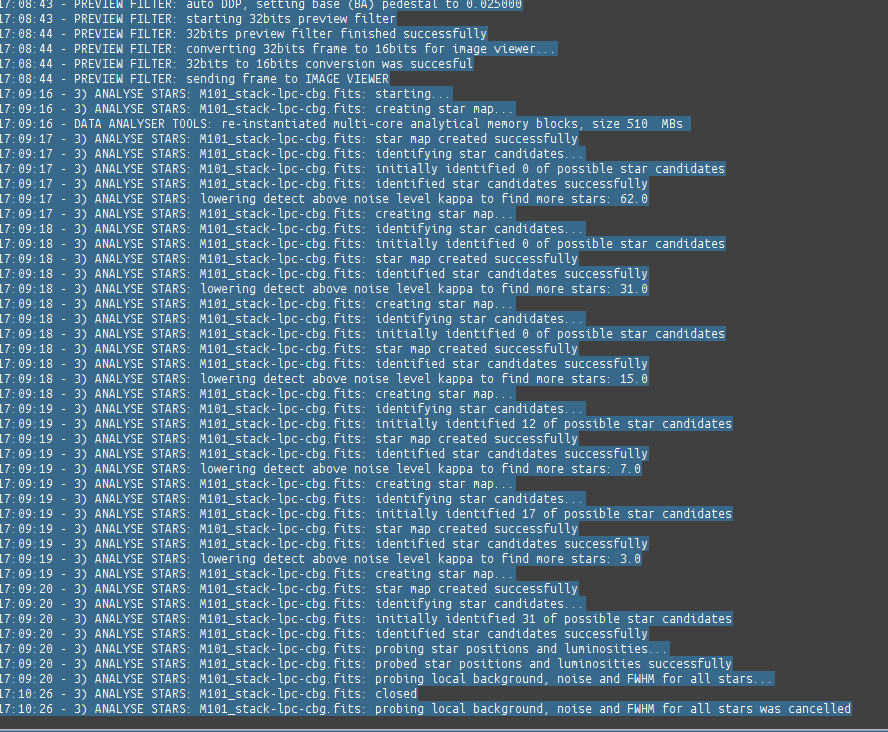
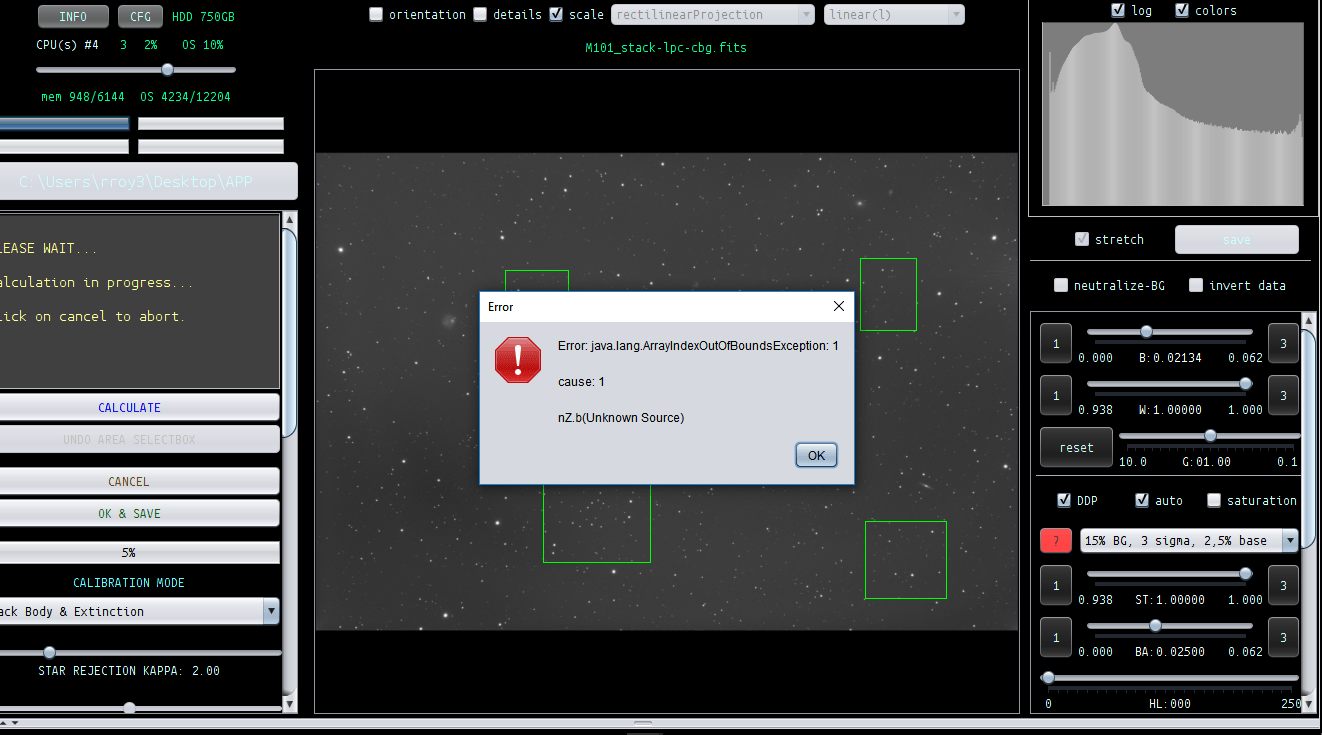
The fits file is too large. Should I try to save it as a jpg?
@ahbok, thank you,
is it possible that you send me the fits file using
use address: support@astropixelprocessor.com 😉
I'll have a look tomorrow, but from the console I think I already know the problem.
Try to select just one large field of view with plenty of stars and let me know it that does work.
Cheers,
Mabula
I have tried selecting about 90% of the entire screen, just one box around the galaxy, one large box covering most of the stars above the galaxy and several combinations of smaller boxes. I get the same error. I've sent the fits file. Thanks again.
Hi Randy @ahbok,
Thank you for sending me the Fits file.
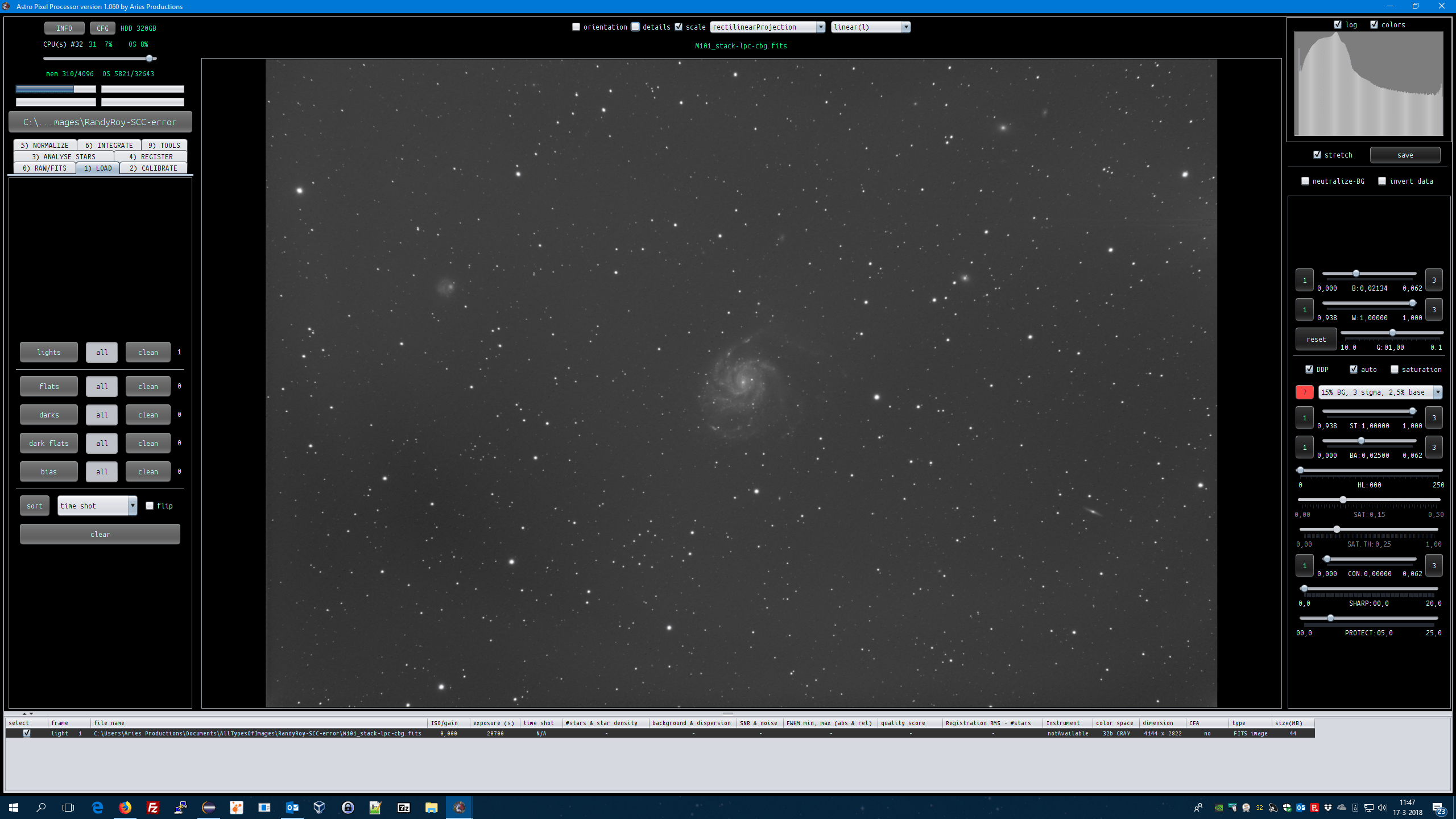
The file only has 1 channel of data (monochrome data) so star color calibration is not an option. The Tool should warn you about this, so I will fix this right now.
What camera did you use, did you use a monochrome or color camera ?


Kind regards,
Mabula
Hi Randy @ahbok,
I have fixed this problem and added a warning for the user in APP.
Both the
- Calibrate Background and
- Star Color Calibration
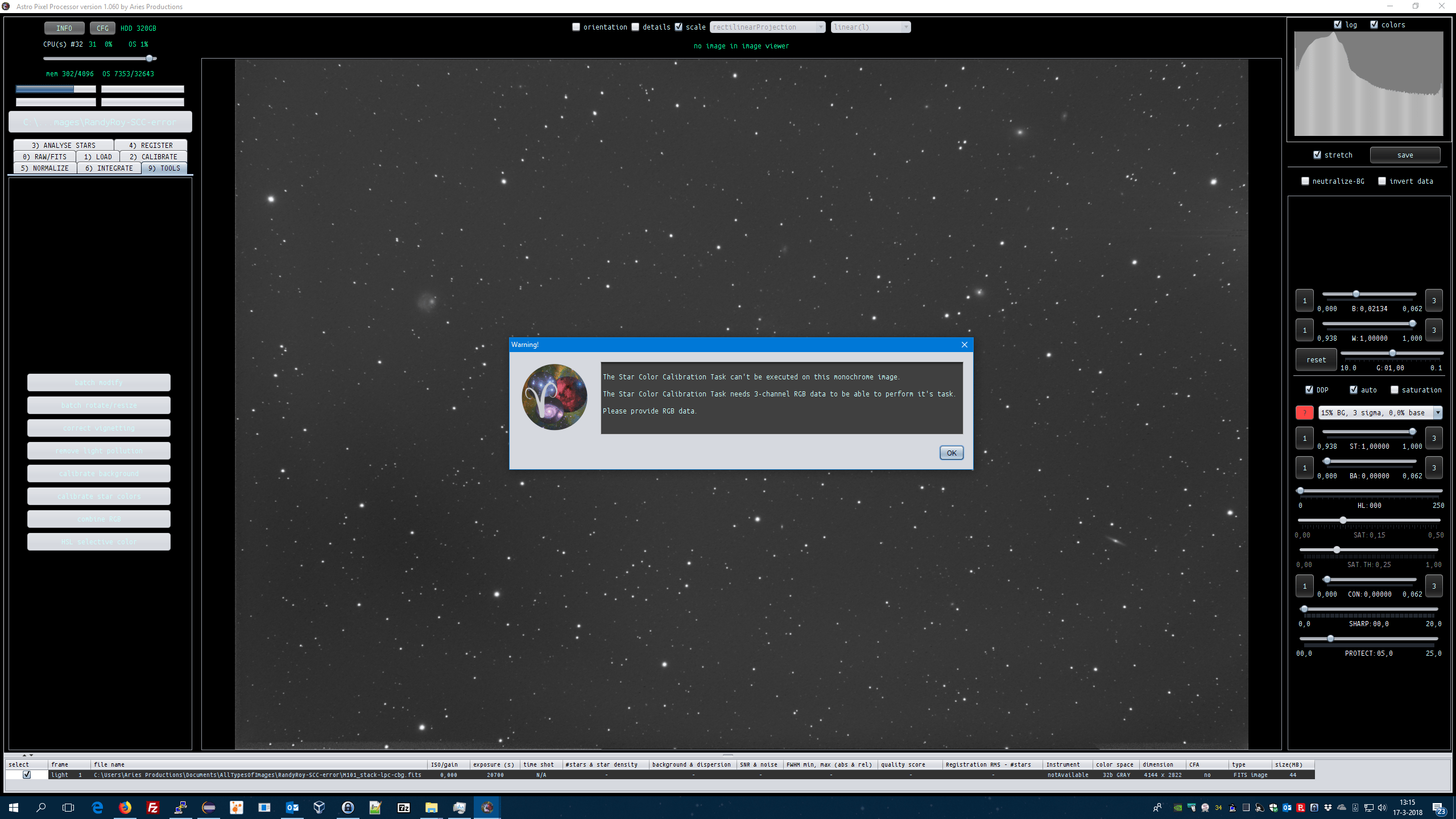
tools can only be run on 3-channel RGB data, because these tools concern colors.
Kind regards,
Mabula
Thanks Mabula--Is there an aid available for OSC users to calibrate color with APP?
Randy
Hi Randy @AhBok,
So I assume that you are using a OSC camera then ?
If so, please use the force CFA option in 0) RAW/FITS to see the colors in your original OSC images and thus in your actual integration 😉 Make sure that you use the correct Bayer CFA pattern.
If your images don't contain correct metadata to indicate that it's CFA data (most capture software doesn't inidcate this), then you will need to telll APP it's CFA data by enabling the Force CFA option.
Kind regards,
Mabula
Mabula,
Thank you again. This gets me started. Now I can try different things and see how this works for me. Sorry, I missed your question about my OSC. I have a ZWO ASI294MC Pro. I am new to this particular camera and new to APP. I have been using DSS and Startools for quite some time. I am looking for something that works best for OSC cameras. I also have had some success using an Ha filter with my camera, so will try to process some narrowband as well.
Randy
Mabula,
Thank you again. This gets me started. Now I can try different things and see how this works for me. Sorry, I missed your question about my OSC. I have a ZWO ASI294MC Pro. I am new to this particular camera and new to APP. I have been using DSS and Startools for quite some time. I am looking for something that works best for OSC cameras. I also have had some success using an Ha filter with my camera, so will try to process some narrowband as well.
Randy
Excellent Randy @ahbok 😉
So make sure that you set Force CFA on with the ASI294MC Pro and that you use the correct Bayer CFA pattern. DO you know which one it is? Is it RGGB, or GBRG perhaps?
If you process H-alpha narrowband data with your OSC camera, try the H-alpha debayer algorihm as well 😉 It will directly show you the monochrome H-alpha data.
Mabula
I have it working now. Also, I found this quick tutorial on the ZWO website that really helped as well:
Now, to process some data!
Randy
Mabula,
I am now a believer. I just reprocessed my M101 data. It was very noisy and had a nasty LP gradient. Previous to APP, I was able to get the gradient reduced pretty well with StarTools, but there was no color when I processed it originally with DSS and StarTools.
The pre-processing with APP made a big difference and I am now able to get much more color. I also performed the post processing with APP and only used PS afterwards for a final crop. I am fairly new to imaging, but wanted to show you my first results with APP. Many thanks for the trial version. I will get the paid version before my trial is up.
Randy
I have it working now. Also, I found this quick tutorial on the ZWO website that really helped as well:
Now, to process some data!
Randy
Excellent 😉
Hi Randy @ahbok,
That's a great start 😉 Thank you for the feedback !
M101 looks great already with a yellowish core 😊
Perhaps if you make the sky background a little less black, more details in the background can be seen? This area is full of small deep faint fuzzies (galaxies at very large distances ! ). And some are showing already.
I usually process the images such that the sky background is a bit less dark, then you will see a little bit of noise but also much more faint signal which I think would really help this image. (it's also personal taste off course)
Cheers,
Mabula
