

UPDATE FROM MABULA
I have had a very rough 2 months unfortunately health wise. I was struck 3x in a row with bacterial infections. The second infection occurred after a routine hospital checkup and I became very sick. I had to rest and take a lot of antibiotics. Once I was recovering and restarting work 1 month ago, I again became sick. The infection was not yet gone, so even more antibiotics and rest was needed. Needless to say, it took a lot of my energy and I needed a lot of rest.
Finally, the infection is really gone and my energy is coming back step-by-step now and I have started work again. I am terribly sorry to have kept you waiting for support. I will address all outstanding questions and e-mails step-by step and will be on the forum daily from today.
APP 2.0.0-beta47 will come soon as well, a lot of work was already completed before I became very ill, so the release is also nearly ready for you. Beta47 will be much faster actually. Many workflows will be more than 2x faster, mosaics can even be 10x faster than before because registration really received a major boost... all compared to beta46. Before I release it, I will make sure that everything is working properly and then I will release it.
I am doing a mosaic and noticed that while APP sees all of the installed ram, but it doesn't seem to see both CPUs and is only using one of them, which is confirmed by task manager. Is there any way to fix this?
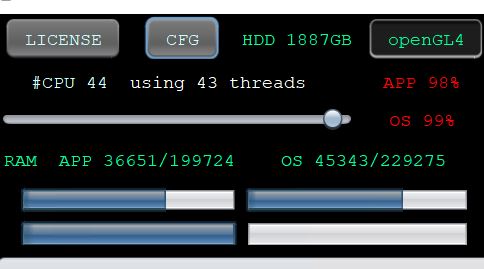
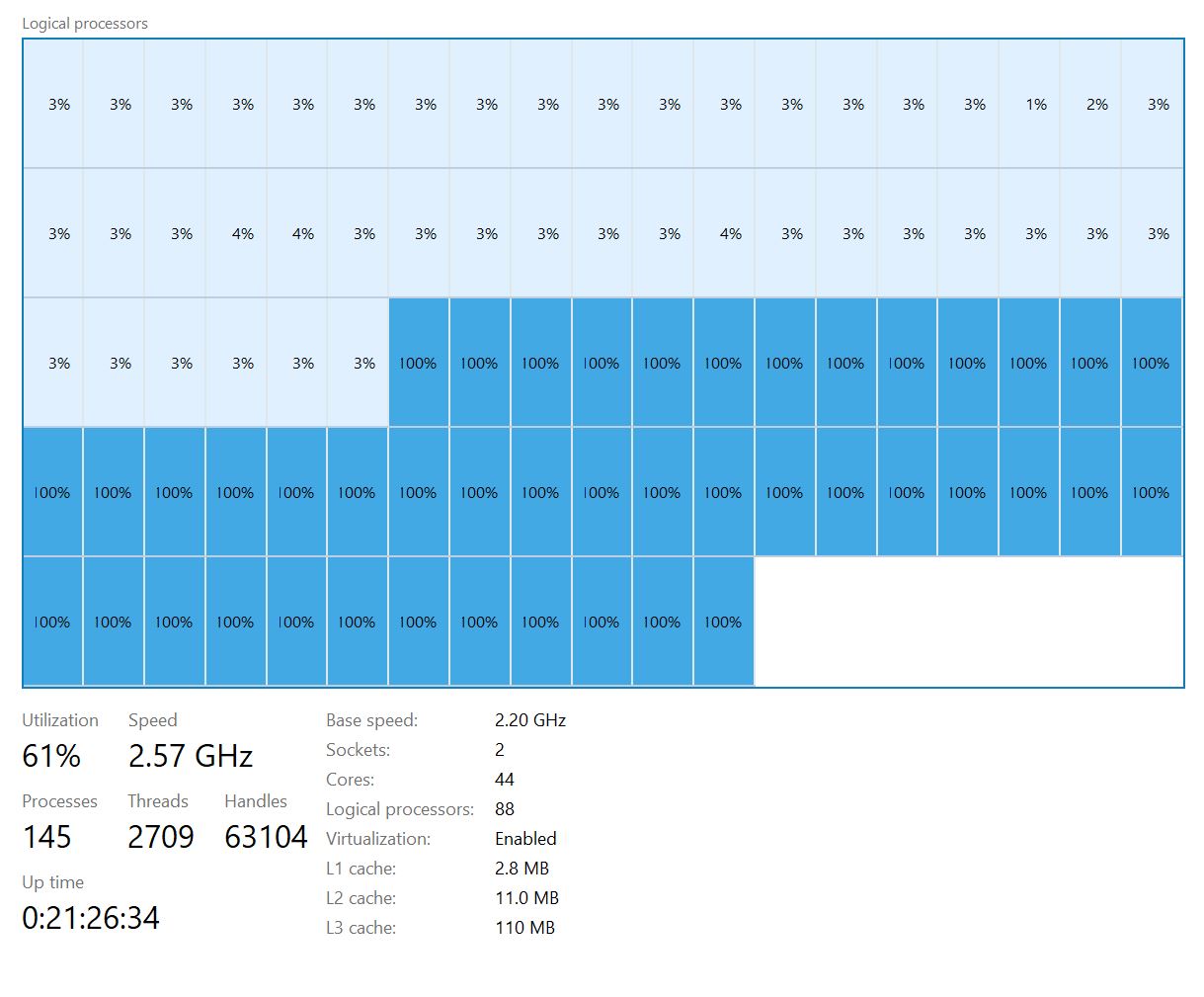
@imnewhere Hi, this seems to be related to hyperthreading (or a similar technology). And it looks like you are using APP 1.083-4. Is that correct?
Wouter
@wvreeven
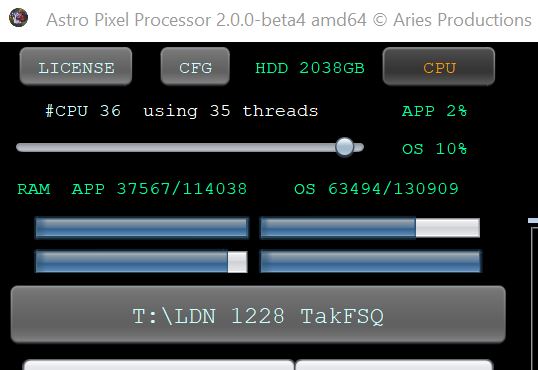
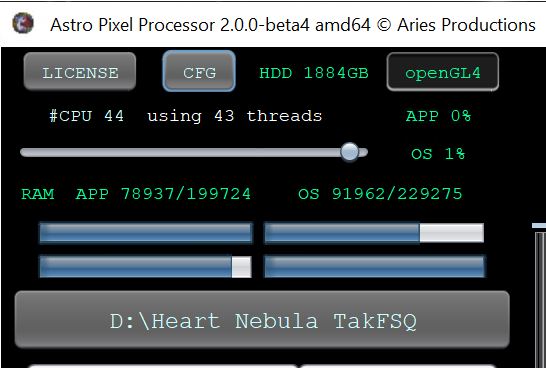
I am using 2.0.0 - beta 4 on this one. As far as hyperthreading goes if I use it on my main desktop it sees all of the threads too. On the main desktop I run a xeon e5-2699v3 and on the other computer I run dual xeon e5-2696v4 processors. I have attached one from the main desktop where it shows that, and you can see on both they refer to threads rather than cores. I have attached screenshots from the relevant part of the screen from both computers since I run the other one as a remote desktop.
Hi @imnewhere,
Thank you very much for reporting this.
I have added this to our ToDo list to investigate if it is possible to have APP use all avaliable CPUs and thus all available threads.
I know that I investigated this a couple of years ago and back then it was possible but only with commercial Oracle license meaning that an APP version having that capability would be more expensive for sure. Maybe things have changed though so I will make sure to check this soon and will update you on my findings.
Mabula
Thanks! If you need me to test anything let me know. I built this machine specifically for processing.
